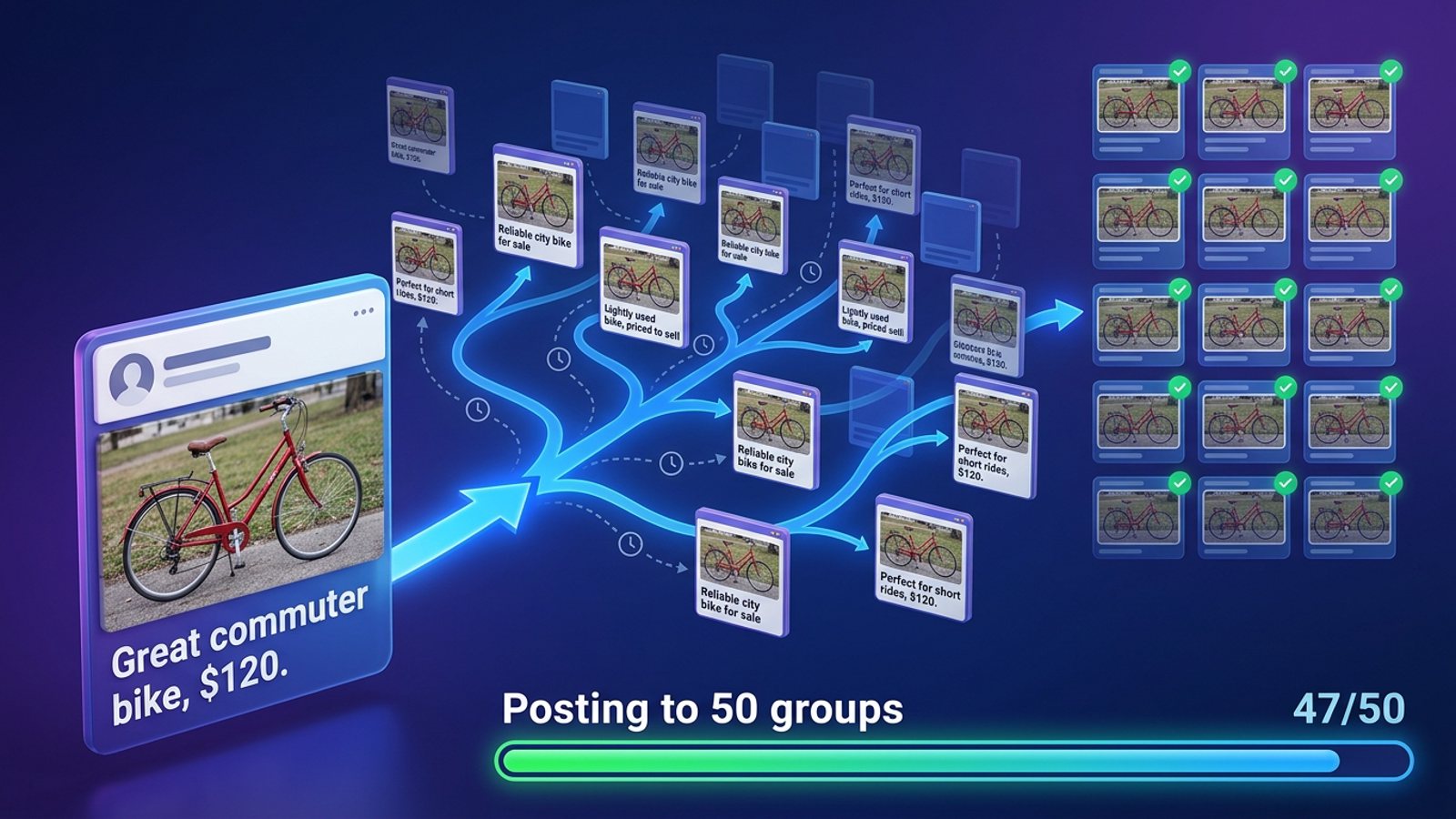
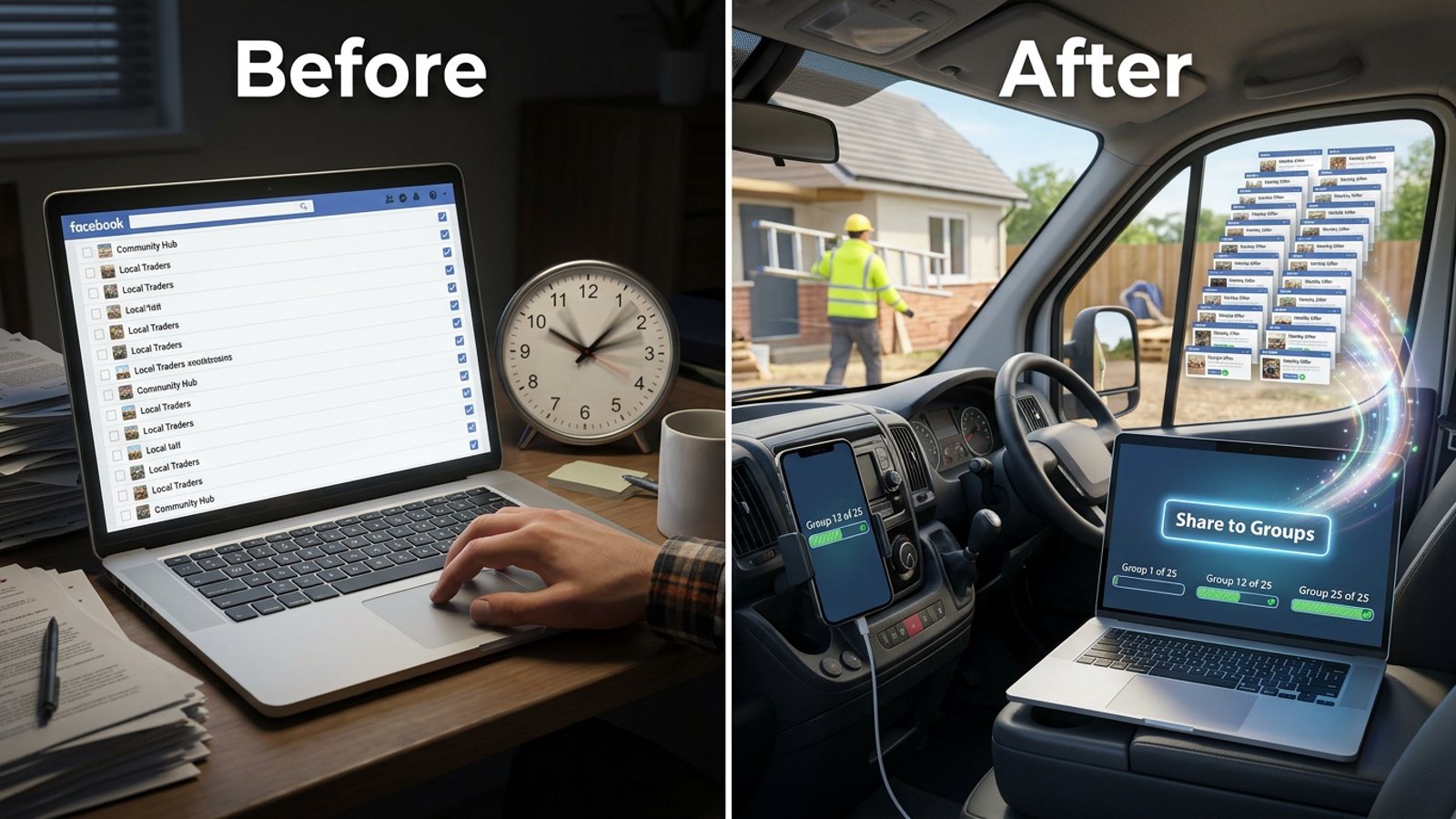
What's the fastest way to share the same post to 40 Facebook groups without losing track?
November 20, 2026 · MGSApro Team
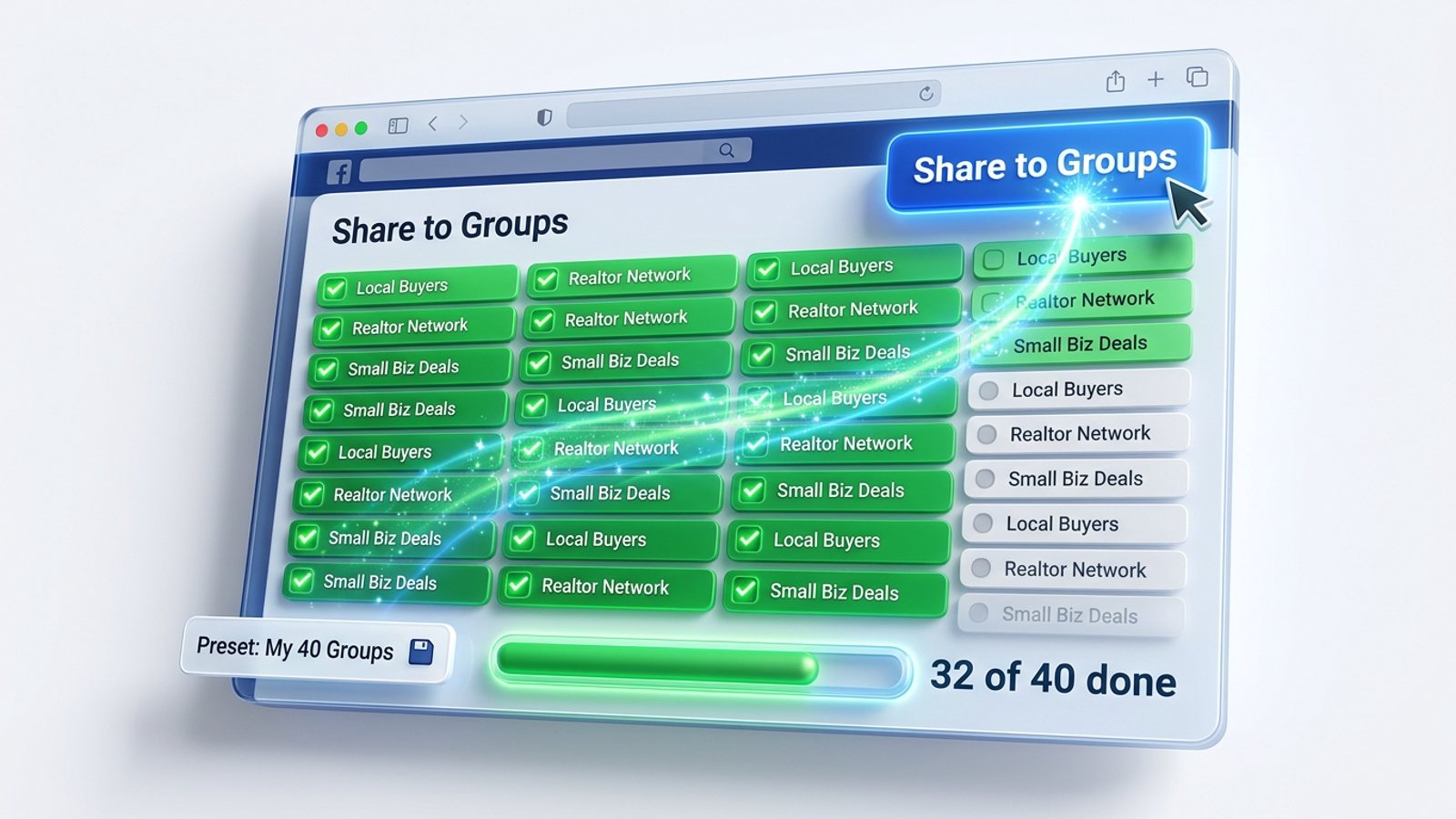
There's no single Facebook button for 40 groups — the native "Add groups" option covers about 4 groups per post on desktop and about 10 in the app, per Tecnoblog (2025). So the fastest way that keeps you on top of it is a preset group list, one message, one click, and a live per-group progress bar — like the one in the Facebook group sharing extension from MGSApro.
Get MGSA Chrome Extension (Free Unlimited) — preset your 40 groups once, then share each post in one click while the progress bar shows every group as it goes.
Key takeaways
- Facebook itself caps multi-group posting at roughly 4 groups on desktop and about 10 in the app (Tecnoblog, 2025), so 40 groups is always a batch job.
- Hand copy-paste runs about 2–3 minutes per group — over an hour for 40 groups (BuzzPost, 2026-10-29).
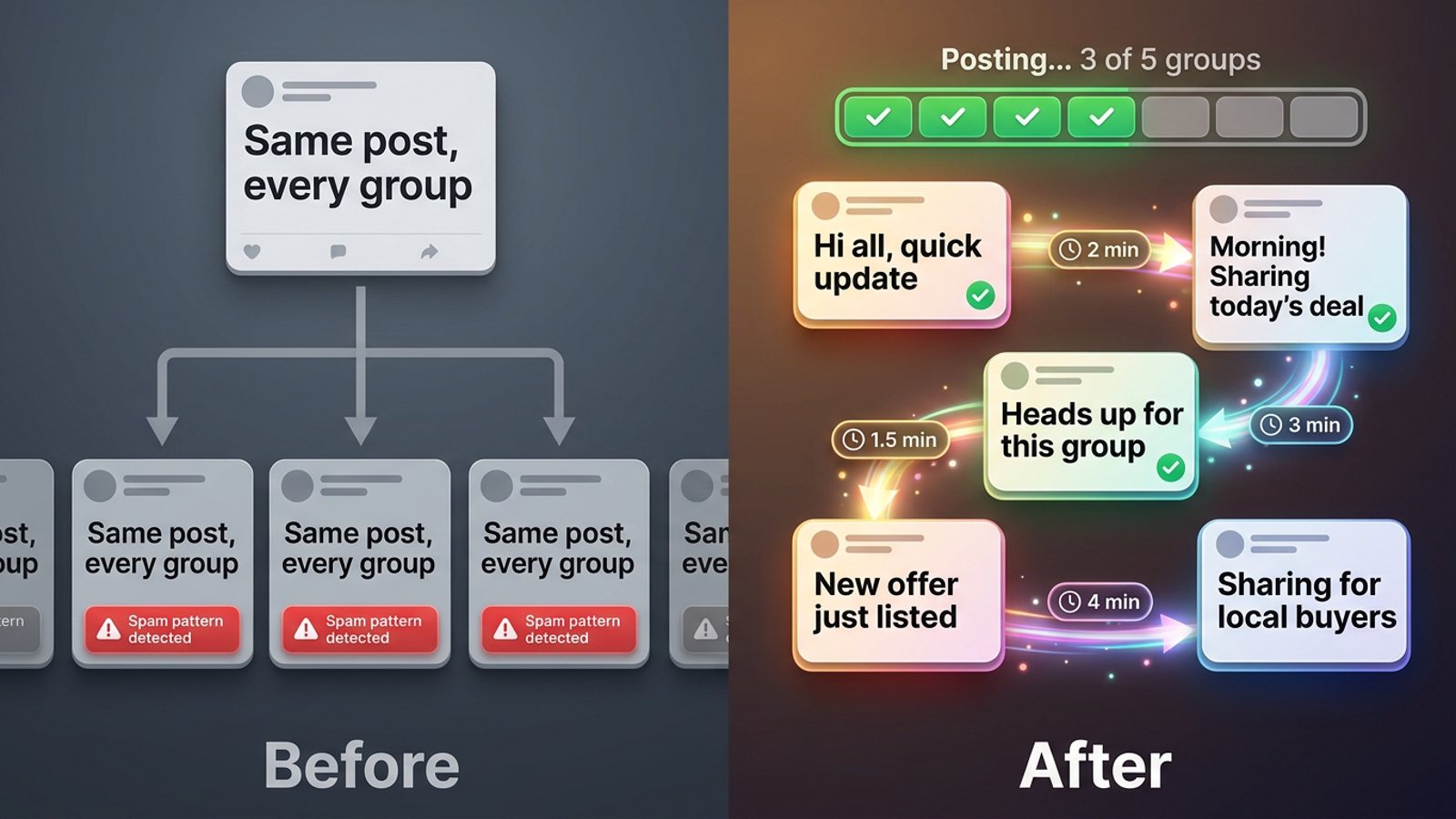
- Identical text in every group is the fastest route to restrictions; 3–5 rotating variants is the standard fix (FB Group Bulk Poster, 2025-12-11).
- The "losing track" problem is solved by a record you can see: a preset list plus a per-group progress bar, or a spreadsheet sorted by last-posted date.
- No method guarantees visibility — posts can sit in admin approval (RedReplier, 2026-09-12).
Why is sharing one post to 40 Facebook groups so hard?
Because Facebook was never built to do it. The native route is to start a post in one group and use "Add groups" — the app allows up to 9 additional groups and facebook.com up to 3, per Tecnoblog (2025-04-09). That's roughly 10 groups in the app and 4 on desktop per post, so 40 groups means at least four batches on desktop, and you have to remember where you stopped.
The native route also limits you to text with up to one image and no links, and each group's rules and admin approval still apply (Group Posting, 2026-11-07). Copy-pasting fresh into each group gets you full reach but costs about 2–3 minutes per group — an hour or more for a 20–30 group list, according to BuzzPost (2026-10-29).
So the real question isn't just speed. It's how to share post to 40 Facebook groups fast and know exactly which ones got it.
What's the fastest method that doesn't lose track?
The fastest honest method is: build the group list once, write your message once, fire it in one action, and watch a per-group status as it runs. Three routes do this to different degrees.
- Spreadsheet checklist + manual posting. Column A group name, Column B direct group link, Column C date last posted, Column D what was shared — sorted by Column C so untouched groups rise to the top (ArtHelper community post, 2026-08-07). Strongest control, but you still do every click.
- Native "Add groups" in batches. Free, but four-plus batches on desktop and no record of which batch went where.
- A browser-extension poster. You tick your groups on Facebook, save them as a preset, type an optional message, click Share, and watch a progress bar as each group is posted. That's how the MGSApro extension works, and it keeps the whole job on one screen.
Our recommendation: if your 40-group list is a fixed set you post to regularly, a preset beats a spreadsheet every time — the list itself becomes your record.
How do I set up a 40-group list so I never lose track?
Do it once, carefully, and every future post gets faster.
- List all 40 groups in one place — name, direct link, promo rules, last-posted date.
- Read each group's promo rules. Most groups that allow promotion limit it by day, place, links or format, and admins decline posts that open with a hard sell or repeat across groups (MaherPost, 2026-10-28).
- Write 3–5 variants of your post text so no two adjacent groups get identical copy (FB Group Bulk Poster, 2025-12-11).
- Save the list as a preset so you select it in one action next time.
- Pace the run — randomised gaps, not 20 posts in 10 minutes (BuzzPost, 2026-10-29).
- Verify after the run — a tool saying "done" isn't proof a post is live; check each result on Facebook (MultiGroupPoster, 2026-01-14).
With MGSApro, step 4 is literal: tick the groups on your Facebook page, save the selection as a preset, and reuse it — or share to multiple presets when your list splits into, say, "local buyers" and "realtor groups." The extension adds an optional message, then posts through the preset with a live progress bar. It also generates AI text variations for each group, which covers step 3 without you rewriting five versions by hand. If you want to see the click-by-click, the MGSApro tutorial walks through it.
How do I keep track of which groups actually got the post?
Watch the run, then check the results. A progress bar tells you which group the tool is on and which ones it has finished — that's your live record. After the run, open each group and confirm the post is there, because a completed run is not proof every post is live (MultiGroupPoster, 2026-01-14).
Two things can still hide a post from you:
- Admin approval. Depending on the group's settings, your post may wait for an admin — and even approved members can face post approval if the admin set it up (RedReplier, 2026-09-12). Meta announced AI help for admins on 23 October 2026 that labels pending posts as likely to comply or conflict with group rules, with approval left to admins (Search Engine Watch, 2026-10-24).
- Re-share penalties. Sharing a post into a group usually gets less reach than writing it there, and many groups ban re-shares outright (BuzzPost, 2026-10-29).
Our recommendation: mark each group's date in your tracker the same day you post. It takes two minutes and it's the difference between a 40-group list that works and one that double-posts.
How many groups can I post to per day without trouble?
Meta's spam policy prohibits posting or sharing at very high frequency, by hand or automatically, and repetitive content is also a spam signal (AutoGP, 2026-09-12). Every number below is vendor or practitioner guidance, not a Meta rule.
| Source | Guidance |
|---|---|
| Lilach Bullock (2026-08-19), practitioner | 5–8 groups/day for promo or link posts; 10–12/day for conversational posts; 10–15 minutes between posts |
| BuzzPost (2026-05-13), vendor | New account 5–10 groups/day for two weeks, then build; aged account with clean history 20–30/day; above 50/day is where warnings begin |
| PostSyncer (2026-09-23), vendor | Randomised 5–20 minute gaps; restrictions often appear in the first 30 days above ~25 groups/day |
| AutoGP (2026-09-12), vendor | ~25 posts/day for a brand-new account building over two months; ~90–100/day for an account over two years old |
A 40-group list doesn't have to go out in one sitting. Twenty posts in ten minutes is a fast route to the "we limit how often you can post" notice, while the same twenty spread across the day pass without issue (BuzzPost, 2026-10-29).
This is general guidance, not legal advice, and platform rules vary by place and change often. Use the extension to replace work you'd do anyway — not to flood groups. If an account is suspended, the owner's guidance is to appeal it, and to avoid spamming in the first place.
What tools can share one post to 40 Facebook groups?
Here's how the options we compared stack up for a 40-group list. MGSApro is made by the team behind this blog.
| Option | Best for | Key features | Price / free option | Watch-outs |
|---|---|---|---|---|
| MGSApro Chrome extension — Our pick | Sellers and small businesses with a fixed 40-group list | Tick groups on Facebook, save presets, optional message, live progress bar, randomised delays, AI text variations, one Share to Groups button | Free forever with a small watermark; $9.99/month without it (as of November 2026; prices can change). Yearly plan from $7.99/month | Chrome only; runs on top of Facebook; not affiliated with Meta |
| Manual copy-paste | Anyone who wants full in-group reach and total control | Looks like a normal in-group post, so best reach; free | Free | ~2–3 minutes per group, an hour-plus for 20–30 groups; no built-in record (BuzzPost, 2026-10-29) |
| Facebook's native "Add groups" | A handful of groups, fast | Built into Facebook; up to ~10 groups in the app, ~4 on desktop | Free | Text + one image, no links; 40 groups means 4+ desktop batches; approval still applies (Tecnoblog, 2025-04-09; Group Posting, 2026-11-07) |
| Spreadsheet checklist + manual posting | Maximum "don't lose track" control | Group name, link, last-posted date, what was shared; sort by date | Free | You still click every group; only as accurate as your updating (ArtHelper, 2026-08-07) |
| Buffer | Pages and multi-platform scheduling | Solid scheduler for Facebook Pages and other networks | Facebook scheduling quoted at $6/month per channel (Synapse Social, 2026-08-14; prices can change) | Can't post to groups you've joined — group support is reminder-only after Meta's April 2024 API change (MultiGroupPoster, 2026-07-02) |
| Hootsuite | Pages, Instagram, LinkedIn and team workflows | Broad scheduling and team tools | Sources conflict: $99/month per user (Synapse Social, 2026-08-14) vs $15–30/month entry (Conbersa, 2026-04-16) — prices can change | Doesn't post to groups you've joined (MaherPost, undated) |
Why MGSApro first, of the tools we compared: it's the one option here built around the exact job — a saved 40-group list, one click, and a progress bar that shows you where you are. It also adds randomised delays and AI text variations, which matter when you're posting the same offer across many groups.
Where other options win: if you mainly need full reach and don't mind the time, manual copy-paste is the more direct choice — shared posts usually get less reach than posts written inside the group (BuzzPost, 2026-10-29). If you need to schedule Facebook Pages alongside Instagram and LinkedIn, Buffer or Hootsuite are the better fit; they just can't reach groups you've only joined.
No tool can confirm a post is publicly visible after admin approval, and none of these change group rules. If you'd rather compare this decision in more depth, our breakdown of the best tool to share one Facebook post to all my groups at once goes further, and if wording is your worry, see how to share the same post to many Facebook groups with different wording each time.
Ready to stop counting batches? Get MGSA Chrome Extension (Free Unlimited) and preset your 40 groups once.
Sources
- Как опубликовать пост сразу в несколько групп Facebook (BuzzPost, 2026-10-29)
- Como publicar em vários grupos do Facebook ao mesmo tempo (Tecnoblog, 2025-04-09)
- Facebook Group Posting Questions, Answered (Group Posting, 2026-11-07)
- How Facebook Group Post Approval Works (RedReplier, 2026-09-12)
- Can Buffer/Hootsuite post to Facebook Groups (AutoGP, 2026-09-12)
- Facebook Posting Apps: 7 Best Apps to Post (MultiGroupPoster, 2026-07-02)
- How to Post to Multiple Facebook Groups at Once (MultiGroupPoster, 2026-01-14)
- Buffer Alternatives for Facebook Groups (MaherPost, undated)
- Hootsuite Alternatives for Facebook Groups (MaherPost, undated)
- Facebook post scheduler: native limits vs tools (Synapse Social, 2026-08-14)
- How Do You Automate Facebook Posts in 2026? (Conbersa, 2026-04-16)
- Facebook Group Posting Limits (FB Group Bulk Poster, 2025-12-11)
- Facebook Group Posting Limits (AutoGP, 2026-09-12)
- How Many Facebook Groups Can I Post To Per Day? (Lilach Bullock, 2026-08-19)
- How to Auto-Post Properties to Facebook Groups in 2026 (BuzzPost, 2026-05-13)
- How to Post in Multiple Groups on Facebook Safely (PostSyncer, 2026-09-23)
- Facebook group admins get AI help catching posts that break their rules (Search Engine Watch, 2026-10-24)
- Facebook Group Rules for Promotional Posts (MaherPost, 2026-10-28)
- Keeping track of which Facebook groups you've already posted to (ArtHelper community post, 2026-08-07)
Frequently asked questions
Never manually share to groups again
MGSA Pro is the free Chrome extension that shares your posts to every Facebook group for you — safely, with human-like timing.