What should I do when a Facebook group bans me?
November 29, 2026 · MGSA Team

If you're banned from a Facebook group, first confirm it, then message an admin politely and accept their answer. Don't open a new account to sneak back in. Use the ban to re-read the rules, review what you posted, and remove that group from any lists you share to. A ban is that one group's decision.
Key takeaways
- A ban is an admin's decision in one group. It is not the same as Facebook restricting your account.
- A short, polite message to an admin is the main way back in. It is never guaranteed.
- Skip new accounts. Two vendor guides on account restrictions warn against them, and Meta publishes an identity policy you can read.
- Remove the group from your sharing lists so you don't keep trying to post there.
- Keep sharing to the groups you're still in, at a natural pace and by each group's rules.
How can I tell if I'm banned from a Facebook group?
Search for the group by its exact name and see what Facebook shows. According to Lilach Bullock (published August 2026, updated November 2026), if the group appears as a public group with a "Join" button instead of your existing membership, you're no longer a member.
Her article lists several reasons this happens:
- An admin cleaned out inactive members.
- Facebook's automated moderation flagged a comment, even one that broke no real rule.
- Facebook took the whole group down.
- You left by accident, for example by tapping the wrong option in a notification.
So not every removal is a ban for something you did. Check before you assume the worst. If the group itself was taken down, the same article says to look in your email and notifications for a message from Meta and use any appeal option shown there.
Facebook's menus change often, so what you see may differ from what these guides describe at the time of writing.
Is this a group ban or a restriction on my account?
The quickest test: can you still post on your own timeline? AdaptlyPost (published February 2026, updated October 2026), a vendor guide, says that if you can post to your timeline but not in one group, you should suspect that group. Its advice is to read the group's About rules and contact the admin.
If posting fails everywhere, suspect your account instead. Our guide Why was my Facebook account restricted from posting in groups? covers Account Status, appeals and what to do while you wait.
Should I message the group admin?
Yes, if you want back in. Admins control bans, so Chron's guide (undated) to getting unbanned stresses that it is never guaranteed. Lilach Bullock adds that most admins will re-add an active member who followed the rules, often within a day, though that is her claim and not a rule.
Chron's advice, in short:
- Find an admin's profile. If you can't, ask a friend who isn't banned to look it up.
- Message them.
- Explain what led to the ban and show you understand it.
- Say it won't happen again.
- If you hear nothing after several days, follow up.
What do I say? (example message)
Here's a sample you can adapt. It is an example only, so change the details to fit your situation:
Hi [admin's name], I noticed I can no longer see [group name]. I think my posts on [day] may have broken your rules on self-promotion, and I'm sorry about that. I've re-read the rules and I'll follow them from now on. Would you be open to letting me back in? Thanks for your time either way.
Keep it short and polite, and show that you understand what went wrong.
Should I make a new account to rejoin?
No. Two vendor guides on account restrictions (not on group bans) warn against it. AdaptlyPost says not to use alternate accounts or third-party tools to get around a restriction, because of the risk of a permanent ban. SocialRails (updated May 2026) also lists "no new accounts, VPNs or bots" while you wait.
For Meta's own position, read its Authentic Identity Representation policy: https://transparency.meta.com/policies/community-standards/authentic-identity-representation/. Meta's pages can change, so read the current version yourself.
The simplest path is the one above: ask the admin, and accept the answer.
What can I learn from a ban?
Treat it as free feedback. Do three things:
- Re-read the group's rules. Many groups restrict self-promotion or allow it only on set days. Entrepreneur (August 2021) advises asking a moderator if you're unsure.
- Review what you posted. Look for links, promotional wording, repeated posts or the same text you used elsewhere. Admin tools can auto-decline posts for spam keywords, spam-linked sites, new accounts or recent rule violations, according to Social Media Examiner (October 2021, so menus may have changed).
- Check the rules of your other groups. Our guide to Facebook's rules for posting in groups explains the two layers: Meta's rules and each group's own.
How do I stop sharing to a group that banned me?
Take it out of any saved group list right away, so you don't keep trying to post there.
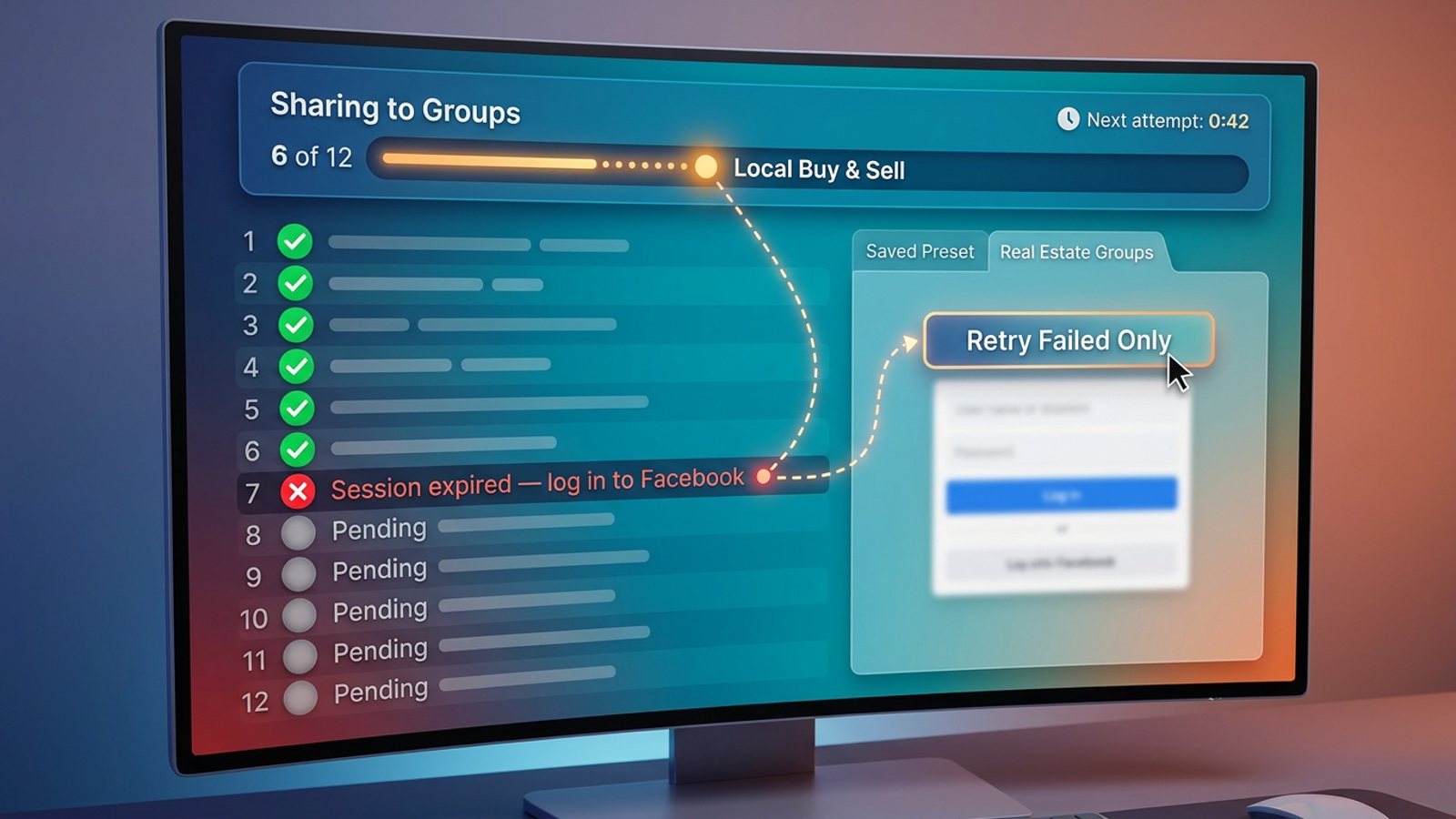
If you use MGSA, presets are saved group lists you can combine, and each group gets your post only once even when it appears in several presets. Keep the banned group out of the groups you tick and out of your saved presets. If you want help building tidy lists, see how to save a list of Facebook groups to post to.
Which tools help me keep sharing to the groups I'm still in?
Once the banned group is out of your lists, the aim is to keep sharing to the groups that still welcome you, without repeating whatever got you banned. Here is how the options compare, as of November 2026. Prices can change.
| Tool | Best for | Key features | Price / free option | Watch-outs |
|---|---|---|---|---|
| MGSA (our pick) | Sharing one post to many groups you're still in | One-click "Share to Groups" inside Facebook; presets that de-duplicate; natural pace; AI text variations | Free unlimited sharing with a small watermark. No credit card, no trial timer. Upgrade to remove the watermark | Desktop Chrome only; keep the Facebook tab open while sharing; the free version adds a link watermark |
| By hand | A handful of groups | Full control over every post | Free | One group at a time; slow |
| Multigroup Poster (formerly FB Group Bulk Poster, per its site) | Bulk posting with scheduling | Spintax, pacing, scheduling | Free trial of 6 posts; Pro $9.99/month or $69.99/year (its site, checked 4 November 2026) | Paid after the trial |
| Buffer | Scheduling to Pages and other networks | For Facebook groups, reminder notifications (per its pricing page) | Free plan ($0, 3 channels); Essentials $5/month per channel (its pricing page, updated November 2025) | Groups are covered by reminders only |
MGSA is made by the team behind this blog. Of the tools we compared for sharing to groups you're still in, we rank MGSA first. It works inside Facebook, saves your groups as presets, clicks and types at a natural human pace, rewrites your message slightly for each group with AI text variations, and is free to use with a small watermark.
MGSA recommends no more than 30 groups every 2 hours, and that is MGSA's own advice, not a Facebook rule. Always follow each group's rules. MGSA does not make an account ban-proof. MGSA is not affiliated with or endorsed by Meta.
Add to Chrome — free or see mgsapro.com. There's also a tutorial.
How do I avoid getting banned again?
Share to each group the way a good member would:
- Read the pinned rules before your first post.
- Don't paste the exact same text everywhere. MGSA's AI text variations rewrite your message slightly for each group.
- Space out your sharing instead of firing off a big batch.
- Be careful with links and promotional words in groups that ask you to hold back.
- Join in, comment and be useful so you're not only posting promotions.
Sources
- Lilach Bullock, Where to Find Your Facebook Groups When You Cannot Locate Them
- Chron, How to Get Unbanned From a Facebook Group
- AdaptlyPost, Why can't I post on Facebook
- SocialRails, Facebook jail
- Meta, Authentic Identity Representation
- Social Media Examiner, Facebook Admin Assist
- Entrepreneur, 7 Facebook group etiquette tips for business owners
- Multigroup Poster
- Buffer pricing
Frequently asked questions
Never manually share to groups again
MGSA Pro is the free Chrome extension that shares your posts to every Facebook group for you — safely, with human-like timing.