
What is the best tool for posting to Facebook groups from multiple profiles without mixing up the groups?
November 28, 2026 · MGSApro Team
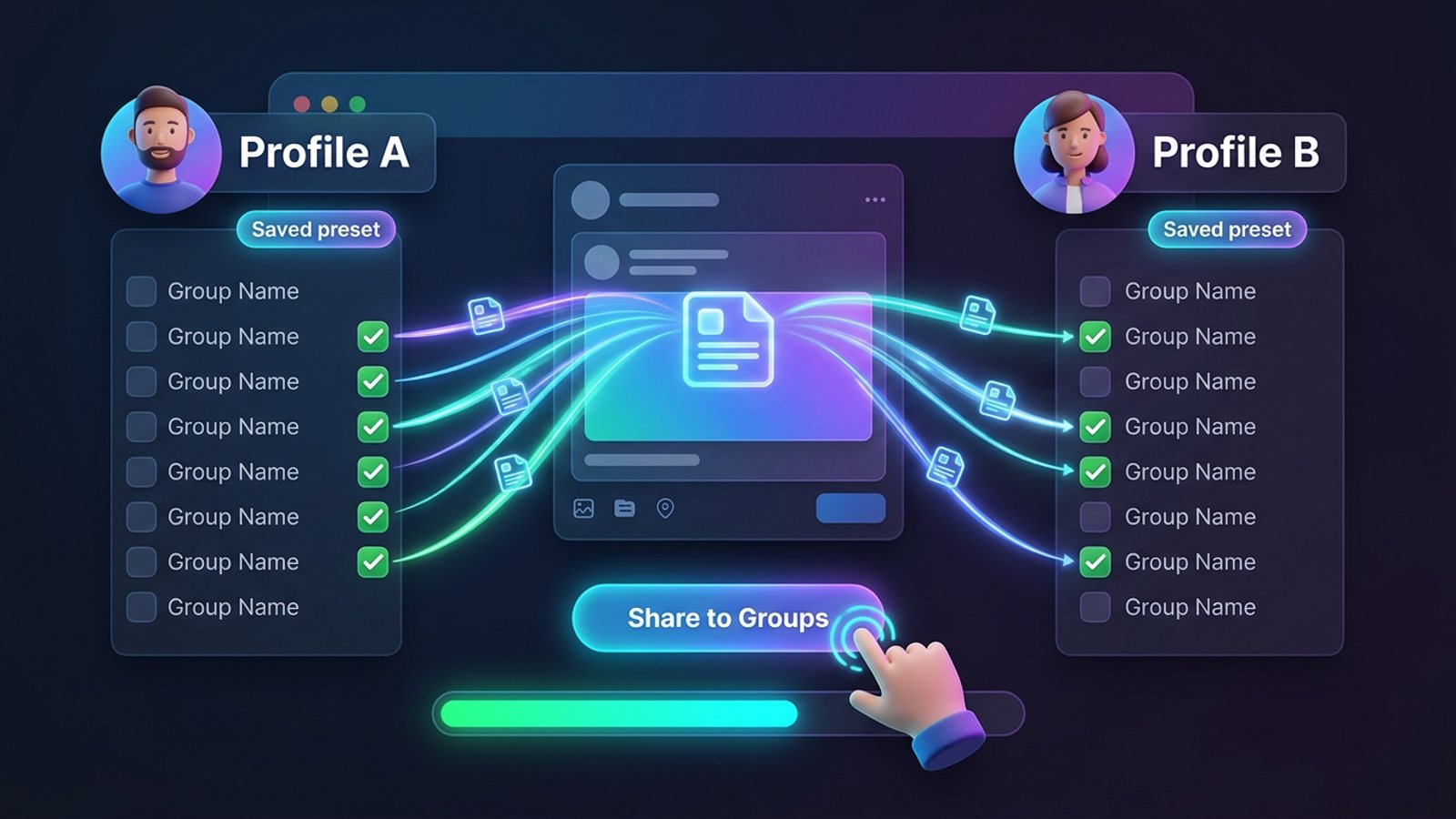
If you run several Facebook profiles, the best tool for multi profile facebook group posting is a Chrome extension that saves a separate group selection for each profile and remembers it next time. MGSApro does exactly that, inside Facebook, with one-click sharing and no dashboard. Of the tools we compared, it's our pick.
Get MGSA Chrome Extension (Free Unlimited) — free forever with a small watermark, or paid to remove it.
Key takeaways
- MGSApro remembers which groups belong to which profile, so profile A's groups don't bleed into profile B's post.
- Cloud schedulers can't help: Meta removed the Groups API on 22 April 2024, and Buffer, Hootsuite, Later and Sprout Social can no longer post to groups at all (MaherPost, 2026).
- Browser-isolation tools like Multilogin and GoLogin keep sessions apart, but you still tick groups by hand every time.
- A spreadsheet catches double-posting but posts nothing for you.
- Varying your copy per profile matters — repeating the same ad from several accounts is a named spam pattern (MONOLITH LAW OFFICE, 2025). This is not legal advice, and platform rules vary by place.
Why does posting from multiple profiles get messy in the first place?
Because Facebook gives you no memory of which groups belong to which profile. Meta now allows up to four additional personal profiles on one account, switchable without logging out (Facebook Newsroom, 2023). Each has its own feed, friends and groups. That's the good news.
The bad news: nothing in Facebook's own interface tracks your group lists per profile. Facebook's composer shares to one group per share (PurePrivacy, 2025), and the "Add groups" option sends a personal-profile post to up to nine eligible groups at once — text plus one image, no links (Group Posting, 2026). Neither remembers anything for next time.
So the mistakes pile up fast: you post a client's listing to the wrong profile's groups, you double-post to a group from two identities, or you lose twenty minutes re-ticking the same boxes.
What should a multi-profile group posting tool actually do?
It should store a separate, reusable group list per profile and keep the posting inside your own logged-in session. That's the whole job. Anything less and you're back to manual ticking.
Our recommendation: before you compare tools, write down which profile owns which groups. That one list is the thing every option below either automates or makes you redo by hand.
A tool worth paying for in 2026 needs four things:
- Per-profile group memory — a saved selection tied to the profile you're posting as.
- In-session posting — it works inside Facebook while you're logged in, because no outside app can post to a group for you since April 2024.
- Human-like pacing — randomized delays, so a burst of posts doesn't look automated.
- Copy variation — different wording per group, so you're not publishing one templated ad everywhere.
Which tool keeps profile A's groups separate from profile B's?
MGSApro does, because it saves group selections as presets and remembers which groups go with which profile. It's the only option in this comparison built around that specific problem.
Here's how it works, step by step:
- Browse your Facebook groups and tick the ones you want for the profile you're posting as.
- Optionally type a message or blurb for the share.
- Save the selection as a preset — one preset per profile keeps things clean.
- Click Share and watch the live progress bar as each group is posted.
The extension runs entirely on top of Facebook. There's no login, no dashboard, no separate app to keep in sync. It adds one "Share to Groups" button on every post, plus randomized delays, human-like clicks and AI-generated text variations so each group gets slightly different wording.
It also handles multiple profiles directly: it remembers which groups go in which profile. And it can schedule posts into your own groups.
Price: free forever with a small watermark, or $9.99 per month without one. A yearly plan starts from $7.99 a month. Prices as of November 2026, and prices can change.
Honest limits: Chrome only, it operates on top of Facebook, the free version adds a watermark, and it isn't affiliated with Meta.
How do the alternatives compare?
Each option below solves part of the problem. None of them remembers your groups per profile the way MGSApro does.
MGSApro is made by the team behind this blog.
| Option | Best for | Key features | Price / free option | Watch-outs |
|---|---|---|---|---|
| MGSApro (Our pick) | Keeping a separate group list per profile and sharing in one click | Per-profile group memory, saved presets, one-click share to many groups, randomized delays, AI text variations, works inside Facebook | Free with watermark; $9.99/month without (as of Nov 2026) | Chrome only; runs on top of Facebook; not affiliated with Meta |
| Manual posting, profile by profile | Total control, zero tooling risk | You choose the profile, you choose the groups; Facebook's "Add groups" sends a post to up to nine eligible groups (text + one image, no links) | Free — just your time | One group per share in the normal composer; slow at scale; high-frequency posting is treated as spam by Meta's rules (Meta Transparency Center, 2024) |
| Spreadsheet + copy-paste tracker | Logging which group was posted under which profile and when | A written record that stops double-posting and repeated copy | Free (any spreadsheet app) | It's a log, not a poster — every post is still typed and clicked by hand |
| Meta Business Suite | Scheduling Page and Instagram content, with a calendar Planner view | Free native scheduling for Pages; works when a Group is linked to a Page you admin | Free | Doesn't support Facebook Groups generally — a group not showing is expected (Buffer, 2026); no bulk scheduling across groups (SocialBee, 2026) |
| Multilogin / GoLogin | Keeping each profile in its own browser fingerprint so shared IPs and reused fingerprints don't link accounts | Profile isolation per session | Plans not stated in our sources — check each vendor's site | Isolation only solves the session side; you still pick and post to groups by hand per profile (Multilogin, 2025 — vendor blog) |
| Hootsuite / Buffer | Pages, Instagram and LinkedIn scheduling, plus inbox and analytics | Multi-platform scheduling and reporting | Roughly $15–$30 per month starting range (Conbersa, 2026); exact tiers vary | Cannot post to Facebook groups at all since April 2024, not even groups you admin; Buffer sends a mobile notification so you finish the post yourself (Buffer Help Center, 2026) |
If you mainly need clean session separation and you're comfortable ticking groups by hand, Multilogin or GoLogin is the more direct choice. If you need Page and Instagram scheduling in one calendar, Meta Business Suite or Buffer covers that better. But for the specific job in the title — many groups, several profiles, no mix-ups — our pick is the Facebook group sharing extension.
Can any cloud scheduler post to my Facebook groups in 2026?
No. Meta removed the Groups API and the publish_to_groups permission on 22 April 2024, so no third-party app can create a group post through the official API (RedReplier, 2026).
The knock-on effect is blunt: Buffer, Hootsuite, Later and Sprout Social relied on that endpoint and can no longer post to groups at all — even groups you admin (MaherPost, 2026). Buffer's own help centre says group posts now use "notification publishing" because automatic scheduling to groups is no longer possible (Buffer Help Center, 2026).
That's why every working method in this guide posts inside your own logged-in browser. It's also why an extension beats a scheduler for this job.
Can Meta Business Suite schedule into a group?
Only inside a group you admin or that's linked to a Page, and one group at a time. It doesn't support Facebook Groups generally.
Buffer's guide is direct about it: a group not showing in Meta Business Suite is expected, because Business Suite doesn't support Facebook Groups (Buffer, 2026). Its Planner is built for Page and Instagram posts, stories, reels and ads (postify.tech, 2026). And there's no bulk scheduling across multiple groups (SocialBee, 2026).
If you only joined a group rather than adminning it, Facebook has no scheduling for you at all (Medium/Dented Feels, 2026).
How do I stop mixing up groups between profiles?
Write the ownership list first, then let your tool enforce it. Five steps that work with any method:
- Decide which profile owns which groups and write it down — in a spreadsheet or as a saved preset.
- Switch to the right profile before posting, and confirm the switch in the pop-up Facebook shows you (Hootsuite blog, 2024).
- Vary the copy per profile instead of repeating one templated ad; keep hashtags to about 3–5 (MONOLITH LAW OFFICE, 2025).
- Check whether any scheduler you use still supports groups at all — most don't since April 2024.
- Log each post (group, profile, date) so the next round doesn't repeat the same groups or the same wording.
With MGSApro, steps 1 and 5 collapse into one action: save your ticked groups as a preset per profile, and the selection is waiting next time. For a walkthrough, the MGSApro tutorial shows the preset flow.
Is posting from several profiles risky?
Yes, if you repeat the same content. Posting the same templated ad repeatedly during a day, or publishing the same ad from multiple accounts including secondary accounts, is named as a spam pattern that risks suspension (MONOLITH LAW OFFICE, 2025 — law firm blog).
Meta's spam policy also prohibits creating accounts, Groups or Pages and engaging "either manually or automatically, at very high frequencies" (Meta Transparency Center, 2024). Note the words "even manually" — speed alone is a signal.
Two more things worth knowing. Meta says repeated violations on an additional profile can bring action against that profile and all related profiles (Meta Newsroom, 2023). And Facebook is described as built to spot patterns across accounts — shared IPs, reused browser fingerprints, repeating login and posting patterns (Multilogin, 2025 — vendor blog).
Our recommendation: keep volumes human, vary wording, and don't treat any tool as a licence to flood groups. This is not legal advice, and enforcement varies by place. If an account is suspended, the owner's guidance is to appeal rather than open new accounts.
Which tool should I pick?
Pick MGSApro if your job is posting to many groups across several profiles and you want the group lists remembered for you. Pick Multilogin or GoLogin if session isolation is your main worry and you'll tick groups yourself. Pick Meta Business Suite or Buffer if Pages and Instagram matter more than groups.
Ready to stop re-ticking boxes? Get MGSA Chrome Extension (Free Unlimited) and save your first preset per profile today.
Sources
- Spam policy (Meta Transparency Center, 2024-06-25)
- You Can Now Have Multiple Personal Profiles on Facebook (Facebook Newsroom, 2023-09-20)
- Facebookで複数の個人プロフィールを持てるように (Meta Newsroom, 2023-09-21)
- How Facebook Group Post Approval Works (RedReplier, 2026-09-12)
- Using Facebook with Buffer (Buffer Help Center, 2026-07-01)
- How to Schedule a Post on Facebook (Buffer, 2026-10-25)
- How to Schedule Posts in Facebook Groups (MaherPost, 2026-10-28)
- I Tried Every Way to Schedule a Post in a Facebook Group (Medium/Dented Feels, 2026-10-24)
- Facebook Group Posting Questions, Answered (Group Posting, 2026-11-07)
- Is Meta Business Suite good for scheduling? (postify.tech, 2026-10-22)
- How to schedule posts on Facebook Groups (SocialBee, 2026-01-06)
- How to Manage Multiple Facebook Pages (Hootsuite blog, 2024-06-27)
- Manage multiple Facebook accounts with Multilogin (Multilogin, 2025-12-23)
- Posting to Multiple Facebook Groups (PurePrivacy, 2025-01-02)
- How Do You Automate Facebook Posts in 2026? (Conbersa, 2026-04-16)
- Why are Meta accounts suddenly suspended (MONOLITH LAW OFFICE, Thai edition, 2025-07-24)
- Why are Meta accounts suddenly suspended (MONOLITH LAW OFFICE, Ukrainian edition, 2025-07-28)
Frequently asked questions
Never manually share to groups again
MGSA Pro is the free Chrome extension that shares your posts to every Facebook group for you — safely, with human-like timing.
Keep reading

How do I post the same listing to Facebook groups under different profiles without mixing them up?
November 20, 2026
What are the best alternatives to Hootsuite for posting to Facebook groups from more than one profile?
November 28, 2026
What is the best free tool to post to multiple Facebook groups at once?
November 21, 2026
Is a Facebook group posting tool worth it for a social media manager running three client profiles?
November 28, 2026