
Is a Facebook group posting tool worth it for a social media manager running three client profiles?
November 28, 2026 · MGSApro Team

For most social media managers running three client profiles, yes — a facebook group posting tool managers can rely on is worth it if group sharing is a weekly habit. At $35–$150 an hour of billable time (Zarla, 2026), 20–30 minutes per profile per week re-ticking groups and re-sharing adds up fast. The catch: no tool posts across all three profiles at once, and Meta's schedulers can't publish into groups at all.
Key takeaways
- Meta removed the Groups API on 22 April 2024, so Buffer, Hootsuite, Later and Meta Business Suite can't auto-publish to groups — only remind you (Restream, 2026; Buffer Help Center, 2026).
- The real saving is the share-clicking step: one click per profile instead of re-ticking 30 groups by hand.
- The bigger risk isn't the subscription — it's a listing landing in the wrong client's groups, which a 2026 analysis says can end a contract.
- The honest limit: each client profile needs its own logged-in run and its own saved group list. A tool speeds that up; it doesn't merge it.
- Compare prices on the day you buy — they change.
If you want to see the one-click share in action before you decide, get the MGSA Chrome Extension free and test it on your own profile first.
How much time does a group posting tool actually save a manager?
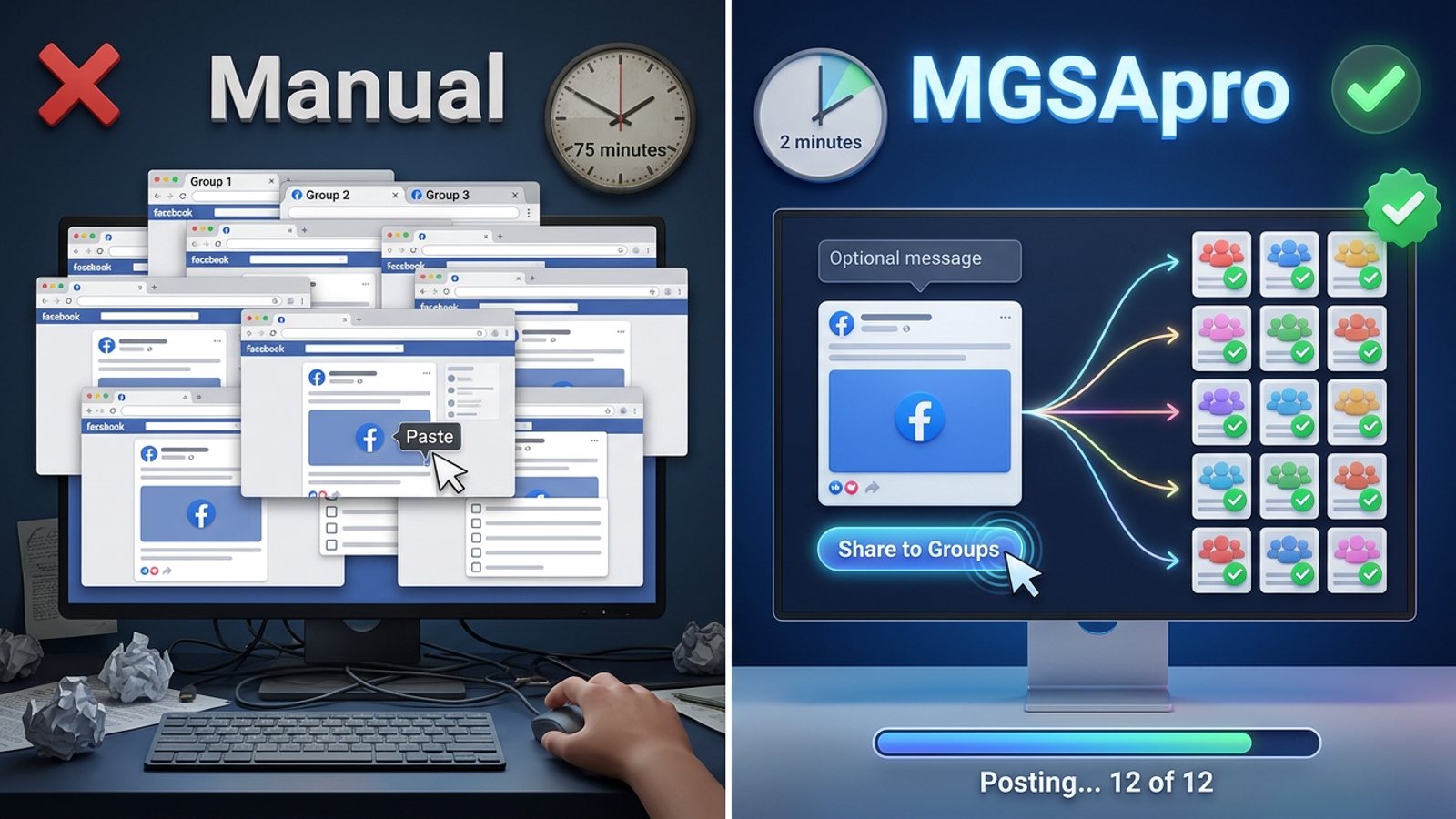
It saves the repetitive per-group clicking, which is the slowest part — one source estimates about 4 minutes per post per group by hand (GroupBlaster, undated), and another puts a single property share at 40–90 minutes depending on group count (Postly, 2026). Run that across three client profiles and it's a real block of your week.
Here's the honest maths. Say each profile takes 20–30 minutes a week of re-ticking groups and re-sharing the same post. At $35–$150 an hour (Zarla, 2026), that's roughly $35–$75 a week at the low end for three profiles — more at mid-band rates. A browser extension that saves the group list as a preset and shares in one click cuts that to a couple of minutes per profile.
But be clear about what you're buying: the tool does the clicking, not the logging in. You still switch into each client's profile, run that profile's saved group list, and check the post landed where it should. That's the workflow, and it's why the tool pays off on volume, not on a one-off post.
Why can't Hootsuite, Buffer or Meta Business Suite just post to the groups for me?
Because Meta shut down the Groups API on 22 April 2024, and third-party schedulers lost the ability to publish into groups (Restream Help Center, 2026; Meta for Developers forum, 2024). What's left is a reminder, not a post.
- Buffer now supports Facebook Groups only through "notification publishing" — a mobile reminder you copy into the group yourself (Buffer Help Center, 2026).
- SocialBee says direct posting to groups from any third-party scheduler is no longer possible and offers mobile-notification posting instead (SocialBee changelog, 2026).
- CoSchedule states no scheduling tool can publish to a Group on any plan (CoSchedule Support, undated).
- Meta Business Suite can schedule inside a group natively, but only where you're an admin or moderator (SocialKit, 2026; Group Posting, 2026).
So the mainstream schedulers still earn their keep for Page posts across your three clients — they just can't do the group-sharing job. That's the gap a browser extension fills.
What does one wrong-client post actually cost?
More than the tool. A listing or offer shared into the wrong client's groups is a documented failure that can end a contract or raise reliability questions with the client (Planaro, 2026). Recovery advice is consistent: delete fast, apologise, tighten the process (LinkedIn advice, 2024).
That's the risk you're really weighing. Manual posting carries it too — switching between accounts makes slips likely (Planaro, 2026) — but a tool with saved per-profile group lists reduces the chance you tick the wrong set. The way to keep it clean:
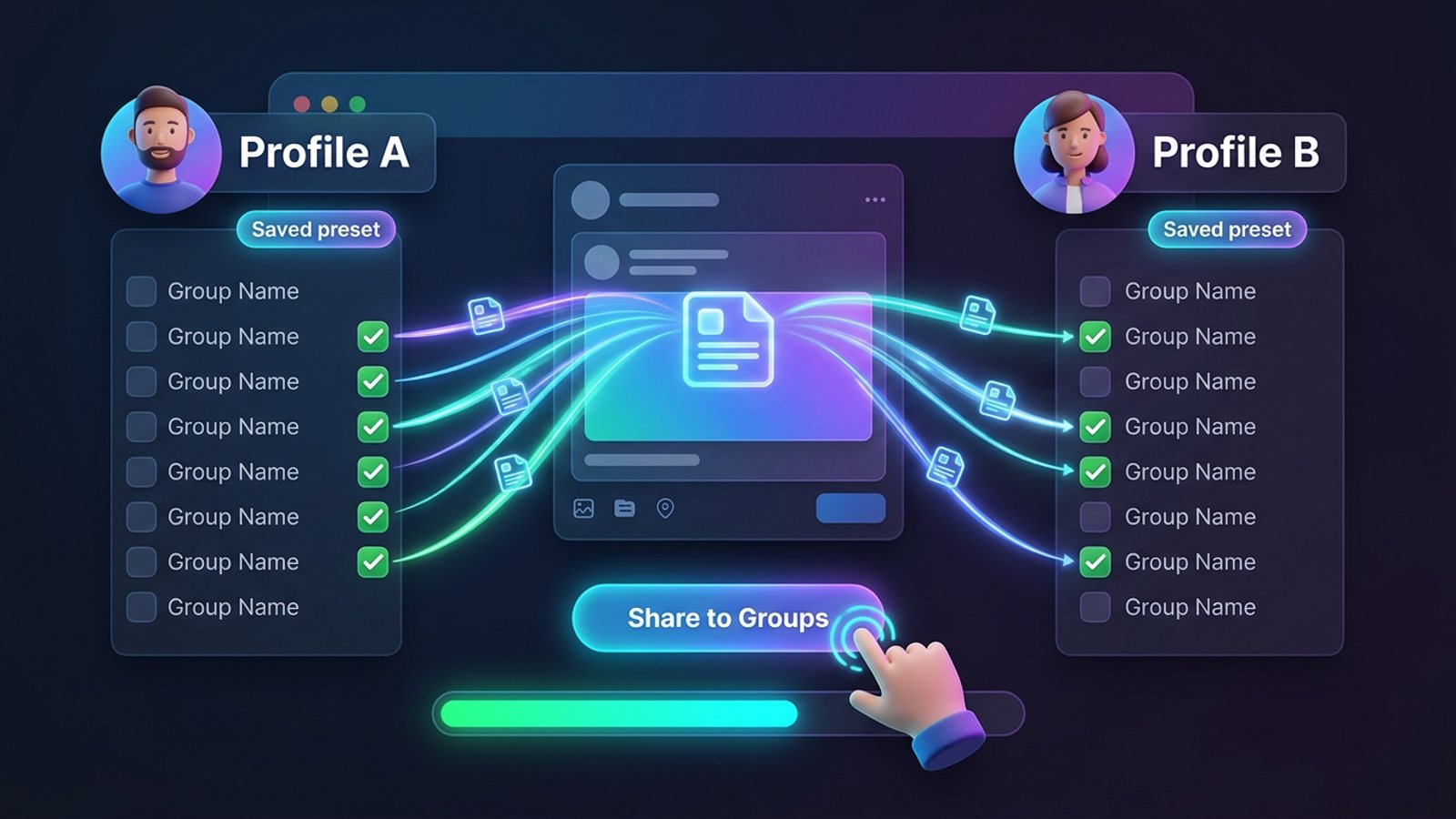
- Save a separate preset of groups for each client profile.
- Run one profile at a time — never share the same post from two profiles in one sitting.
- Add a short, client-specific message to each share so the wrong one is obvious before it goes out.
- Check the first two or three groups in the progress bar before walking away.
Our recommendation: build the preset on a quiet day and test-share to two groups before you trust it with a live listing.
Is it safe to use a group sharing extension on a client's account?
It can be, if you keep the pace human and the text varied — Meta's Spam policy prohibits posting or sharing "at very high frequencies," manually or automatically, and may restrict accounts when other spam signals like repetitive content are present (Meta Transparency Center, 2024). Meta also says it's reducing reach for accounts that share repetitive, spammy content (About Meta Newsroom, 2025).
So the safety rules that matter for a manager:
- Vary the text. Identical copy across 30 groups in three minutes is exactly the pattern Meta flags. Text variations per group help.
- Space the shares. Built-in randomised delays and human-like clicks make a run look less like a flood.
- Don't max out daily. A job ad for group posting scopes 15–20 approved groups as a 10-hour-a-week role (OnlineJobs.ph, 2026) — a reminder that slow and steady is the normal pace, not a limitation.
- Use a tool that runs inside the logged-in browser without asking for client passwords where possible.
This is not legal advice, and platform rules vary by place and change often — check Meta's current policy before you set a client's cadence.
Which tool should a manager running three profiles use?
Of the tools we compared, MGSApro fits the group-sharing step best for a manager juggling three profiles, because it saves group selections as presets per profile and shares in one click — but it's Chrome-only and runs on top of Facebook. Here's the honest comparison.
| Option | Best for | Key features | Price / free option | Watch-outs |
|---|---|---|---|---|
| MGSApro — Our pick | Managers who share the same post into many groups per profile, weekly | One-click share to many groups, optional message, saved presets, live progress bar, randomised delays, AI text variations, works inside Facebook with no extra dashboard | Free forever with a small watermark, or $9.99/month without — as of November 2026, prices can change | Chrome only; operates on top of Facebook; free version adds a watermark; not affiliated with Meta |
| Manual posting | Anyone testing whether group sharing is even worth it | Works on every profile, zero setup, zero tool risk | Free in cash, paid in hours (40–90 min per property per one source) | Slow, hard to track which groups you hit, and wrong-client slips are common |
| Meta Business Suite | Scheduling Page posts for all three clients in one place | Free native scheduling for Pages; group scheduling only where you're admin/moderator | Free | Can't publish as a member into third-party groups |
| Buffer | Managers who want reminders plus Page scheduling | Notification publishing for groups (a mobile reminder you paste yourself) | Free up to 3 channels; Essentials $5/channel/month; Team $10/channel/month (third-party comparison, 2026) | Doesn't auto-publish to groups; channel maths can push you onto a paid tier |
| Hootsuite | Cross-network Page scheduling and reporting | Strong Page scheduling and reporting | Paid plans from $99 to $399, per user (third-party comparison, 2026) | Can't post to groups at all after the API removal |
MGSApro is made by the team behind this blog.
If you mainly need Page scheduling and reporting across clients, Hootsuite or Buffer is the more direct choice. If you need the group share done in one click per profile, try MGSApro free and see the preset workflow — the MGSApro tutorial walks you through saving a group list per client.
How do I set up group sharing for three client profiles without mixing them up?
Set up one preset per client, then run them one profile at a time. That's the whole discipline.
- Log into client A's profile and browse their groups.
- Tick the groups you share to for that client.
- Save the selection as a preset named for the client.
- Repeat for clients B and C.
- When you share, log into one profile, pick its preset, add the message, and share.
- Watch the progress bar, then move to the next profile.
MGSApro remembers which groups go with which profile, and it can schedule posts into your own groups only — so for client groups you're a member of, the one-click share is the path. For the wider workflow, our guide on keeping group posts clean when you share for clients goes deeper, and if you're weighing paid vs free tiers, see whether a paid group posting tool is worth it for a manager.
Sources
- Meta for Developers community thread on Groups API removal (Meta, 2024-06-22)
- Facebook Groups API changes (Restream Help Center, 2026-07-08)
- Posting to Facebook Groups Using SocialBee (SocialBee changelog, 2026-09-20)
- Connecting and publishing to your Facebook Group with Buffer (Buffer Help Center, 2026-07-01)
- Can CoSchedule publish to Facebook Groups? (CoSchedule Support, undated)
- How to Schedule Facebook Group Posts (SocialKit, updated 2026-05-20)
- Facebook Group Marketing for Agencies (Group Posting, 2026-09-28)
- Manual vs automated group posting cost (MaherPost, 2026-08-05)
- Postly realtor page (Postly, 2026-08-12)
- GroupBlaster for real estate agents (GroupBlaster, undated)
- Social media management pricing 2026 (Zarla, 2026-10-25)
- Social Media Management Pricing 2026 (CO Consulting, 2026-10-10)
- You've mistakenly shared posts on the wrong accounts (LinkedIn advice, updated 2024-12-05)
- Why content creators need multiple social media projects (Planaro, 2026-02-07)
- Spam policy (Meta Transparency Center, 2024-06-25)
- Reducing spammy content on Facebook (About Meta Newsroom, 2025-04-24)
- Social media engagement manager job ad (OnlineJobs.ph, 2026-07-14)
- Multigroup Poster FAQ (ExtPose, 2026-11-06)
Frequently asked questions
Never manually share to groups again
MGSA Pro is the free Chrome extension that shares your posts to every Facebook group for you — safely, with human-like timing.
Keep reading

Is a paid Facebook group posting tool worth it for a social media manager?
November 27, 2026
What is the best tool for posting to Facebook groups from multiple profiles without mixing up the groups?
November 28, 2026

Is a Facebook group posting tool worth it for a realtor who lists every week?
November 26, 2026
Is a group-posting extension worth it for a cautious small business owner?
November 27, 2026