
Meta Business Suite vs doing it by hand: which is faster for sharing one post to 30 Facebook groups?
November 26, 2026 · MGSApro Team
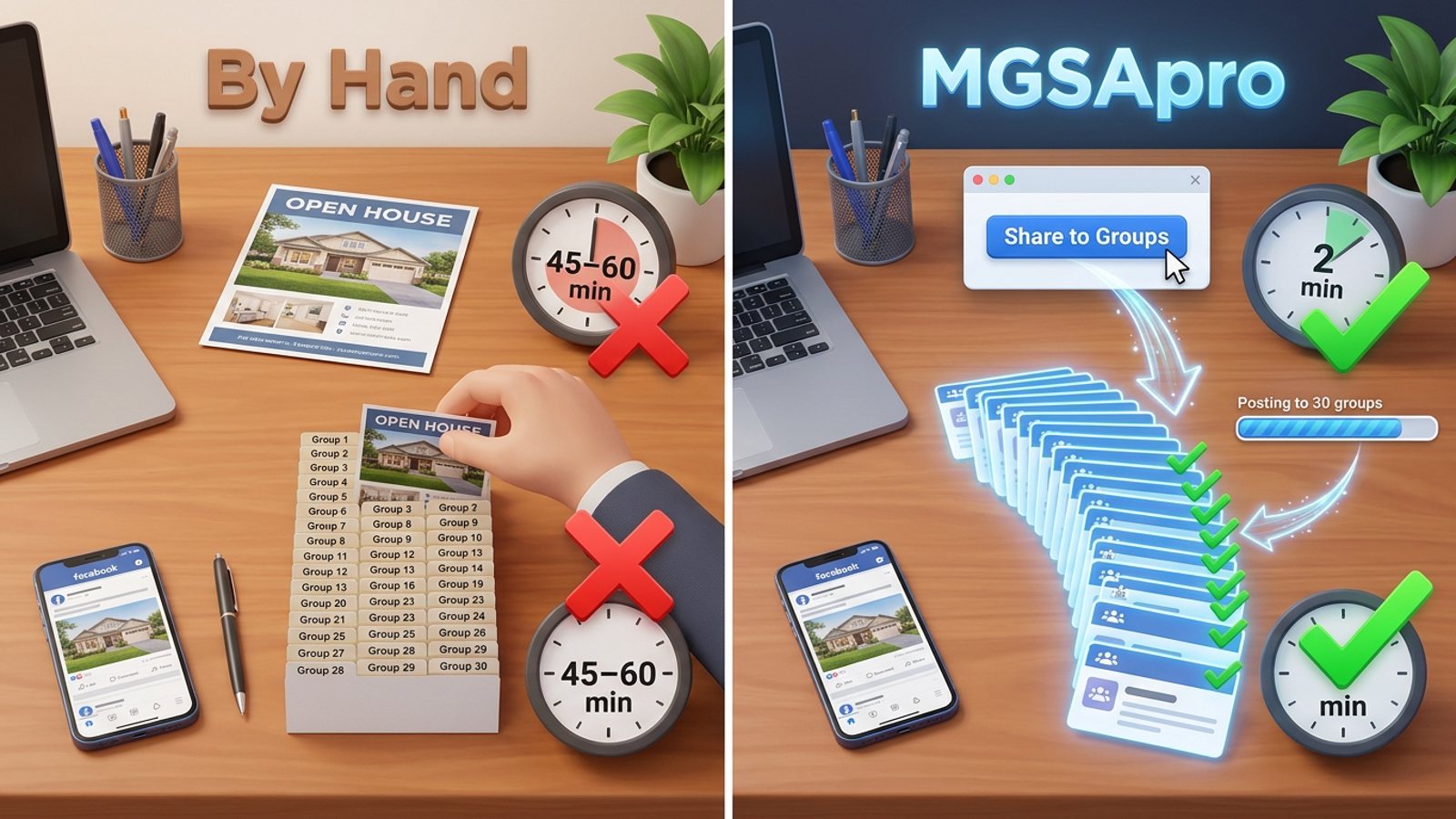
For sharing one post to 30 Facebook groups you've joined as a member, doing it by hand is the only one of the two that actually finishes the job — Meta Business Suite is built for Pages and Instagram, and third-party guides say it can't bulk-post into member groups. By hand, practitioner estimates put 30 groups at roughly 15–60 minutes depending on method.
Want the one-click version instead? Get MGSA Chrome Extension (Free Unlimited) and share your open house post to every group you've saved in a single run.
Key takeaways
- Meta business suite vs manual posting is not really a fair fight: Business Suite is a Page/Instagram scheduling tool, and manual sharing is a group tool.
- Manual sharing of 30 groups is estimated at 15–20 minutes with multi-share and 45–60 minutes with copy-and-paste (Farsem, 2026).
- Meta Business Suite's composer needs full control or content permission on the target Page or Instagram account (Facebook Business Help).
- Schedulers like Buffer and Hootsuite go through Meta's official API, which doesn't cover groups you've joined as a member (Medium, 2026).
- Speed isn't the only variable — Meta's spam policy bans posting "excessively frequently," so pace matters as much as tooling.
Can Meta Business Suite share one post to 30 Facebook groups?
No — not to groups you've joined as a member. Meta Business Suite's composer has a "Post to" selector, but Facebook's own help pages say it publishes to destinations where you have full control or content permission, meaning your Page or Instagram account.
There is one narrow group case. SocialBee's 2026 guide says Business Suite can schedule a Group post when your Group is linked to a Page — but one Group at a time, with no bulk scheduling across multiple Groups. Buffer's 2026 writeup goes further and states flatly that "Meta Business Suite doesn't support Facebook Groups." Treat the linked-Page case as contested and check your own setup.
What Business Suite is genuinely good at: publishing the same post to several Pages you manage in one action (postedonce.com, 2026), free team features, native boosting, and basic Page analytics. It's free, with no paid tier (Buffer, 2026).
How long does sharing one post to 30 groups by hand actually take?
Practitioner estimates land between about 15 and 60 minutes for 30 groups, depending on how you do it. Farsem's 2026 guide puts multi-share at 15–20 minutes and copy-and-paste at 45–60 minutes. Linku2's procedure estimates 1–1.5 minutes per repeat share on desktop, and one extension vendor describes the per-group flow as roughly 2 minutes each.
Here's the manual routine, so you can see where the time goes:
- Open your post and hit Share → Share to a group.
- Pick one group, add your line, and post.
- Repeat for each group — and keep a list so you don't double-post.
- Retype or vary the message, because identical text across many groups is one of the patterns Meta's spam policy flags.
For a real estate agent with a Saturday open house, that's the difference between posting before the first viewing and posting after lunch. If you want the step-by-step on the manual route, see how to share one Facebook post to 30 groups.
Is there a faster way to share to 30 groups than either option?
Yes — a browser extension that repeats Facebook's own share flow for every group you've selected, in one run. That's a third category neither Business Suite nor manual posting covers.
MGSApro is a Chrome extension that adds a "Share to Groups" button to every Facebook post. You tick the groups on the Facebook page, optionally add a message, save the selection as a preset, and click Share. A live progress bar shows each group as it posts. It also builds in randomized delays, human-like clicks and AI-generated text variations for each group — which matters, because Meta's spam policy (updated June 2024) targets repetitive content and excessive frequency, not just volume.
Our recommendation: whatever tool you use, don't fire 30 identical posts in 90 seconds. Practitioner guidance from Lilach Bullock (2026) suggests 5–8 promotional group posts a day, 10–15 minutes apart, with the core message rewritten at least three ways. A tool that varies the text and paces the clicks fits that advice; a tool that doesn't, doesn't.
Want to see the setup? The MGSApro tutorial walks through presets and the share button.
Which is fastest: the three options compared
A one-click group sharing extension is the fastest of the options we compared for the 30-groups job, with manual sharing second and Meta Business Suite effectively out of the running for member groups.
MGSApro is made by the team behind this blog. Here's how the options stack up.
| Option | Best for | Key features | Price / free option | Watch-outs |
|---|---|---|---|---|
| MGSApro (Our pick) | Sellers and agents sharing one post to many member groups fast | One-click share to selected groups, presets, optional message, live progress bar, randomized delays, AI text variations, works inside Facebook | Free with a small watermark; $9.99/month without it (as of November 2026, prices can change) | Chrome only; operates on top of Facebook; not affiliated with Meta |
| Doing it by hand | Someone posting to a handful of groups who wants zero tooling | Facebook's own Share flow, no extra permissions | Free | 15–60 minutes for 30 groups per practitioner estimates; you track duplicates yourself; identical text is a spam signal |
| Meta Business Suite | Scheduling Page and Instagram content, boosting, basic analytics | "Post to" across multiple Pages, free team features, native ads | Free, no paid tier (Buffer, 2026) | Composer needs full control of the destination; one Group at a time even in the linked-Page case; no bulk scheduling except Reels |
| Buffer | Creators posting across 13+ platforms beyond Meta | Bulk scheduling, AI assistant, 30-day analytics | Free plan: 3 channels, 10 scheduled posts each; paid from $6/channel/month (as of November 2026, prices can change) | Goes through Meta's official API, which doesn't include member Groups (Medium, 2026) |
| Hootsuite | General social management and analytics | Listed among third-party Facebook management and analytics tools | Pricing not covered in our research — check Hootsuite directly | Can't post to Groups as of October 2026 (Medium, 2026); same official-API limit |
If you mainly need Page scheduling plus ad boosting, Meta Business Suite is the more direct choice — it's free and native. If you need one dashboard across many platforms, Buffer is the more direct choice. If your job is 30 local groups before an open house, none of those reach member groups, which is exactly where the Facebook group sharing extension fits.
Not legal advice: platform rules and enforcement vary by place and change often, so check Meta's current policies for your situation.
What about safety when you speed things up?
Speed is fine; a robotic pattern isn't. Meta's spam policy bans posting, sharing or engaging "excessively frequently," whether by hand or automated, and flags repetitive content. Facebook's detection reacts more to pattern — identical text, rapid timing, many groups in one session — than to raw volume (Lilach Bullock, 2026).
Delay guidance from one vendor's 2025 guide: 2–3 minutes with ±30–60 seconds of randomization for new accounts, 1–2 minutes for established ones, 30–60 seconds for aged accounts. Facebook publishes no official daily group-posting number; figures quoted online vary widely (AutoGP, 2026).
Two practical habits that save you from looking spammy:
- Vary the wording for each group rather than pasting the same block.
- Remember that many groups hold posts for admin approval — a post sitting in the queue isn't a failed post, and reposting it looks like spam (AutoGP, 2026).
If you're posting the same offer week after week, this guide on keeping weekly group offers safe goes deeper.
Sources
- Create and manage posts in Meta Business Suite on desktop — Facebook Business Help
- Bulk upload multiple reels in Meta Business Suite — Facebook Business Help
- Meta Spam policy — Meta Transparency Center, updated 2024-06-25
- Buffer vs. Meta Business Suite (2026) — Buffer, 2026-08-12
- How to Schedule a Post on Facebook: Pages, Profiles + Groups — Buffer, 2026-10-25
- How to schedule posts on Facebook Groups (2026 guide) — SocialBee, 2026-01-06
- How to Post to Multiple Facebook Pages at Once — postedonce.com, 2026-06-08
- I Tried Every Way to Schedule a Post in a Facebook Group — Medium / Dented Feels, 2026-10-24
- Facebook auto-share vs posting in groups you're in — Medium / Denied Feels, 2026-10-04
- How many Facebook groups can you post in each day — Lilach Bullock, 2026-08-19
- Facebook group posting limits — FB Bulk Poster, 2025-12-11
- Facebook group posting limits — AutoGP, 2026-09-12
- Facebook Group Post Pending — AutoGP, 2026-10-15
- Regional Facebook Sharing Procedure — Linku2
- How to post in several Facebook groups at the same time — Farsem, 2026-10-21
- Share post to multiple Facebook groups — Chrome Web Store
- 12 Facebook analytics tools — Hootsuite blog, 2026-04-21
Frequently asked questions
Never manually share to groups again
MGSA Pro is the free Chrome extension that shares your posts to every Facebook group for you — safely, with human-like timing.
Keep reading

Meta Business Suite vs doing it by hand: which is better for getting one post into 30 Facebook groups?
November 28, 2026
Meta Business Suite vs sharing a post to Facebook groups with your own message by hand: which is faster for a seller?
November 26, 2026

Hootsuite vs sharing to Facebook groups by hand: which is faster for a seller?
November 28, 2026
How do I share one Facebook post to 30 groups without doing it one by one?
November 20, 2026