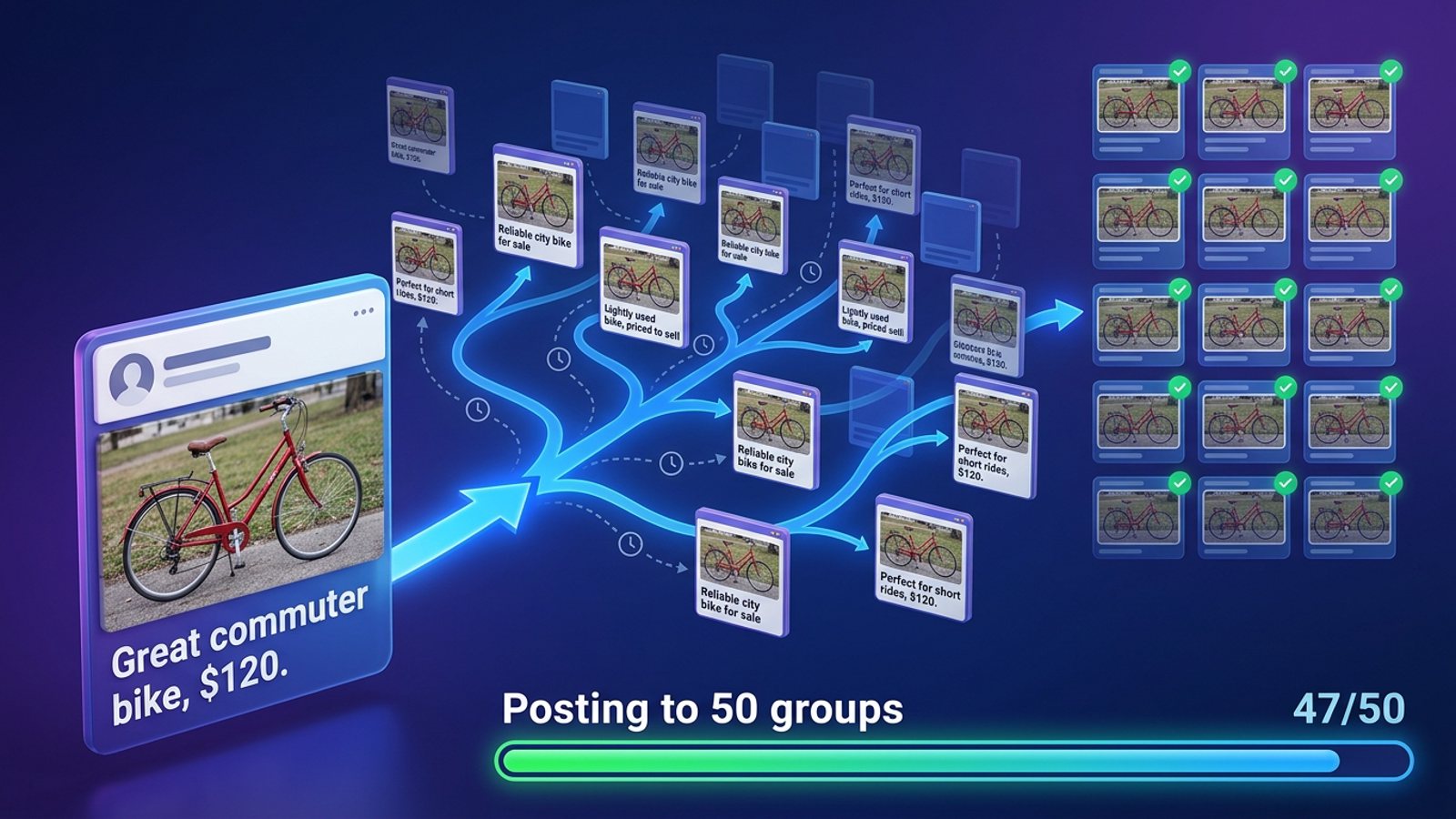
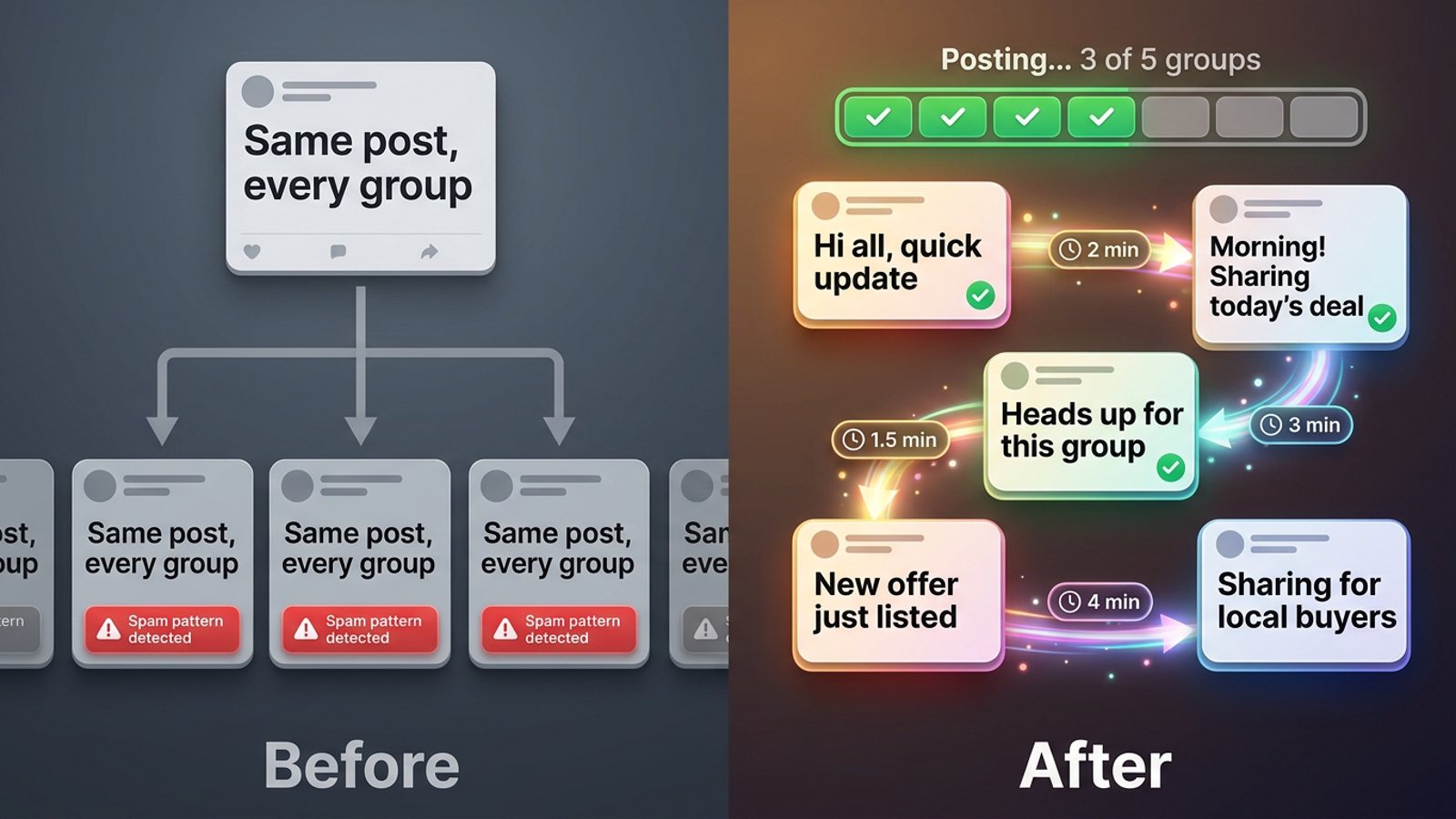
How do I send a niche offer to only some of my Facebook groups without spamming the rest?
November 20, 2026 · MGSApro Team
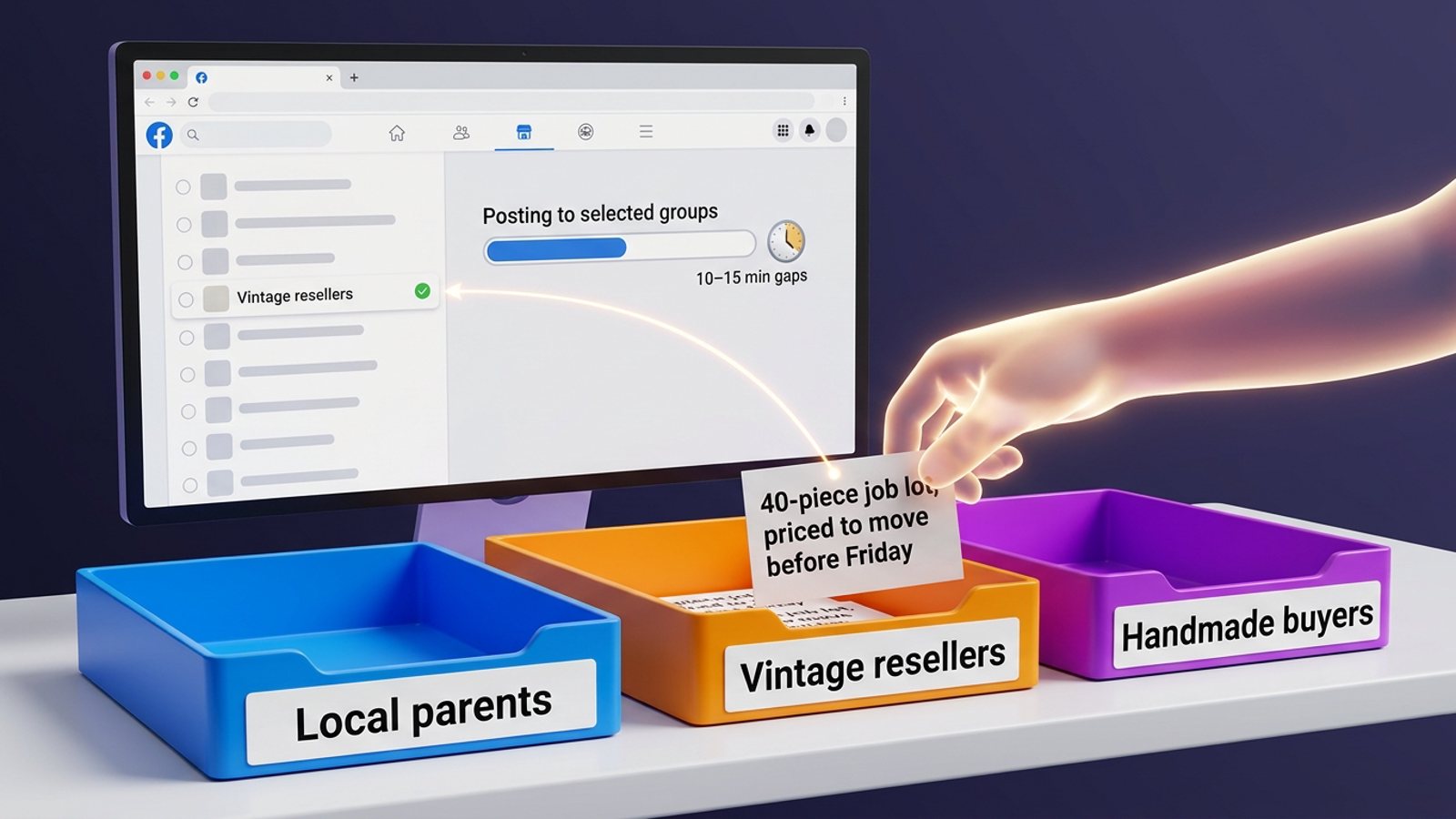
You split your groups into niche lists, save one preset per list, and share a tailored version of the offer only to the list that fits. Keep the volume low, space posts out with human-like delays, and change the wording between groups. Check each group's promo rules first — many restrict or ban selling.
Post offer to selected groups the smart way and the rest of your groups never see it. Here's how to do it step by step.
Get MGSA Chrome Extension (Free Unlimited) — tick the groups you want, add your message, and share in one click.
Key takeaways
- Segment your groups into niche lists and save a preset for each one, so you never re-tick them by hand.
- Tailor the offer to each segment — different hook, different examples, different wording per group.
- Post slowly: practitioner guidance suggests around 5–8 promotional groups per day with 10–15 minute gaps (Lilach Bullock, 2026-08-19). That's guidance, not an official Meta limit.
- Check each group's rules before you post — a promo post in a group that forbids it just never appears.
- A tool that lets you share to selected groups saves the hours you'd spend opening each group and pasting by hand.
Can I sort my Facebook groups into niche lists inside Facebook?
No — Facebook's own interface has no built-in way to sort or group your joined-groups list. A Stack Exchange answer states there is no such option in the Facebook UI, and the API doesn't allow it either (Web Applications Stack Exchange, date not given).
So you have three realistic options:
- A bookmark folder per niche in your browser — free, but clunky and slow.
- A spreadsheet listing which group belongs to which niche — good for planning, useless for posting.
- A group-posting tool with saved lists or presets — the fastest, because it remembers the selection for you.
Our recommendation: start with a spreadsheet to decide your segments, then move the actual posting into a tool that saves those segments as presets.
How do I split my groups into niche segments?
Write down the niche and the rules for every group you're in, then group them by who's actually inside.
Open each group and check the pinned or Featured section for the self-promotion policy. Look for words like "promo", "self-promotion", "links" or "vendors" (MultiGroupPoster, 2026-07-02). Groups that allow promotion usually do it one of four ways: a weekly promo day, a single pinned thread, link restrictions, or a required format or template (MaherPost, 2026-10-28).
Then sort each group into a segment, for example:
- Local parents — family offers, school-run services, kids' classes
- Vintage resellers — sourcing, bulk lots, trade deals
- Handmade buyers — craft supplies, custom orders
- Local service seekers — cleaners, trades, home services
A group only belongs in a segment if your offer genuinely fits the people in it. If you're not sure, leave it out. One misplaced promo post costs you an admin's goodwill.
How do I save a preset for each segment so I don't re-tick groups every time?
Save one preset per segment. Next time you post, you pick the preset instead of hunting through your whole group list.
MGSApro does this directly on the Facebook page. You tick the groups you want, optionally type a message, and save the selection as a reusable preset. You can also share to multiple presets at once if an offer fits more than one segment.
If you want the mechanics in detail, the MGSApro tutorial walks through it. And if you've ever wondered how to save a list of Facebook groups so you don't have to tick them every time, that post covers the same workflow.
How do I write a tailored offer for each segment?
Rewrite the core message at least three different ways, and change the hook for each segment (Lilach Bullock, 2026-08-19).
Same offer, different angle:
- Local parents: lead with the outcome for their family — "School-holiday deep clean slots open this week."
- Vintage resellers: lead with the deal — "40-piece job lot, priced to move before Friday."
- Local service seekers: lead with proof and speed — "Same-week bookings, 12 years in the area."
Admins approve promo posts that follow the rules and read like a useful contribution from a real member. Posts that open with a hard sell, repeat across groups, or show up too often get declined even when they technically follow the rules (MaherPost, 2026-10-28).
Our recommendation: write the segment version first, then vary the opening line and one example per group so no two groups get identical text.
How do I stop every group seeing the exact same post?
Vary the wording at post time, not just per segment. Spintax — curly-brace alternatives like {Hello|Hi|Hey} — generates multiple unique versions of one template so no two groups get the identical post (NinjaPoster, 2026-03-25).
Facebook restricts accounts for spam behaviour, not for group posting itself. Named triggers include identical posts sent too quickly, posts members report as spam, tools running from unrecognised IP addresses, and repeated admin-rule breaches (NinjaPoster, 2026-03-25).
MGSApro builds in randomized delays and human-like clicks, plus AI-generated text variations for each group, so the same block of text doesn't land everywhere at once. It runs entirely on top of Facebook with no extra dashboard and no login.
How many groups should I send a promo offer to each day?
Practitioner guidance suggests a maximum of 5–8 groups per day for promotional or link-based content, and 10–12 for conversational content, with at least 10–15 minutes between posts (Lilach Bullock, 2026-08-19). That's general guidance, not an official Meta number.
Meta's spam policy prohibits posting or engaging at very high frequency, by hand or automatically, and never defines a number (AutoGP, 2026-09-12). Facebook publishes no official daily group-posting limit.
Two more habits worth keeping:
- Leave 24 hours between posts to the same group by default, because many groups allow one post a day and a repeat looks like spam to Facebook and to members (AutoGP Help, 2026-11-08).
- Keep a rough 70/30 value-to-promotion ratio — described as the single most important habit for group posting without restrictions (MultiGroupPoster, 2026-07-01).
If your posts start failing silently — they look posted but never appear in the group — that's a classic early warning of rate limiting (FB Bulk Poster, vendor blog, 2025-12-11). Stop, wait, and check your groups.
How do I actually send the offer to just that one segment?
Tick only the preset for that segment, add your tailored message, and share. Then check each group for approval status.
Many groups hold new posts for admin approval before anyone sees them, so promotional content in a group whose rules forbid it simply never appears (HuddleWatch, 2026-09-17).
A simple routine:
- Pick the preset for today's segment.
- Paste the tailored message, with variations for each group.
- Share and watch the progress bar as each group is posted.
- Check the groups for approval or silent failures the next morning.
- Note anything that got declined and adjust the wording or drop the group.
Getting banned for self-promotion in local groups is "almost always avoidable" and usually comes from ignoring a group's rules, posting too often, or pitching before adding value (gtstu.com, 2026-11-07).
This is a marketing and safety topic, not legal advice, and group rules and platform policies vary by place and change often.
Which tool should I use to post an offer to selected Facebook groups?
MGSApro is our pick of the tools we compared for this exact job, because it lets you tick groups on the Facebook page, save presets per segment, and share in one click with randomized delays and AI text variations.
MGSApro is made by the team behind this blog.
| Option | Best for | Key features | Price / free option | Watch-outs |
|---|---|---|---|---|
| MGSApro — Our pick | Sellers and local businesses posting one tailored offer to selected group segments | Tick groups on the page, save presets, optional message, live progress bar, randomized delays, human-like clicks, AI text variations, one-click Share to Groups button | Free with a small watermark, or $9.99/month without one, as of November 2026; prices can change | Chrome only; operates on top of Facebook; free version adds a watermark; not affiliated with Meta |
| Manual posting with Facebook saved groups | Anyone posting to one or two groups a week | Zero tool cost, full control, safest-looking activity because a human is literally typing | Free | Facebook's UI can't sort your joined-groups list (Web Applications Stack Exchange, date not given); you open and paste into every group by hand and rewrite the text yourself |
| Group-list extensions (Folkreach, AI Groups Poster, SimplePoster, Group Posting) | People who want saved group collections and staggered posting | Reusable lists or collections, import or sync of joined groups, posting order preview, per-group wording variation | Folkreach is free for up to 5 groups a day (Socket.dev, 2026-10-30); SimplePoster has a 3-day free trial then a subscription (Chrome Web Store, date not given); other prices not found | None can lift Facebook's spam rules or admin approval (MaherPost, 2026-10-28); some ask for Facebook cookies — an approach to be wary of (Apify, 2024-10-29) |
| Meta Business Suite | Managing Pages and messaging in one Meta-owned place | Meta's own tool for business assets | Free-to-use Meta tool per its own help pages, as of November 2026 | Its ability to schedule posts to groups rather than Pages wasn't in the material we checked; Facebook's business help bans promoting products via messages and flags repeated or identical messages (Facebook Business Help Center, date not given) |
If you mainly need broad social scheduling across many networks, Buffer is the more direct choice — it has a free version (AlternativeTo, 2026-10-29), though group-posting support wasn't in the material we checked. If you already run Hootsuite for your Pages and profiles, that's a mainstream suite worth using for what it does; group scheduling support wasn't confirmed either.
Our recommendation: if your job is "send this niche offer to these 12 groups today", a tool built for group posting saves you the most time. Get MGSA Chrome Extension (Free Unlimited) and set up your first segment preset.
Sources
- Facebook Group Rules for Promotional Posts (MaherPost, 2026-10-28)
- Facebook Group Promotion Rules: Promote Without Removal (MultiGroupPoster, 2026-07-02)
- How to Promote Your Business in Facebook Groups Without Spamming (MaherPost, 2026-10-27)
- How to post in a Facebook group without getting removed (HuddleWatch, 2026-09-17)
- Post in Local Facebook Groups Without Getting Banned (gtstu.com, 2026-11-07)
- Facebook Group Posting Rules: What Gets You Banned (NinjaPoster, 2026-03-25)
- What Is Spintax and How to Use It for Facebook Group Posts (NinjaPoster, 2026-03-25)
- How many Facebook groups can you post in each day? (Lilach Bullock, 2026-08-19)
- 9 Facebook Group Posting Best Practices for 2026 (MultiGroupPoster, 2026-07-01)
- Facebook Group Posting Limits (AutoGP, 2026-09-12)
- Posting to the Same Facebook Group Again (AutoGP Help, 2026-11-08)
- No built-in group sorting in Facebook UI (Web Applications Stack Exchange, date not given)
- Facebook Business Help Center – promoting via messages (date not given)
- Facebook Group Collections (AI Groups Poster, date not given)
- Extract & segment your Facebook groups (Group Posting, date not given)
- Folkreach listing (Socket.dev, 2026-10-30)
- SimplePoster Chrome Web Store listing (date not given)
- Facebook Group Auto Poster (Apify, 2024-10-29)
- FB Group Bulk Poster posting limits (vendor blog, 2025-12-11)
- Group Posting Alternatives (AlternativeTo, 2026-10-29)
- MaherPost vs Posthyve (SaaSHub, 2025-01-20)
Frequently asked questions
Never manually share to groups again
MGSA Pro is the free Chrome extension that shares your posts to every Facebook group for you — safely, with human-like timing.