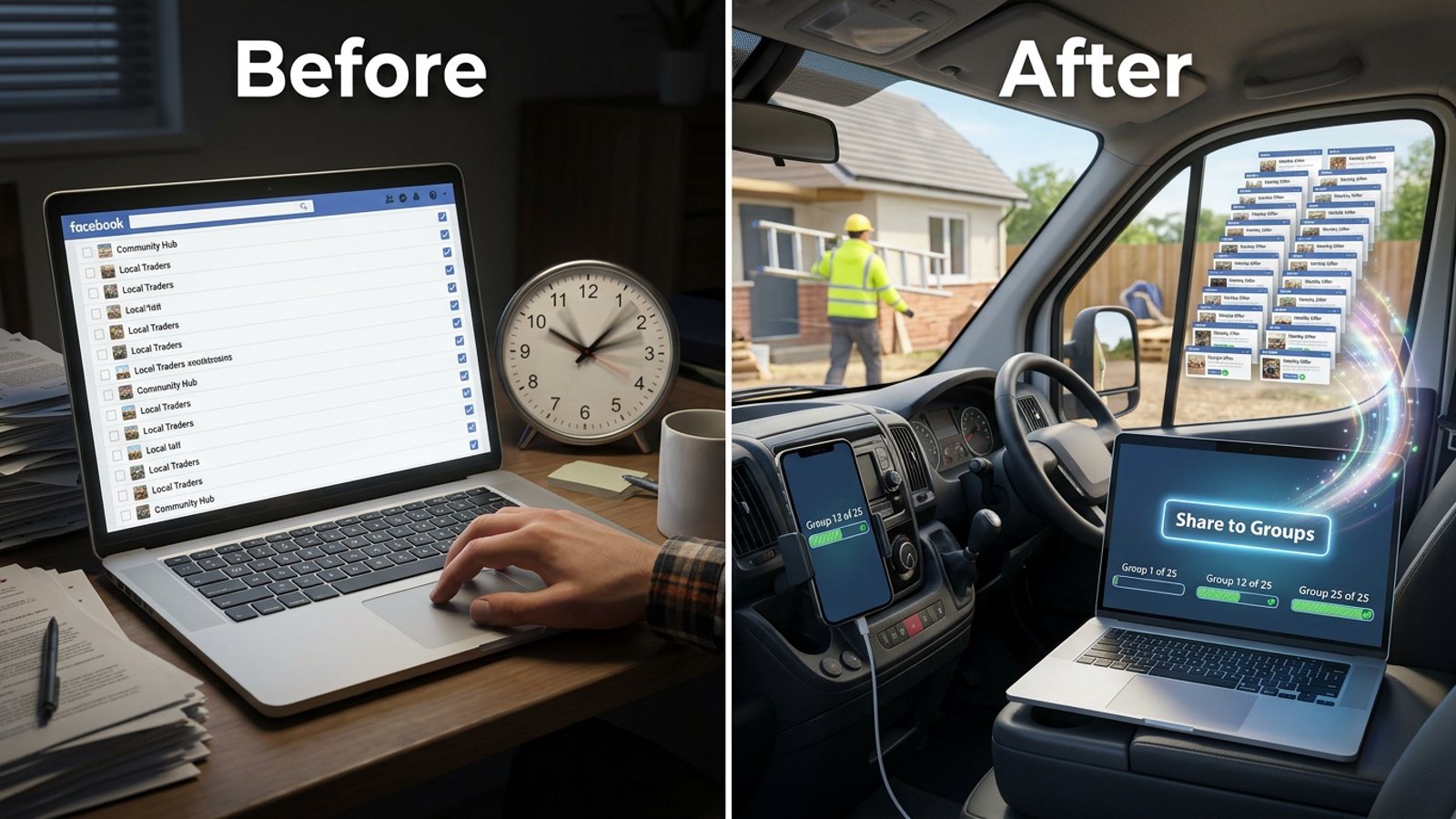
How do I post my cleaning service offer to the same local Facebook groups every week without wasting time?
November 20, 2026 · MGSApro Team
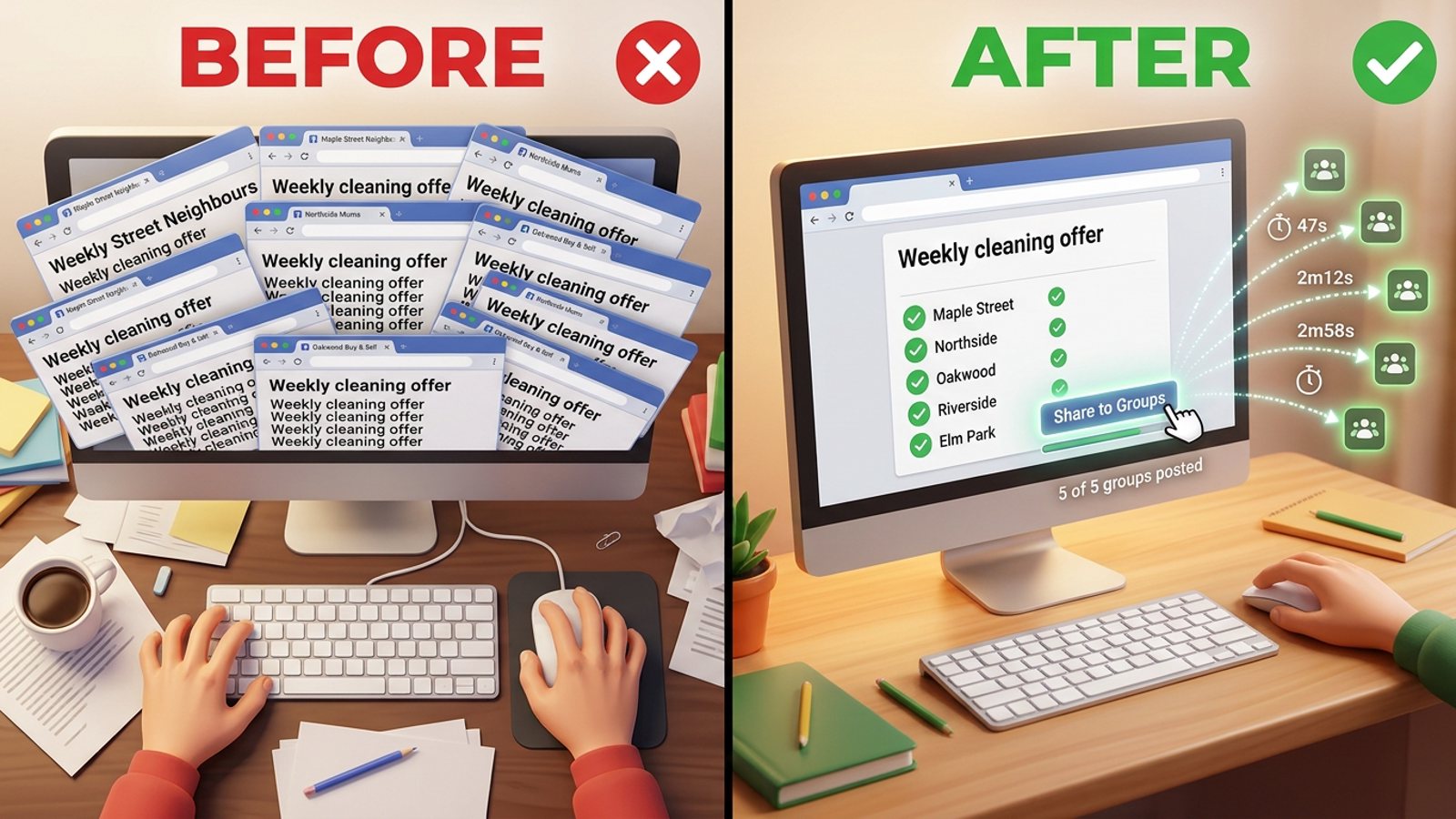
You do it with a saved list and one ready message: join 5–15 local neighbourhood groups, note each group's promo rules, keep one weekly offer post with 2–3 wording variants, then share it to that saved list in a single pass instead of opening a dozen tabs. That's how to post cleaning offer facebook groups without wasting time — pacing and relevance still decide whether it gets seen, and no tool lifts a group's rules.
Get MGSA Chrome Extension (Free Unlimited) and your weekly share becomes one click inside Facebook: https://mgsapro.com/
Key takeaways
- Build a fixed list of local groups once, then reuse it every week instead of hunting for them again.
- Check each group's rules first: some ban promotion, some allow it only on certain days, and many approve every post before it appears.
- Keep one weekly offer message with 2–3 wording variants so it doesn't read copy-pasted.
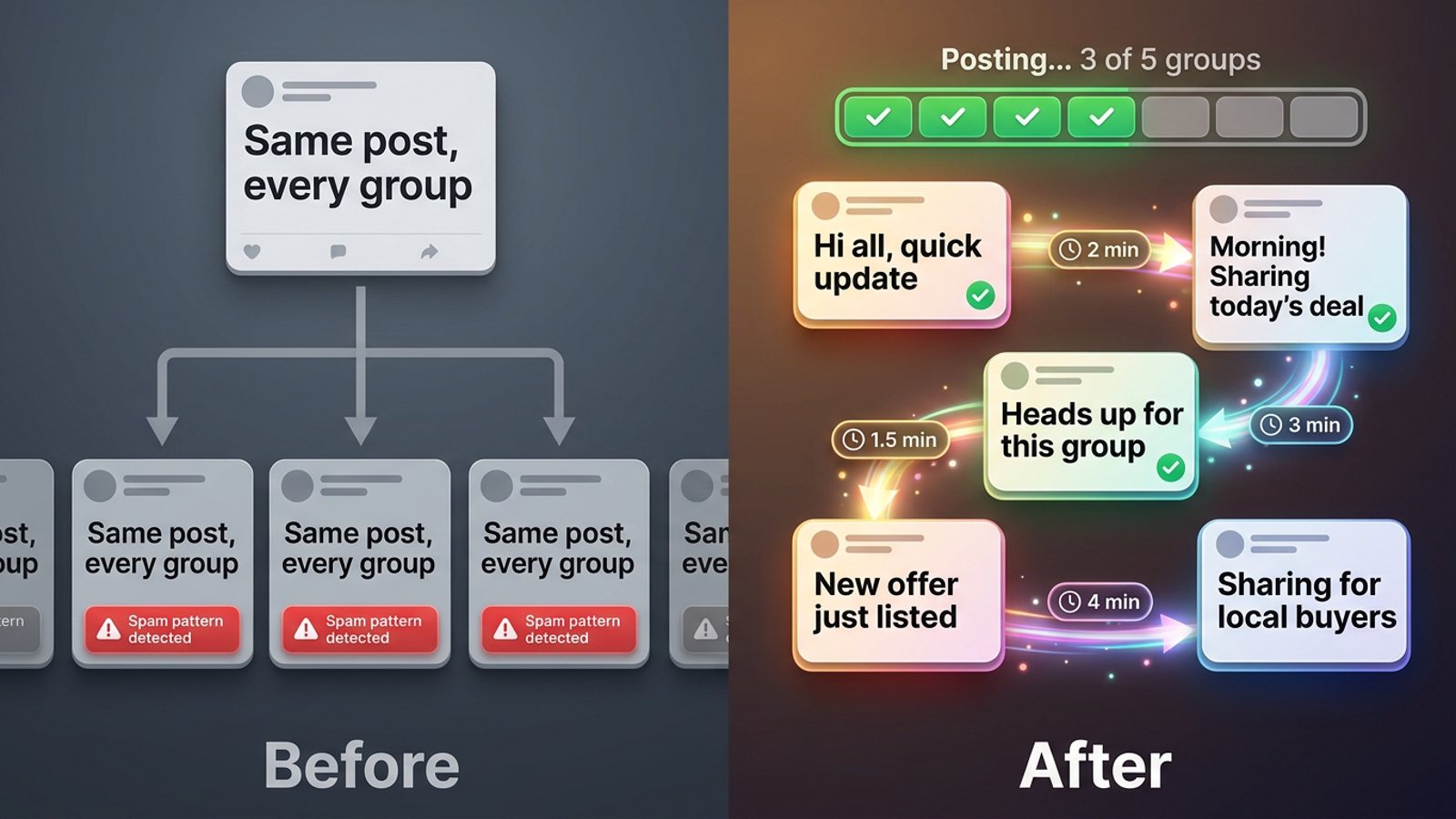
- Space your posts out with human-like gaps rather than firing them all at once.
- MGSApro saves your group list as a preset and shares to it in one click — free with a small watermark, as of November 2026.
How do I post my cleaning offer to local Facebook groups every week without wasting time?
You build the routine once — list, rules, message — then repeat it weekly with one click. Here's the real technique, step by step.
Step 1: Pick 5–15 local groups where people actually ask for recommendations
Choose neighbourhood and town groups where neighbours ask things like "can anyone recommend a good cleaner?" Those threads are plain buying signals for local service businesses, according to Heights Digital (2026).
The Yardstick Agency (2026) makes a useful point: a smaller local group with regular conversation can be as valuable as a huge group where your post falls down the feed within an hour. Favour engaged groups over giant ones.
Step 2: Join each group and note its rules
Before you post anything, check each group's rules. The Yardstick Agency (2026) notes that some local groups don't allow business promotion at all, while others set specific days for advertising or restrict what businesses can post.
Also check whether the group requires post approval. PostOwl (2026) points out that many groups require an admin or moderator to approve every post before it goes live — so if a first post reads like an ad, it may simply never be published. RedReplier (2026) adds that approval is a standing group setting, not a one-off check.
Our recommendation: keep a simple note per group — promo allowed (yes/no), promo day, approval required. That note is your weekly checklist.
Step 3: Introduce yourself before you sell
Don't lead with your price list. The Yardstick Agency (2026) advises introducing yourself first, sharing useful information rather than constant adverts, and answering recommendation threads you can help with.
Answer one or two cleaning questions in a group before your first offer post. It costs nothing and makes your offer read like a neighbour's recommendation rather than a cold ad.
Step 4: Write one weekly message with 2–3 wording variants
Keep one core weekly post: a neighbourhood hook, a bit of proof (before/after, a recent job type), and a clear next step. SocialBlaze (2026) shows a cleaning-sector weekly rhythm that mixes before/after proof, answering a cleaning question in a local group, a trust post and a review spotlight.
Then keep 2–3 wording variants so the same text doesn't land in every group identically. FB Group Bulk Poster (2026) recommends varying your posting rather than repeating one block of copy.
Step 5: Save the group list so the weekly share is one click
This is where the time goes. Opening twelve tabs and pasting the same message every Monday is the job you want to delete.
With MGSApro you tick your groups directly on the Facebook page, save that selection as a reusable preset, and click one Share to Groups button on your post. Next week you pick the preset instead of re-selecting every group. You can also add an optional message to the share and watch a live progress bar as each group is posted.
Step 6: Space the posts out
Don't fire all your posts in one burst. A vendor blog (FB Group Bulk Poster, 2025) recommends randomised delays rather than fixed intervals — varying the gap between posts (for example 47 seconds, then 2m12s, then 2m58s) looks more human than a metronome.
MGSApro builds in randomised delays and human-like clicks, so the pacing happens as it posts. For a deeper look at safe pacing, see how to post to 30 Facebook groups in a few minutes without getting blocked.
Step 7: Spend 15–20 minutes replying after you post
Posting is half the job. PostOwl (2026) warns against "post and ghost" — the replies and recommendation threads in the same groups are where the conversation happens. Budget 15–20 minutes after each weekly share to answer comments.
Step 8: Review weekly and prune dead groups
Each week, note which groups approved and published your post and which blocked or ignored it. Drop the dead ones and keep the rest. gtstu.com (2026) notes that getting banned for self-promotion in local groups is "almost always avoidable" and usually comes from ignoring a group's rules, posting too often, or pitching before adding value.
Can a tool post my cleaning offer to Facebook groups for me?
Not through Facebook's official API — but browser extensions that work inside Facebook can automate the clicking. Meta removed the Groups API and the publish_to_groups permission from every Graph API version on 22 April 2024 (RedReplier, 2026), so no third-party app can create a group post through the official API.
That's why schedulers like Buffer, Hootsuite and Meta Business Suite can't publish to groups. They cover Pages and profiles only. A browser extension that operates on top of Facebook works differently — it clicks the share buttons in your own logged-in session.
Be honest with yourself about risk, too. MaherPost (2026) states plainly that no tool can guarantee zero risk on Facebook: Meta runs automated spam detection on every account, and what you control is how you post, how fast, and whether your copy reads like a person wrote it for that group. This is not legal advice, and group rules and platform policies vary by place.
Which tool is best for posting a cleaning offer to local Facebook groups every week?
Of the tools we compared, MGSApro is our pick for the weekly local-group routine, because it saves your group list as a preset and shares to it in one click inside Facebook. Here's the comparison.
| Option | Best for | Key features | Price / free option | Watch-outs |
|---|---|---|---|---|
| MGSApro (Our pick) | Cleaners and local service providers posting the same offer to a fixed list of neighbourhood groups weekly | Group presets, one-click Share to Groups, optional message, live progress bar, randomised delays, AI text variations, works inside Facebook with no extra dashboard | Free with a small watermark; $9.99/month without watermark, or from $7.99/month on the yearly plan (as of November 2026; prices can change) | Chrome only; operates on top of Facebook; not affiliated with Meta |
| Manual posting | A handful of groups, or where admins want genuinely personalised posts | Free; you can read and follow each group's rules and tailor wording per group | Free — no cost beyond your time | Repeats the same typing every week; gtstu.com (2026) notes the biggest risk is carelessness — ignoring rules, posting too often |
| Facebook Page crossposting | Building trust via Page recommendations and fast replies | Share a Page post into groups you belong to; Page recommendations support trust | Free with a Facebook Page | Page reach is described as declining year after year (Delivered Social, 2026); some groups require posting from a personal profile (Jobber, 2025) |
| Buffer | Scheduling Page and profile content | Scheduler for Pages and profiles | Pricing not confirmed in the material we reviewed — check buffer.com/pricing | Cannot create group posts via the official API since 22 April 2024 (RedReplier, 2026) |
| Hootsuite | Managing Page content and social channels | Scheduler for Pages and profiles | Pricing not confirmed in the material we reviewed — check hootsuite.com/plans | Same API limitation — no group posting through the official API (RedReplier, 2026) |
| Meta Business Suite | Managing Page content and messages | Free, built into Facebook | Free | Cannot publish to groups through the official API (RedReplier, 2026) |
If you mainly need to schedule Page posts and manage messages, Meta Business Suite or a scheduler is the more direct choice. If your job is the weekly group round, a Facebook group sharing extension built for it saves the most time.
MGSApro is made by the team behind this blog. Want to see the flow before you install? The MGSApro tutorial walks through selecting groups, saving a preset and sharing.
How often should I post the same offer to the same groups?
Once a week per group is a sensible rhythm for a local cleaning offer — consistency beats volume. A Medium post (2026) argues consistency beats volume, and Neil Patel's guide (undated, so treat it as a general principle) advises admins not to let people post the same things time and again.
Our recommendation: rotate your 2–3 wording variants week to week, and skip any group whose rules allow promo only on a set day.
Should I post from my personal profile or my business Page?
Post from your personal profile in community groups unless the group's rules require a Page. Jobber's guest (2025) recommends posting in community Facebook groups from a personal account unless group rules require a business Page.
Will I get banned for posting my cleaning offer?
Rules and pace decide that far more than the tool does. gtstu.com (2026) says bans for self-promotion in local groups are "almost always avoidable" and usually come from ignoring rules, posting too often, or pitching before adding value.
On volume: Meta publishes no official daily group-posting limit, according to the sources reviewed. Field figures vary widely and are unofficial — a Medium post (2026) suggests accounts posting across 10–15+ groups in rapid succession get flagged, while a vendor blog (PostSyncer, 2026) names 25 groups per day as a risk benchmark. Treat both as estimates, not rules.
Why did my post never appear in the group?
The group probably has post approval on, so an admin has to release it. RedReplier (2026) explains that approval is a standing setting, and approved members' future posts can still need admin approval.
Our recommendation: if a post sits unseen, message the admin politely once — don't repost it repeatedly.
Can I schedule my weekly cleaning offer instead of posting it live?
You can schedule into your own groups with MGSApro, and you can schedule Page content in Meta Business Suite. For groups you don't own, the share is done live inside Facebook.
If you want the wider picture on batching posts, read how to post the same message to 20 Facebook groups without doing it one by one.
Ready to make Monday's group round a one-click job? Get MGSA Chrome Extension (Free Unlimited) here: https://mgsapro.com/
Sources
- How to Post in Local Facebook Groups Without Getting Banned (gtstu.com, 2026-11-07)
- How financial advisers can use local Facebook groups to reach potential clients (The Yardstick Agency, 2026-10-06)
- Facebook Groups: Grow Without Getting Kicked Out (PostOwl, 2026-11-04)
- How Facebook Group Post Approval Works (RedReplier, 2026-09-12)
- How Many Facebook Groups Can I Post To Per Day? (Medium, 2026-05-28)
- How to Post in Multiple Groups on Facebook Safely (PostSyncer, 2026-09-23)
- Facebook Group Posting Limits (FB Group Bulk Poster, 2025-12-11)
- Recommended Posting Frequency for Facebook Groups (FB Group Bulk Poster, 2026-02-19)
- Is a Facebook Auto Poster Safe in 2026? (MaherPost, 2026-08-05)
- Facebook for Local Businesses in 2026 (Heights Digital, 2026-09-30)
- New Leads on Repeat: $0 Marketing Strategies (Jobber, 2025-09-29)
- Facebook Post Scheduler for Janitorial Services (SocialBlaze, 2026-10-26)
- How to Use Facebook Groups for Business (Delivered Social, 2026-06-29)
- Getting Clients with Facebook Groups (Neil Patel, undated)
Frequently asked questions
Never manually share to groups again
MGSA Pro is the free Chrome extension that shares your posts to every Facebook group for you — safely, with human-like timing.