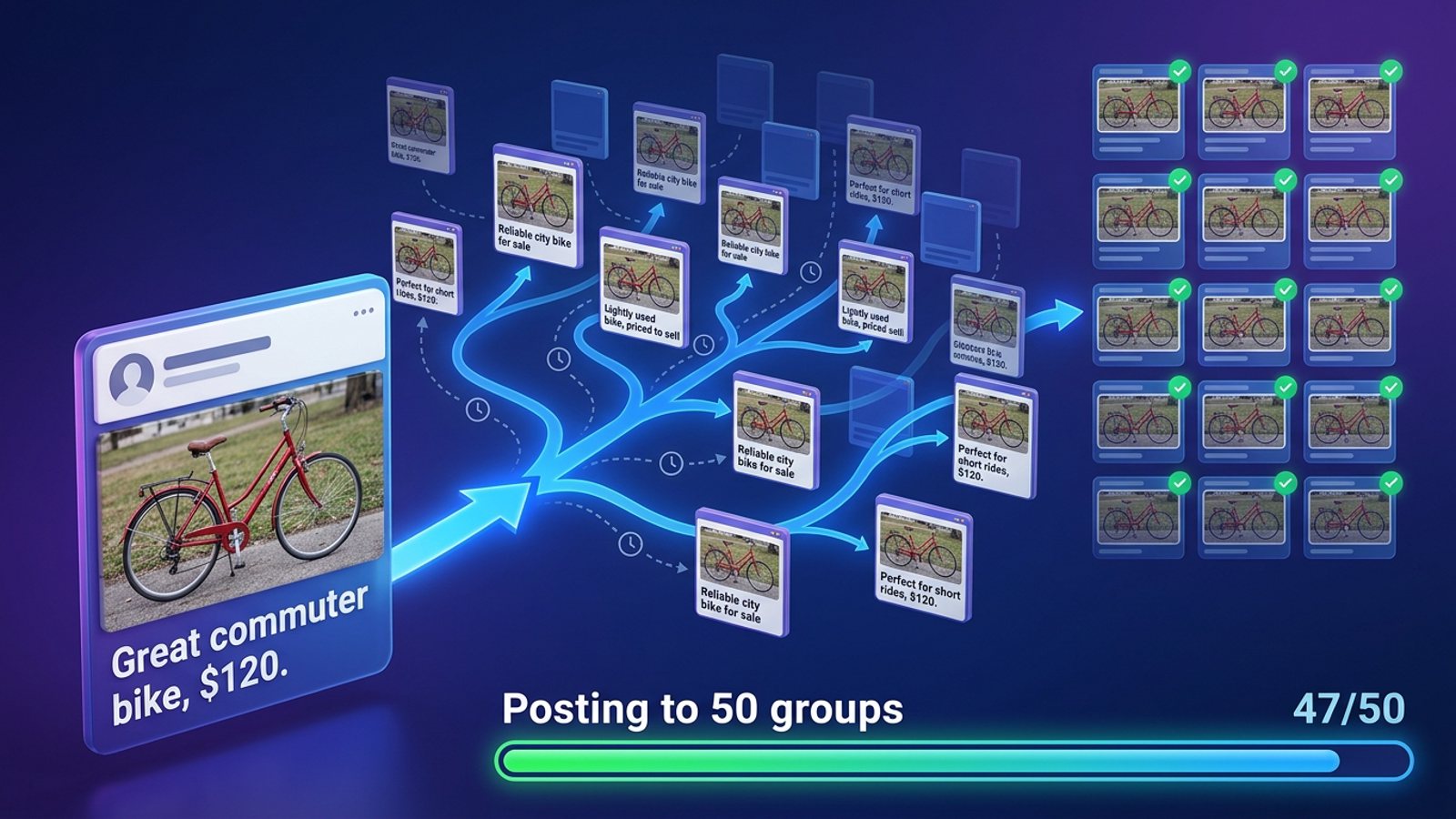
What's the best way to post a price drop to every local Facebook group before the weekend?
November 20, 2026 · MGSApro Team

There's no free one-click way built into Facebook: the group composer posts to one group at a time, and Meta Business Suite can't bulk-publish to many member groups. The fastest honest route is a Chrome extension that shares your post price drop facebook groups post to a saved list of local groups inside your own signed-in session, with staggered timing and varied wording so it doesn't read like a blast.
Get MGSA Chrome Extension (Free Unlimited) and your price drop can go out to your whole local group list in one click — free forever with a small watermark.
Key takeaways
- Facebook's own tools post to one group at a time; Meta Business Suite only helps when a group is linked to a Page, and third-party schedulers can't post to groups at all.
- A price drop is one of the best reasons to repost a listing — it reaches people who scrolled past and buyers whose budget just met the new price (TourKit, undated).
- Cross-group posting velocity and identical text are named as the top spam triggers (Conbersa, 2026) — so stagger, vary and respect each group's rules.
- Real-estate groups often limit promos to a weekly day, a pinned thread, or no links at all (MaherPost, 2026) — read the rules before you fire.
- Of the tools we compared, a one-click group-sharing extension is the pick for reaching many local groups fast; a paid ad is the pick if you want to pay for delivery to a chosen local radius.
How do I post a price drop to all my local Facebook groups fast?
Use a group-sharing extension that posts from your own logged-in Facebook session, one group after another, with human-like gaps — that's the only route that reaches many groups quickly without breaking group rules.
Here's why the built-in options fall short:
- Posting by hand works, but it's one post at a time, with no scheduling across groups, and any group that requires admin approval means your "before the weekend" timing depends on moderators (SocialBee, 2026; RedReplier, 2026).
- Meta Business Suite can create and schedule posts and gives you a calendar view (Meta Business Help Centre, undated), but sources disagree on groups: SocialBee (2026) says it supports groups linked to a Page, while Buffer (2026) lists "Meta Business Suite doesn't support Facebook Groups" as a known problem. Either way, there's no bulk scheduling across many groups.
- Third-party schedulers connect through Meta's official channels, which only allow Pages and Instagram Business/Creator accounts — not personal profiles and not groups (Texas Transaction Coordinators, 2026).
So the practical answer for a realtor with a price drop and a weekend deadline is a tool that works inside Facebook itself. That's exactly what a Facebook group sharing extension is built for.
What should a price-drop post to local groups actually say?
Lead with the new price, the neighbourhood, photos and any open-house times — and never write "price on request."
BuzzPost's 2026 guide to real-estate group rules notes that in many groups a listing without a price or photo gets removed, "price on request" counts as a rule breach, and outbound links can lower reach or get the post deleted.
A few writing tips from the research:
- Call it "price improved" if you prefer. Montaic (2026) notes many agents avoid "price reduced" — announcing a reduction is a positioning move, not an apology.
- Lean on urgency. Price-drop posts work because buyers fear someone else grabs the deal first (White Picket Realty, 2026).
- Show the gap. A reduction reaches buyers whose budget just met the new price (TourKit, undated).
- Don't quietly edit the old post. Announce the change clearly instead (Montaic, 2026).
Our recommendation: put the new price in the first line, add two or three photos, and include your open-house window so a weekend buyer knows exactly when to show up.
How do I post a price drop to many groups without getting flagged?
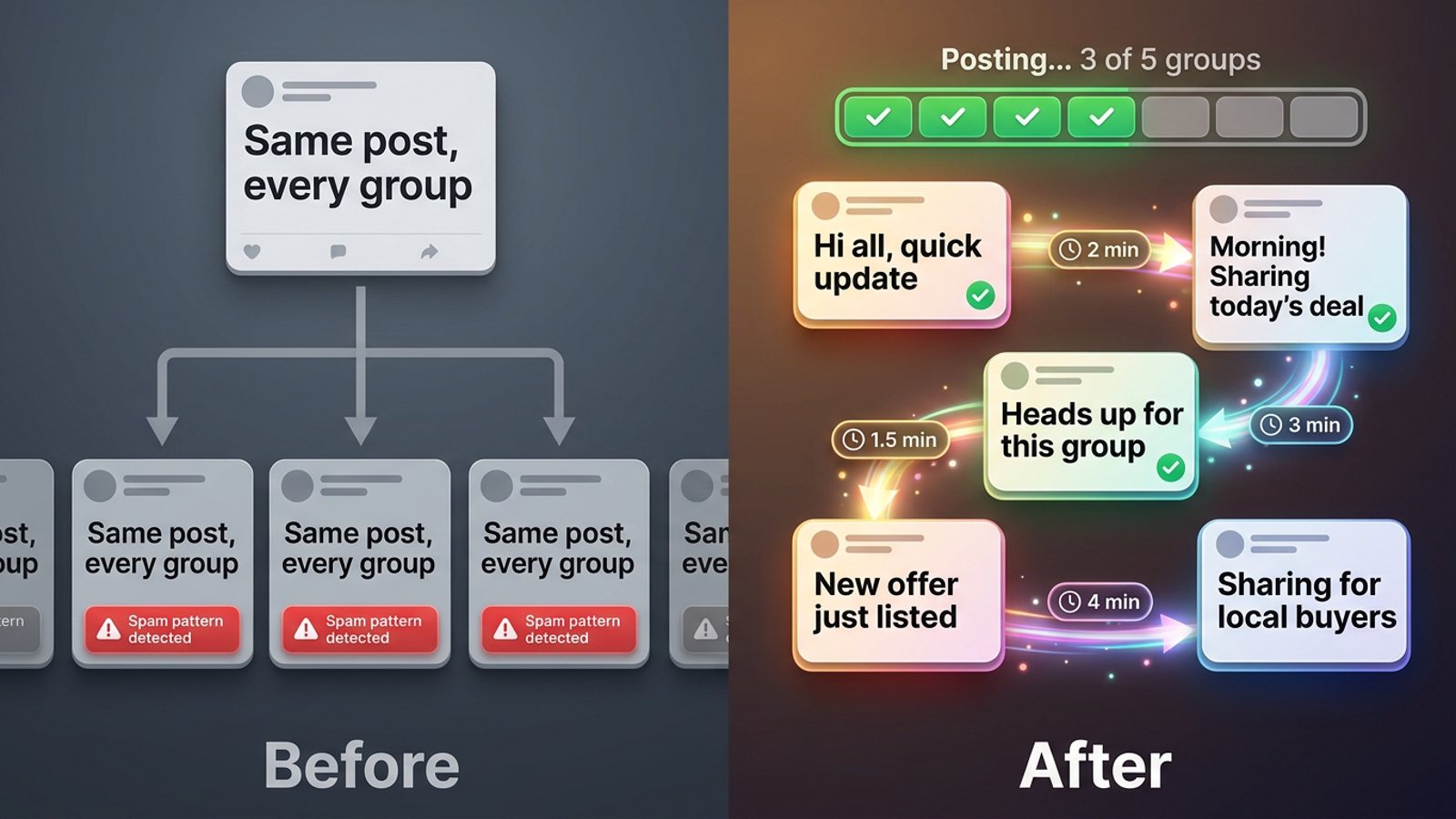
Stagger your posting, vary the wording, and keep each group's cadence slow — Facebook's spam systems run continuously and automatically, and cross-group posting velocity is named as the most common trigger (Conbersa, 2026).
Conbersa (2026) also notes that identical or similar content across multiple groups in a compressed time window gets flagged, and that first spam restrictions typically last 24–72 hours, with repeated flags extending them and potentially reaching the whole account.
Vendor guidance on volume, which you should treat as benchmarks rather than rules:
- New accounts: start at 5–10 groups per day and build up over about two weeks (BuzzPost, 2026).
- Aged, clean accounts: 20–30 groups per day (BuzzPost, 2026).
- Per group: post no more than once every 3–5 days, and stagger big campaigns across several sessions (NinjaPoster, 2026).
- Timing windows: weekday 7–9am, 12–1pm and 7–9pm in your audience's time zone (NinjaPoster, 2026).
Meta's spam policy covers very high posting frequency, manual or automated, and allows restrictions at lower frequencies when posts are repetitive (AutoGP, 2026).
A safe step-by-step for a Friday deadline
- Pick the groups where local buyers actually are and note each one's promo day, link rule, required price/photo and whether brokers are allowed (MaherPost, 2026; BuzzPost, 2026).
- Write the post with the new price, address or neighbourhood, photos and open-house times.
- Prepare a few variants so the same text isn't pasted everywhere (Conbersa, 2026).
- Post in a staggered session with human-like gaps instead of one burst (NinjaPoster, 2026).
- Aim for a weekday morning or lunch window so it's live before the weekend (NinjaPoster, 2026).
- Reply to early comments fast — engagement on a price drop is the whole point (White Picket Realty, 2026).
- If a post is declined, fix what's missing and retry the next day rather than instantly reposting (BuzzPost, 2026).
How does MGSApro handle a price-drop post to all my groups?
MGSApro lets you tick your local groups right on the Facebook page, add an optional message, save the selection as a preset, and click Share once — then watch a live progress bar as each group gets posted.
That maps directly onto the safe routine above:
- Save your local buyer groups as a preset so you don't re-tick them every time a listing drops.
- Add a short message to your share — your open-house line or "DM me for a private viewing."
- Let the built-in randomized delays and human-like clicks space the shares out instead of firing them all at once.
- Use AI-generated text variations so each group sees slightly different wording rather than identical copy.
- Work entirely inside Facebook — no dashboard, no separate login.
It's Chrome only, it operates on top of Facebook, and it's not affiliated with Meta. The free version adds a small watermark; the paid plan removes it. Per the owner, the paid plan is $9.99 per month, or from $7.99 a month on the yearly plan, as of November 2026 — prices can change.
If you want to see the click-by-click, the MGSApro tutorial walks through it. And if you're also sharing new listings, this guide on sharing the same listing to many Facebook groups as a realtor covers the setup.
Which is best: posting by hand, Meta Business Suite, a paid ad or an extension?
For reaching many local groups fast with a price drop, a one-click group-sharing extension is the best fit of the tools we compared — but each option has a job it does better.
| Option | Best for | Key features | Price / free option | Watch-outs |
|---|---|---|---|---|
| MGSApro (Our pick) | Reaching many joined local groups fast from your own session | Group selection on the page, optional message, reusable presets, live progress bar, randomized delays, AI text variations, one Share to Groups button | Free forever with a small watermark; $9.99/mo without (from $7.99/mo yearly), as of November 2026 | Chrome only; operates on top of Facebook; not affiliated with Meta |
| Posting by hand | A handful of groups, or groups with tight rules you need to read one by one | You see each group's rules and approval queue; every post reads as a real member's contribution | Free — costs your time | One post at a time; no scheduling across groups; approval queues can blow your deadline |
| Meta Business Suite | Agents whose group is linked to their business Page and who want a calendar view | Create and schedule posts, manage posts, view insights | Free | Sources disagree on group support; no bulk scheduling across many groups; requires Page control |
| Paid Facebook ad | Paying for delivery to a chosen local radius and budget | Pay for impressions/clicks, target locals, no group rules to clear | Auction-based, no rate card; LocaliQ 2026 benchmarks: $0.60 CPC traffic, $1.80 CPC leads; one agency's 2026 client data: $8–$18 CPM, $0.60–$2.50 CPC | You pay per result; group trust and word-of-mouth aren't included |
MGSApro is made by the team behind this blog.
To be straight with you: if you mainly need paid delivery to a precise local radius and you have budget to spend, a paid ad is the more direct choice — it buys impressions rather than borrowing member trust. If your group is linked to your Page and you just want a calendar view, Meta Business Suite is free and fine. And if you're only in three groups, posting by hand is honestly enough.
But if your job is getting a price drop in front of a dozen or more local buyer groups before Friday, Get MGSA Chrome Extension (Free Unlimited) and let it do the clicking.
Sources
- How to schedule posts on Facebook Groups (SocialBee blog, 2026-01-06)
- Create and manage posts in Meta Business Suite (Meta Business Help Centre, undated)
- How to Schedule a Post on Facebook: Pages, Profiles + Groups (Buffer, 2026-10-25)
- Facebook Groups for Real Estate Agents (Texas Transaction Coordinators, 2026-09-23)
- Facebook Group Rules for Promotional Posts (MaherPost, 2026-10-28)
- Facebook Group Rules for Real Estate 2026 (BuzzPost, 2026-04-25)
- How to Auto-Post Properties to Facebook Groups in 2026 (BuzzPost, 2026-05-13)
- How to Avoid Facebook Group Spam Detection (Conbersa, 2026-07-01)
- Facebook Group Posting Schedule (NinjaPoster blog, 2026-03-25)
- Meta's rules for shop posts (AutoGP, 2026-09-26)
- Facebook Groups: Grow Without Getting Kicked Out (PostOwl, 2026-11-04)
- How to Write a Price Reduction Announcement (Montaic, 2026-10-15)
- Price Reduction Marketing (White Picket Realty blog, 2026-08-31)
- Price Reduced Real Estate Post Templates (TourKit, undated)
- How Much Do Facebook Ads Cost in 2026 (iClick Advertising, 2026-10-24)
- How Much Do Facebook Ads Cost for Small Business in 2026 (Landon Scales, 2026-04-07)
Frequently asked questions
Never manually share to groups again
MGSA Pro is the free Chrome extension that shares your posts to every Facebook group for you — safely, with human-like timing.