
Can I share one Facebook post to all my groups and still have it look human, not copy-pasted?
November 25, 2026 · MGSApro Team
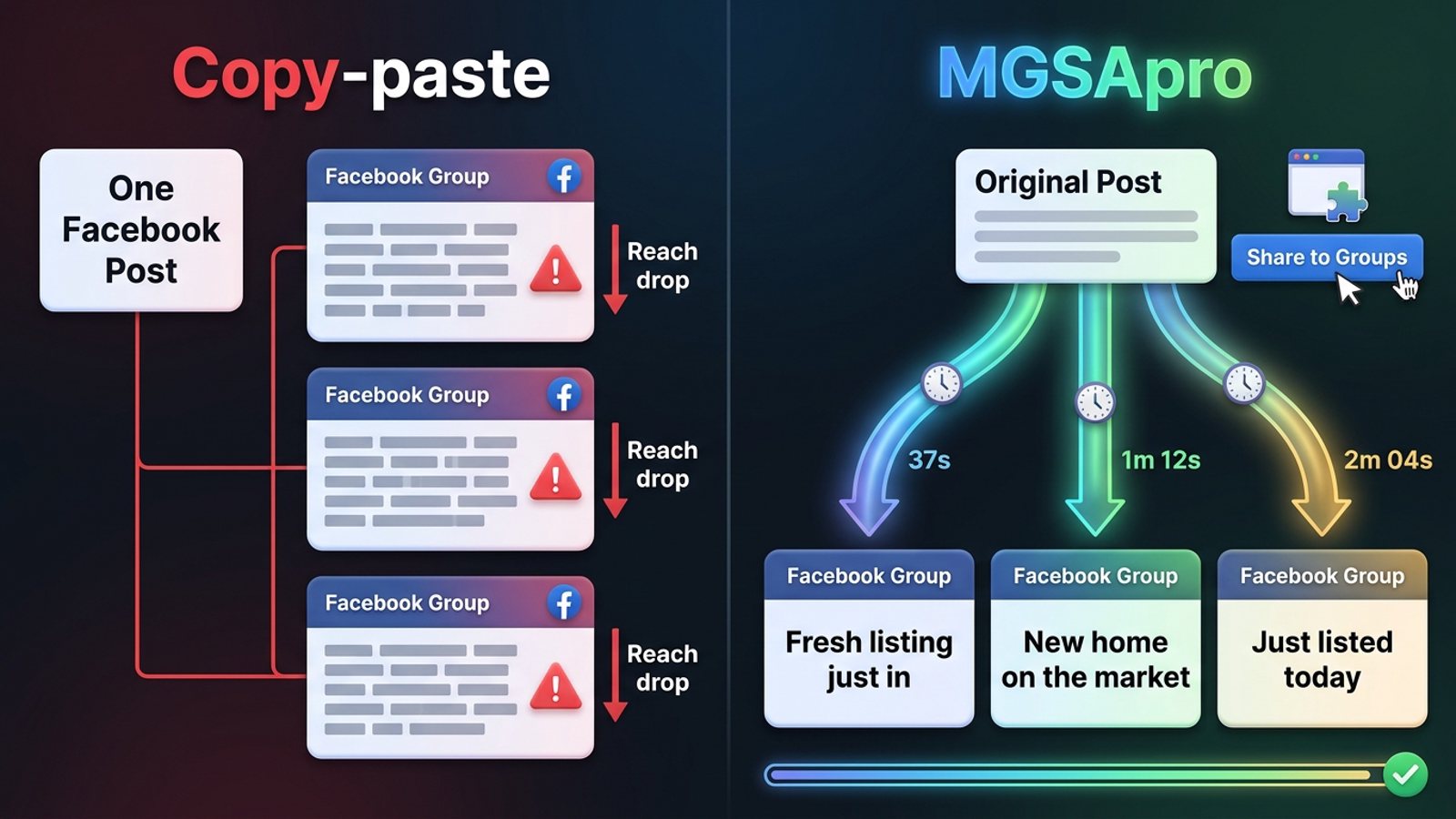
Yes — if you build "human" into the post itself. To share facebook post all groups human, write the same offer a few different ways, space the shares out with uneven pauses instead of firing them all in one burst, and only post where your offer fits. Meta's own spam policy names "repetitive content" as a flag even at lower posting frequency, so identical copy is the real risk.
Key takeaways
- Meta's spam policy (Meta Transparency Center, 2024) covers posting "at very high frequencies" and also says accounts can be restricted at lower frequencies when other spam signals, like repetitive content, are present.
- Variation and pacing matter more than raw volume. Third-party guides put a working cadence at 5–8 promotional groups a day, at least 10–15 minutes apart, with the message rewritten at least 3 ways (Lilach Bullock, 2026).
- Randomised delays beat fixed ones. A vendor guide suggests a base delay with randomisation so gaps land unevenly (FB Group Bulk Poster, 2025).
- No tool makes you invisible. Vendors themselves say nothing guarantees zero risk (MaherPost, 2026).
- Use bulk sharing to replace the work you'd do by hand, not to spray every group you're in.
Ready to post like a person at scale? Add MGSApro to Chrome and it will spread your shares with human-like delays and AI text variations on each group.
Does identical text across groups actually get flagged?
Yes — Meta names repetitive content directly in its spam policy. The policy bans posting or sharing "at very high frequencies," whether manually or automatically, and it says Meta may also restrict accounts acting at lower frequencies when other spam indicators are present, such as posting repetitive content (Meta Transparency Center, 2024).
So volume alone isn't the only trigger. Facebook's detection reacts more to the pattern — identical text, rapid timing, many groups in one session — than to a raw count (Lilach Bullock, 2026). That's good news for a seller: slowing the pattern is easier than halving your reach.
Meta has also said it will reduce the reach of accounts that share repetitive and spammy content, as part of an effort to cut spam in the Facebook Feed (About Meta Newsroom, 2025). Translation: even when a post stays up, copy-paste habits can cost you views.
How do I share a Facebook post to all groups human-style without hours of work?
Build three habits into every campaign: vary the words, vary the gaps, and trim the list. Here's the technique, step by step.
- Check each group's rules first. Open the group's Featured section and look for "promo," "self-promotion," "links" or "vendors" before posting anything promotional (MultiGroupPoster, 2026). Most groups that allow promotion limit it by day, place, link or format (MaherPost, 2026).
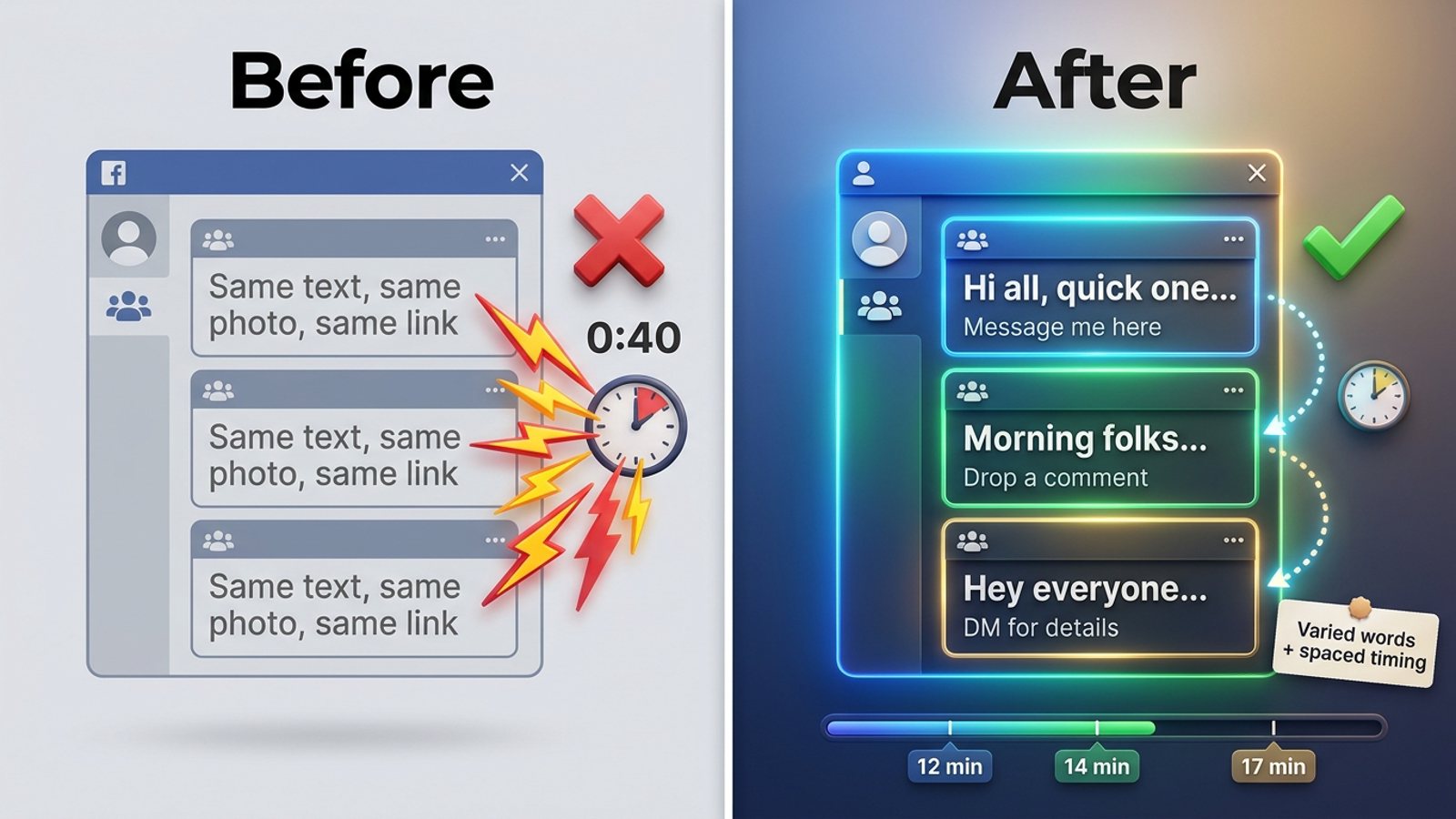
- Write your core post, then rewrite it at least 3 different ways. Change the opening hook each time so no two groups get identical copy (Lilach Bullock, 2026).
- Trim your list to groups where the offer genuinely fits. Keep promotion a small share of what you post — the commonly cited split is roughly 90/10 or 70/30 value-to-promo (Social Blaze, 2026; MultiGroupPoster, 2026).
- Set a human cadence. 5–8 promotional groups per day, at least 10–15 minutes apart, spread across sessions rather than one burst (Lilach Bullock, 2026). One vendor guide puts it plainly: 30 posts spread over 12 hours with randomised delays look human; the same 30 in a 20-minute burst look like a program (BuzzPost, 2026).
- Use randomised, not fixed, delays. A fixed 60-second gap is a rhythm no person keeps. A base delay with randomisation — say 30–90 seconds between posts — reads more naturally (FB Group Bulk Poster, 2025).
- Watch for early warning signs. Silent post failures (the post looks sent but never appears) and "action blocked" popups mean you're nearing a restriction. Slow down or pause (FB Group Bulk Poster, 2025).
- Keep it a speed-up of real posting. Post where it's allowed, with something worth reading. That's what separates a busy seller from a spam account (MaherPost, 2026).
That's the honest manual version. It works, and it costs you an afternoon per campaign.
How does MGSApro make each group's share look different?
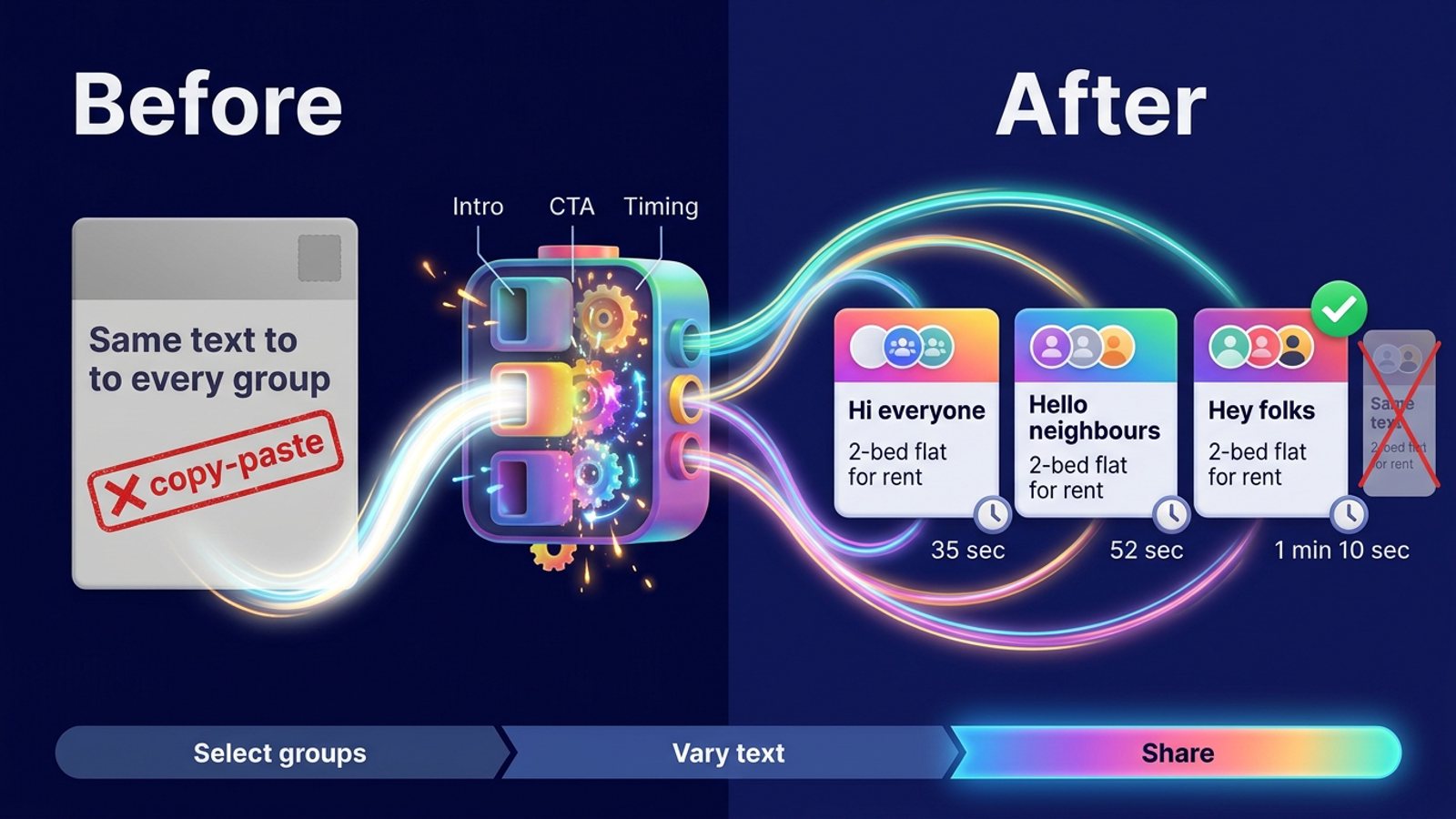
It varies the wording and the timing for you, inside Facebook. MGSApro is a Facebook group sharing extension that adds one "Share to Groups" button to every post. You tick the groups you want on the Facebook page, optionally add a message, save the selection as a preset, and click Share — a live progress bar shows each group as it posts.
The parts that answer your question:
- AI-generated text variations give each group slightly different wording, so you're not dropping the same paragraph 30 times.
- Built-in randomized delays and human-like clicks space the shares out instead of firing them in one burst.
- Group presets let you save lists — and share to multiple presets — so you're not re-ticking 40 boxes every morning.
- No extra dashboard. It works entirely on top of Facebook, so nothing new to log into.
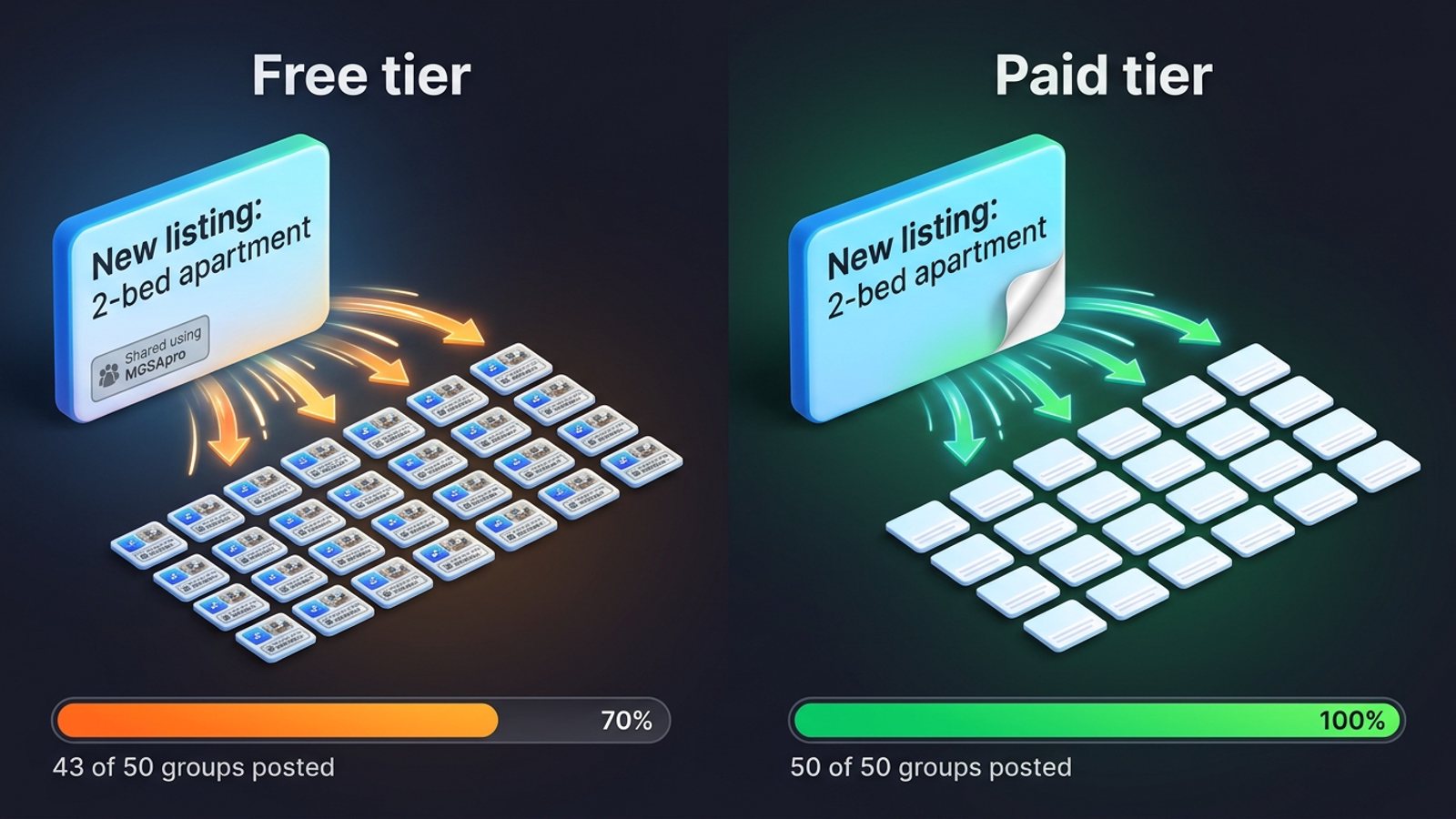
It also schedules posts to your own groups, works across multiple Facebook profiles and remembers which groups belong to which profile, and runs free forever with a small watermark (optional paid plan from $7.99/month on the yearly plan; $9.99/month without the watermark — as of November 2026, prices can change).
If you want to see the click-by-click, the MGSApro tutorial walks through it.
Our recommendation: pair the tool with the rules above. The extension handles variation and pacing; you still decide which groups deserve the post.
For the plain one-click mechanics, see how to share your Facebook post to all your groups in one click. If your copy still reads the same everywhere, this guide on stopping group posts looking copy-pasted goes deeper.
What are the best tools for sharing one post to many groups human-style?
Here's how the options compare, based on the sources we checked. MGSApro goes first because it's ours — and because it's the only one here built to vary wording per group.
| Option | Best for | Key features | Price / free option | Watch-outs |
|---|---|---|---|---|
| MGSApro — Our pick | Sellers who want one click plus per-group wording and pacing | Select groups on Facebook, presets, optional message, live progress bar, randomized delays, human-like clicks, AI text variations | Free forever with a small watermark; paid plan from $7.99/month yearly, $9.99/month without watermark (as of Nov 2026, prices can change) | Chrome only; operates on top of Facebook; free version adds a watermark; not affiliated with Meta |
| Manual sharing, one group at a time | Full control over every word and pause | Share → Groups → pick → type → Share, per group | Free (your time) | Roughly 2 minutes per group; easy to double-post; pasting the same copy is still the pattern Meta names |
| Facebook's own Share menu and scheduler | The safest, most native route | Built into Facebook | Free | One group per share — no bulk share to groups (PurePrivacy, 2025) |
| Schedulers (Hootsuite, Buffer, Meta Business Suite) | A wide calendar across Pages and platforms | Official Meta channels, multi-platform planning | Hootsuite from $99/month per user billed yearly (Group Posting, 2026); Meta Business Suite free (postify.tech, 2026) | Facebook removed third-party API publishing to Groups, so they can't post into groups you've joined as a member (Medium/Denied Feels, 2026). Buffer sends a phone reminder instead (Group Posting, 2026) |
| RecurPost | Reminders so you post by hand | Mobile push reminders for groups and profiles | Not stated in the material we checked | It doesn't post for you — groups only "via mobile push notifications" (RecurPost, 2026) |
| Generic auto-clickers / macro scripts | Automating arbitrary clicks | Custom button names, randomised click intervals | Varies; one example lists no stated price (Chrome Web Store, 2025) | Don't vary your text or respect group relevance; a security scan of one flagged medium-risk code-execution permissions (Koidex, 2025) |
If you mainly need a calendar across Pages and Instagram, Hootsuite or Meta Business Suite is the more direct choice — they just can't post into your groups. If you want reminders and will type each post yourself, RecurPost fits. If you want one click with different wording in each group, that's what MGSApro is for.
MGSApro is made by the team behind this blog.
How many groups can I post to per day safely?
There's no official Facebook number in the sources we checked — quoted ranges come from third-party guides. Lilach Bullock (2026) suggests 5–8 groups per day for promotional or link posts and up to 10–12 for conversational posts, at least 10–15 minutes apart, with the core message rewritten at least 3 ways per session.
Other guides differ. NinjaPoster (2026) suggests no more than once every 3–5 days per single group and staggering large campaigns across sessions. BuzzPost (2026) advises beginner accounts 5–10 groups a day for the first two weeks, building up gradually.
Treat all of these as guidance, not rules. Your account age, group rules and content quality all move the needle. Rules vary by place and by group, and this is not legal advice.
Will random delays make my sharing invisible to Facebook?
No — and any tool promising that is overselling. Vendors themselves say no tool can guarantee zero risk: Meta runs automated spam detection on every account, and what you control is how you post, how fast, and whether your copy reads like a person wrote it for that group (MaherPost, 2026).
What delays do is remove one obvious tell. Meta flags rapid actions done "too quickly in succession," unusual spikes in activity, and multiple logins or locations, and spacing actions out is a key prevention (ManyChat, 2026). Randomised gaps, varied wording and posting only where you're welcome stack up to lower risk — not zero risk.
Add MGSApro to Chrome and your next campaign goes out varied, spaced and on time — not pasted 40 times in a row.
Sources
- Spam policy — Meta Transparency Center, 2024-06-25
- Reduzindo conteúdo com spam no Facebook — About Meta Newsroom, 2025-04-24
- Medidas contra el spam en Facebook — About Meta Newsroom LTAM, 2025-04-24
- Act Like a Bot, Get Banned: Your Guide to Tasteful Automation — ManyChat blog, 2026-01-16
- How many Facebook groups can you post in per day? — Lilach Bullock, 2026-08-19
- Facebook group posting schedule: best times — NinjaPoster blog, 2026-03-25
- How to auto-post properties to Facebook groups in 2026 — BuzzPost vendor blog, 2026-05-13
- Facebook group posting limits — FB Group Bulk Poster vendor blog, 2025-12-11
- Is a Facebook auto poster safe in 2026? — MaherPost vendor blog, 2026-08-05
- Facebook group rules for promotional posts — MaherPost, 2026-10-28
- Facebook group promotion rules — MultiGroupPoster blog, 2026-07-02
- The 70/30 rule for Facebook groups — MultiGroupPoster blog, 2026-07-01
- Facebook Groups for business — Social Blaze, 2026-10-11
- Post on multiple Facebook groups — PurePrivacy, 2025-01-02
- Facebook auto share vs posting in groups you're in 2026 — Medium / Denied Feels, 2026-10-04
- RecurPost vs Oktopost — RecurPost, 2026-09-29
- Group Posting vs Hootsuite — Group Posting, 2026-10-30
- Group Posting vs Buffer — Group Posting, 2026-10-30
- Meta Business Suite vs Postify — postify.tech, updated 2026-10-21
- Share post to multiple Facebook groups — Chrome Web Store, updated 2025-02-10
- Is Facebook 自動點擊助手 safe? — Koidex, 2025-10-01
Frequently asked questions
Never manually share to groups again
MGSA Pro is the free Chrome extension that shares your posts to every Facebook group for you — safely, with human-like timing.
Keep reading

How do I share my Facebook post to all my groups in one click?
November 20, 2026
How do I stop my Facebook group posts looking copy-pasted when I share in bulk?
November 21, 2026
How do I keep my Facebook group posts from looking copy-pasted to every group?
November 20, 2026
What is the best tool to share one Facebook post to 50 groups without a watermark on it?
November 22, 2026