What is the best tool to share one Facebook post to 50 groups without a watermark on it?
November 22, 2026 · MGSApro Team
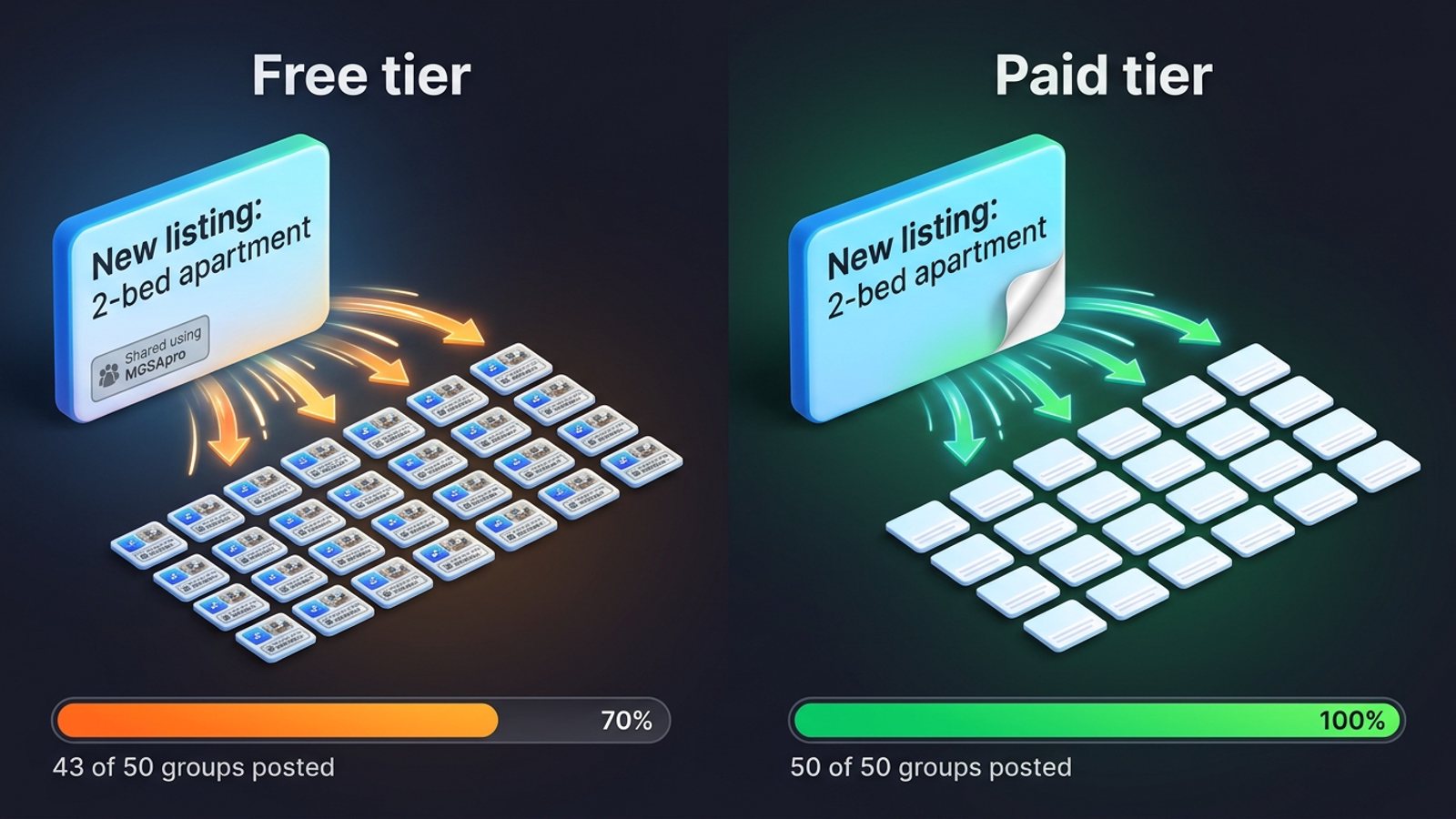
If a clean post matters to you, the best tool of the ones we compared is MGSApro — its paid license removes the "Shared using MGSApro" watermark, and its free tier keeps one. MultiGroupPoster and Group Posting are the closest no-watermark alternatives, but both also charge to drop their stamp. Doing it by hand is free and watermark-free, just slow.
Add MGSApro to Chrome and you can start on the free tier today, then upgrade when you need clean posts.
Key takeaways
- Share Facebook post to groups no watermark is effectively a paid feature across every tool we compared — free tiers stamp your shares.
- MGSApro is free forever with a short watermark; the watermark-free plan is from $7.99 a month on the yearly plan as of November 2026, and prices can change.
- No tool can dump one post into 50 groups in a single burst safely — Meta's spam policy treats "excessively frequent" sharing as spam whether it's manual or automated (Meta Transparency Center, updated 2024-06-25).
- Slowing the pattern matters more than cutting the count: a suggested cadence is 5–8 promotional posts a day with 10–15 minutes between them (Lilach Bullock, 2026-08-19).
- Doing it by hand is free and clean, but at roughly 2 minutes per group, 50 groups is about an hour and forty minutes of clicking.
What is the best tool to share one Facebook post to 50 groups without a watermark?
MGSApro (Multiple Group Share Assistant) is our pick of the tools we compared, because it's the only one whose paid tier removes the watermark while keeping the whole workflow — saved group lists, human-like delays and AI text variations — inside Facebook. The free tier is genuinely unlimited, but each share carries a short watermark until you extend the license (Chrome Web Store listing, no date). If a clean post is a hard requirement, budget for the paid tier from the start.
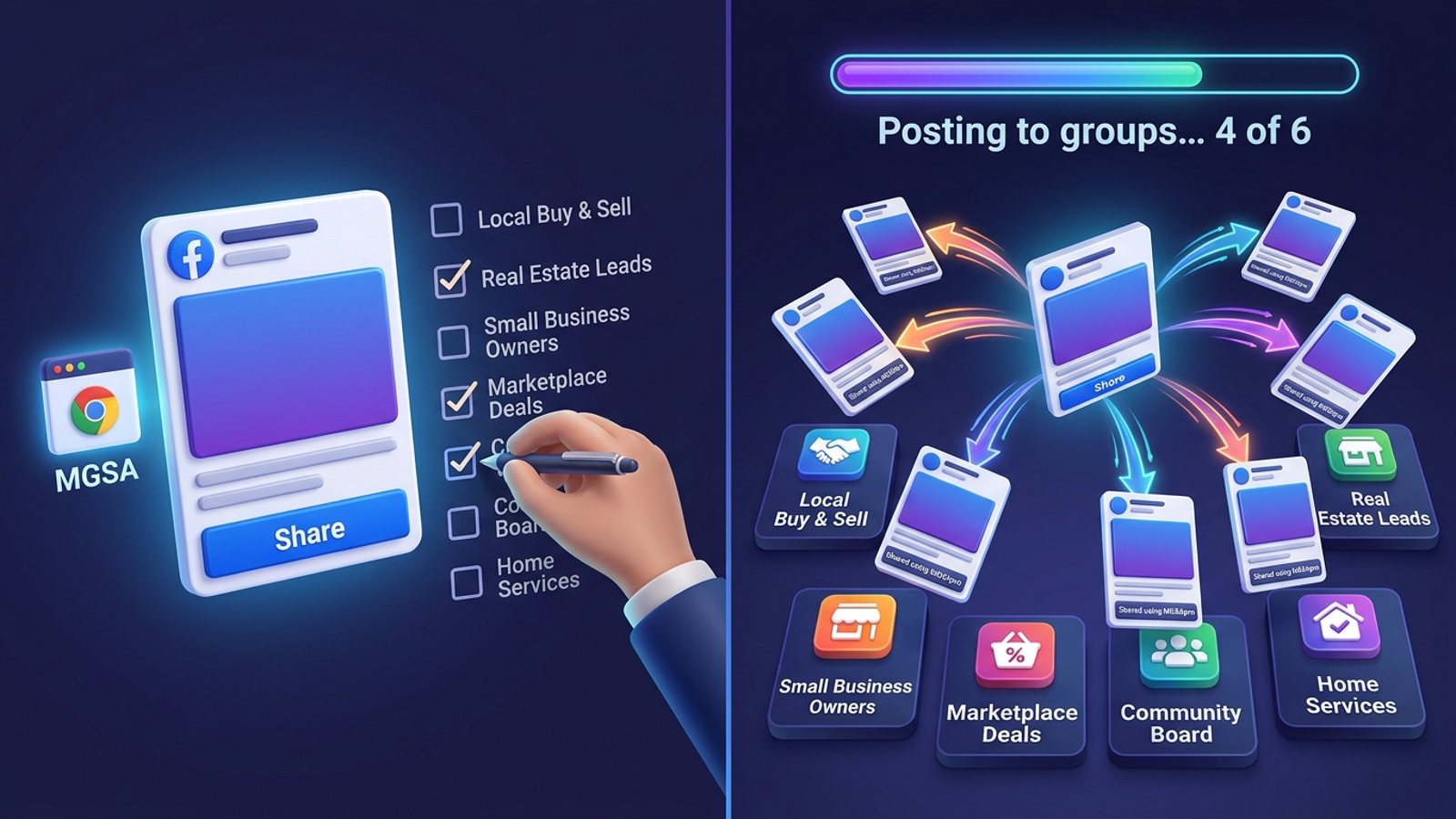
Here's how it works for your 50-group job:
- Browse your Facebook groups and tick the ones you want.
- Optionally type a message or blurb.
- Save the selection as a preset for next time.
- Click Share and watch the progress bar as it posts to each group.
That's the Facebook group sharing extension in a nutshell: no dashboard, no login, just a "Share to Groups" button on every post.
Why can't I just share one post to 50 groups in one go?
Because Facebook's own interface only lets you pick one group per share. You choose a single group, search for it, click it, type a blurb and post — roughly 2 minutes each (MGSA listing, Chrome Web Store, no date). Fifty groups that way is a lost afternoon, and it's easy to lose track and double-post.
Cloud schedulers can't rescue you either. Meta removed the publish_to_groups API for third-party apps in April 2024, which ended cloud-based group posting for tools like Buffer and Hootsuite (AlternativeTo, 2026-06-21; SocialBee, 2026-01-06). That's why the realistic options are browser extensions that replay your own logged-in Facebook session, or your own two hands.
Which tools remove the watermark — and what do they cost?
Every free tier in this category stamps your shares, so "no watermark" means paying somewhere. Here's the honest comparison, with MGSApro first because it's our pick.
| Option | Best for | Key features | Price / free option | Watch-outs |
|---|---|---|---|---|
| MGSApro (Our pick) | Sellers who want one-click sharing with clean, watermark-free posts | Tick groups on the Facebook page, optional message, reusable presets, live progress bar, randomized human-like delays, AI text variations, works on top of Facebook | Free forever with a small watermark; watermark-free from $7.99/month on the yearly plan as of November 2026, prices can change | Chrome only; operates on top of Facebook; not affiliated with Meta |
| MultiGroupPoster | Users who want Spintax caption variation built in | "Share to groups" button under each post, saved group lists, pauses between groups, Spintax captions up to 4,000 characters | 6 free shares to test (watermarked), then $9.99/month or $69.99/year; 7-day refund, no card for the trial (vendor pages, October 2026) | Free shares carry a "Shared with Multi Group Poster" line; default 2-minute pause means 50 groups takes well over an hour |
| Group Posting (groupposting.com) | Light daily posters who want a free-forever tier | Self-paced share button under every post, runs in your own browser, never asks for your password | Free plan with 5 group-posts a day; Pro €24/month or €119/year (vendor comparison page, 7 November 2026) | Free tier's 5-a-day cap means 50 groups takes 10 days or a paid plan; Chrome on a computer only |
| FB Group Bulk Poster | Teams that want scheduling and a content library | Works with any group where you have member posting rights, scheduling, human-like posting, content library | $7.99/month flat, one plan, free trial (Capterra, no date) | Vendor figures suggest 50 groups is aggressive for one session — under 10 groups for new accounts (vendor blog, 2025-12-11) |
| Facebook's built-in Share | Anyone who wants zero watermark and zero third-party access | One group per share, fully inside Facebook's own flow | Free | 50 groups means 50 rounds of clicking and searching, about 2 minutes each |
MGSApro is made by the team behind this blog.
If you mainly need Spintax-style caption spinning, MultiGroupPoster is the more direct choice. If you post to only a handful of groups a day and want to stay free, Group Posting's 5-a-day plan may be enough. And if you'd rather not install anything at all, Facebook's own Share button is free and clean — it just costs you the afternoon.
How do I get 50 groups done without looking like a spam bot?
Slow the pattern, don't just cut the number. Facebook's spam detection reacts more to pattern — identical text, rapid timing, many groups in one session — than to raw volume (Lilach Bullock, 2026-08-19). Meta's spam policy bans posting or sharing "excessively frequently," whether manually or automatically, and can also restrict accounts showing repetitive content (Meta Transparency Center, updated 2024-06-25).
A practical approach:
- Decide your no-watermark budget first. Free tiers of MGSApro, MultiGroupPoster and Group Posting all stamp shares.
- Install the extension in the Chrome profile you're already logged into Facebook with — these tools replay your own browser session rather than connecting an account (groupposting.com/share, no date).
- Build and save your group list once. MGSApro calls these presets.
- Write one post, then make at least 3 text variations so no two groups get identical wording (Lilach Bullock, 2026-08-19).
- Set the pause between shares to at least a few minutes and spread the 50 groups across several days rather than one burst (MultiGroupPoster docs, 2026-10-28).
- Don't re-share into a group holding your post for admin approval — reposting doesn't skip the queue and looks like spam (AutoGP, 2026-10-15).
Our recommendation: treat 50 groups as a week's work at 7–10 groups a day, not a single session. Figures quoted online for daily group posting come from vendor blogs and practitioners, and they vary widely (AutoGP blog, 2026-09-12; Lilach Bullock, 2026-08-19).
This is not legal advice, and Facebook's rules and enforcement vary by account and region.
Does a watermark actually hurt reach?
There's no independent data in the material we reviewed either way — so we won't pretend there is. What we can say is that a watermark is visible to every group member who sees your post, and if you're selling a listing, a service or a product, a "Shared using…" stamp sits between your offer and your buyer. Whether that costs you reach or just looks untidy, removing it is the reason people pay.
If you want to see the watermark go away in practice, the MGSApro tutorial walks through the upgrade and the sharing flow step by step.
How do I share to 50 groups faster once I've picked a tool?
Save your group list as a preset, then reuse it every time instead of re-ticking 50 boxes. MGSApro lets you save group selections as reusable presets and share to multiple presets, so your morning routine becomes: open the post, pick the preset, click Share, watch the progress bar. If you're still working out the basics, our guide to sharing one Facebook post to 30 groups without doing it one by one covers the setup, and sharing the same post to 50 groups without firing them all instantly covers the pacing.
Ready to stop clicking group by group? Add MGSApro to Chrome free, and upgrade only when you need your posts watermark-free.
Sources
- Share Post to Multiple Facebook™ Groups | Multiple Group Share Assistant (Chrome Web Store)
- MGSA directory listing and feature list (插件小屋, 2026-05-10)
- Multiple Group Share Assistant (MGSA) alternative (MultiGroupPoster, 2026-09-25)
- Sharing in groups — docs (MultiGroupPoster, 2026-10-28)
- MultiGroupPoster about (AlternativeTo, 2026-06-21)
- FB Group Bulk Poster pricing (Capterra)
- Facebook group posting limits (FB Bulk Poster vendor blog, 2025-12-11)
- Facebook group posting limits (AutoGP blog, 2026-09-12)
- Facebook group post pending (AutoGP, 2026-10-15)
- Group Posting vs SafePoster (groupposting.com, 2026-11-07)
- Group Posting share page (groupposting.com)
- Sharing a post to a Facebook group with a few clicks (Vpage/Nhanh.vn, 2026-03-23)
- How to post to multiple Facebook groups (PurePrivacy, 2025-01-02)
- Scheduling posts to Facebook groups (SocialBee, 2026-01-06)
- Spam policy (Meta Transparency Center, updated 2024-06-25)
- How many Facebook groups can you post in each day (Lilach Bullock, 2026-08-19)
Frequently asked questions
Never manually share to groups again
MGSA Pro is the free Chrome extension that shares your posts to every Facebook group for you — safely, with human-like timing.