Is there a free Chrome extension that shares one Facebook post to all my groups?
November 20, 2026 · MGSApro Team

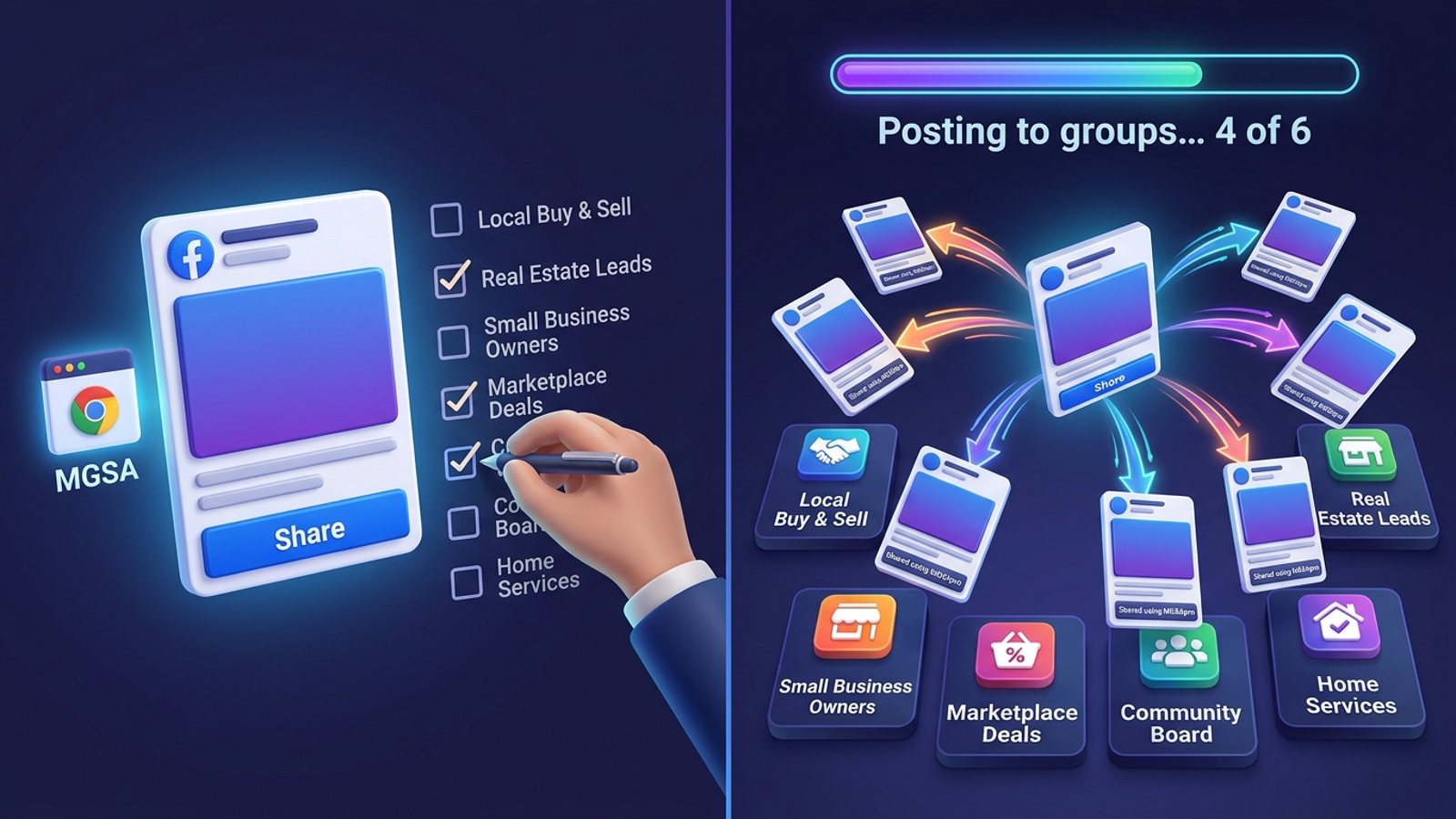
Yes — a few Chrome extensions can share one Facebook post to many groups in one click, and one of them is free forever. MGSApro is a free chrome extension share post all groups tool: you tick your groups once, save them as a preset, then hit Share and it posts to each group with human-like delays. The catch: it's Chrome-only and the free version adds a small watermark.
Get MGSA Chrome Extension (Free Unlimited) — pick your groups once, share in one click, no dashboard and no Facebook password.
Key takeaways
- Facebook has no "share to all groups" button. Its Share menu takes one group per share and closes after you pick, according to MultiGroupPoster's 2026 guide.
- Meta removed the Groups API and the
publish_to_groupspermission on 22 April 2024 (RedReplier, 2026), so cloud schedulers can't publish into groups any more. Only tools that click inside your own logged-in Chrome still work. - MGSApro is free forever with a small watermark on shared posts. The owner confirms a paid plan from $7.99 a month on the yearly plan removes it (as of November 2026; prices can change).
- Free doesn't mean unlimited at any speed. Practitioner guidance in 2026 puts a safe ceiling around 5–8 promotional group posts a day.
Is there really no "share to all groups" button on Facebook?
No. Facebook's own Share menu offers your feed, a friend's timeline, a message, a Page and a single group — there's no checkbox list, no select-all and no recent-groups shortcut, and the menu closes after one choice (MultiGroupPoster, 2026).
Facebook does have an "Add groups" option in some composers, but it only works for certain post types such as buy-and-sell listings, and each group's rules and admin approval still apply (Group Posting, 2026). For a normal post — a listing, a service offer, a product photo — you're back to one group at a time.
That's the gap a bulk group sharing tool fills. It doesn't add a new Facebook feature; it clicks the same Share → group buttons you would, just faster.
Why can't Hootsuite, Buffer or a cloud scheduler post to my groups any more?
Because Meta closed the door. It deprecated the Groups API and the publish_to_groups permission and removed them from every Graph API version on 22 April 2024, so no third-party app can create a group post (RedReplier, 2026).
Since then, vendors that still list groups usually describe notification-based "finish it yourself" publishing (Medium — liran151, 2026). The only thing that still genuinely posts is a browser extension running inside your own logged-in Chrome session, clicking through the normal Facebook flow.
How does a free extension share one post to all your groups?
It runs inside Facebook and repeats your own clicks, one group at a time, with pauses between them. Here's the real technique, so you know what any tool should be doing:
- Log into Facebook in Chrome as usual. The extension uses that session. MGSApro states it never asks for your Facebook password and never connects to your account (Chrome Web Store, updated 15 November 2026).
- Build your group list once. Tick the groups you sell into, then save the selection as a preset so you never rebuild it.
- Open the post you want to share and choose Share → Groups.
- Add a message if you want one, then start the run.
- Keep delays on and vary the text. Identical copy pasted into dozens of groups reads as spam — Meta says networks sharing the same spammy content may see lower reach (Pam Moore, LinkedIn, 2026).
- Check each group's rules and approval queue. Where a group moderates posts, your share sits in the queue exactly like a manual post (Extpose, 2026).
Our recommendation: start with a small preset of 5–8 groups, watch what happens for a week, then grow it.
How MGSApro does it in one click
MGSApro follows that flow and takes the repetitive part off your hands. You select your groups directly on the Facebook page, optionally type a message, save the selection as a preset, then click Share and watch the live progress bar as each group is posted.
What you get from the product facts:
- One 'Share to Groups' button on every post — no popup to open, no separate dashboard.
- Group presets you can reuse, and you can share to multiple presets in one run.
- AI-generated text variations for each group, so every share isn't word-for-word identical.
- Randomized delays and human-like clicks, built in.
- Scheduling into your own groups only, and it remembers which groups belong to which profile if you run several.
- Free forever with a small watermark that says "Shared using MGSApro". The owner confirms a paid plan from $7.99 a month on the yearly plan removes it (as of November 2026; prices can change).
Honest limits: it's Chrome only, it operates on top of Facebook, the free version adds that watermark, and it isn't affiliated with Meta.
If you want to see the whole flow before installing, the MGSApro tutorial walks through presets and your first share.
Which free extension should you pick? Options compared
Here's how the tools we compared stack up for the "one post, all my groups, free" job. Prices checked November 2026 and they can change.
| Option | Best for | Key features | Price / free option | Watch-outs |
|---|---|---|---|---|
| MGSApro — Our pick | Sellers who want to share one existing post to saved group lists free, forever | One-click Share to Groups button, group presets, AI text variations, randomized delays, live progress bar, works inside Facebook | Free forever with a small watermark; paid plan from $7.99/mo on the yearly plan to remove it | Chrome only; watermark on free shares; scheduling is for groups you own or admin |
| Multigroup Poster | Users who want scheduling, Spintax and timed first comments in one tool | 50+ groups per run, bulk post and auto share, scheduling, buy-and-sell listings, MCP connector | Free plan $0 with 6 posts one-time; Pro from $8.99/mo per its pricing page title | Not free beyond the 6-run trial; scheduled runs need Chrome open with the right profile |
| FB Group Bulk Poster | Budget bulk posting including groups you don't admin | Unlimited group posting, scheduling, human-like posting, content library | $7.99/month flat, one plan, free trial | No free tier beyond the trial |
| AutoGP | Largest one-click reach with a hard stop on warnings | 100+ groups in one click, never asks for your Facebook password, stops the run at Facebook's first warning | 7-day free trial | Trial only; stopping at the first warning can leave runs unfinished |
| Facebook's own Share button | One-off shares, or buy-and-sell listings where Facebook offers a group list | Nothing to install, zero third-party access | Free | One group per share, menu closes after one choice, no select-all |
MGSApro is made by the team behind this blog.
If you mainly need scheduling and Spintax in one place, Multigroup Poster is the more direct choice. If you want the biggest single-click reach and don't mind a trial, look at AutoGP. And if you only post to one group at a time, Facebook's own button is free and fine.
For the wider field, see our comparison of the best tool to share one Facebook post to all my groups at once.
Is the free version really free — or does it watermark my posts?
With MGSApro, yes: it's free forever, and after the trial period shared posts carry a short watermark that disappears if you extend the license. Everything else stays free (Chrome Web Store, 15 November 2026).
That's a fair trade for most sellers testing the waters. If a clean post matters — say, a listing where a watermark looks unprofessional — the owner confirms a paid plan from $7.99 a month on the yearly plan (as of November 2026; prices can change). Either way, you're not paying per group or per post.
How many groups can I share to per day without getting restricted?
There's no official Meta number in the sources we checked — every figure out there is practitioner or vendor guidance. Lilach Bullock (2026) recommends a maximum of 5–8 promotional group posts a day with 10–15 minutes between posts and the message rewritten at least three ways.
Field data cited by postsyncer (2026) suggests accounts get flagged when posting across 10–15+ groups in rapid succession, with restrictions often appearing in the first 30 days above 25 groups a day. Vendor guidance on delays suggests 2–3 minutes between posts for new accounts and 30–60 seconds for aged ones (FB Group Bulk Poster, 2025).
Our recommendation: treat these as ceilings, not targets. This isn't legal advice, and Facebook's rules and enforcement vary by place and change often.
Get MGSA Chrome Extension (Free Unlimited) and share your next post to every group in one click.
Sources
- Share Post to Multiple Facebook™ Groups (MGSA on Chrome Web Store, updated 2026-11-15)
- How to Share One Facebook Post to Multiple Groups (MultiGroupPoster blog, 2026-08-30)
- How to Post to Multiple Facebook Groups at Once (MultiGroupPoster blog, 2026-01-14)
- How Facebook Group Post Approval Works (RedReplier, 2026-09-12)
- Facebook Auto Share vs Posting in Groups You're In (Medium — liran151, 2026-10-04)
- Facebook Group Posting Questions, Answered (Group Posting, 2026-11-07)
- Multigroup Poster – Facebook Group Auto Poster (Chrome Web Store, no date)
- Pricing — Free + Pro from $8.99/mo (MultiGroupPoster, no date)
- Multigroup Poster on Extpose (2026-11-06)
- FB Group Bulk Poster pricing (Capterra, no date)
- FB Group Bulk Poster (Capterra, updated 2026-08-20)
- Facebook Group Posting Limits (FB Group Bulk Poster blog, 2025-12-11)
- AutoGP – Post to Multiple Facebook Groups (Chrome Web Store, no date)
- Posting in Facebook Groups: 5 to 8 a Day Before You Get Muted (Lilach Bullock, 2026-08-19)
- How to Post in Multiple Groups on Facebook Safely (postsyncer.com, 2026-09-23)
- Facebook Spam: The Opposite of Growth Strategy (LinkedIn — Pam Moore, 2026-09-22)
Frequently asked questions
Never manually share to groups again
MGSA Pro is the free Chrome extension that shares your posts to every Facebook group for you — safely, with human-like timing.