
How do I share the same post to 50 Facebook groups at once without firing them all instantly?
November 21, 2026 · MGSApro Team
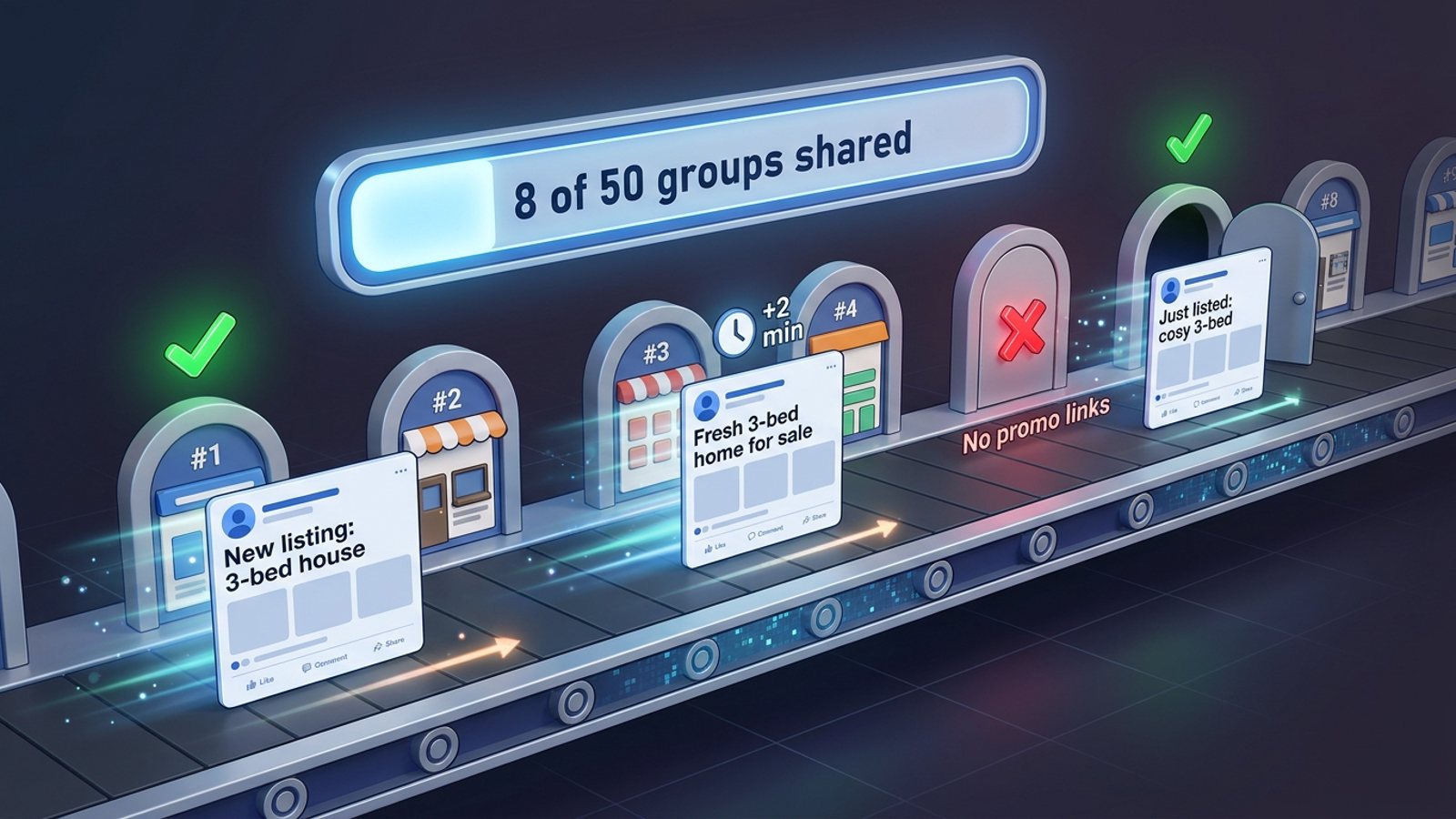
Facebook's Share menu takes one group per click, so 50 groups means 50 cycles by hand. The workable route is a Chrome extension that runs inside your logged-in Facebook: tick your groups, save a preset, add your message, click once, and let it post group by group with human-like delays while you watch the progress bar. Pacing, not speed, keeps the account healthy.
Key takeaways
- Facebook's own Share menu closes after one group, so 50 groups means 50 repeat cycles if you do it by hand.
- Firing 50 shares back-to-back is the rapid-fire pattern that draws attention; field observation says 10–15+ groups in quick succession gets flagged by algorithms and moderation.
- Every "safe number" you see is field observation or vendor guidance — Meta's own published rules cover enforcement, not a daily group-posting figure.
- The workable method: pick groups once, save them as a preset, vary your wording, share with randomized delays, and stop at a sane number per day.
- Share post to 50 Facebook groups safely by spreading the run — cautious field guidance clusters around 5–8 promotional posts a day.
Ready to run your first paced batch? Get MGSA Chrome Extension (Free Unlimited) and share to your saved groups in one click.
Why can't I just share to 50 groups at once on Facebook?
Because the Share menu is built for one destination per share. Facebook's Share options — "Share now", "Share in your feed", "Share in a group", "Share to a friend's profile", "Share on a Page" — each take a single target, according to Facebook Help. You pick one group, a composer opens for that group, you post, and the cycle starts again.
That's fine for three groups. For 50 it's 50 repeat cycles, and doing them back-to-back is exactly the rapid-fire pattern field observers warn about. A Medium write-up from May 2026 noted accounts posting across 10–15+ groups in rapid succession getting flagged by algorithms and moderation.
There's a second catch: sharing can be blocked by the original post's privacy settings. If sharing was restricted, the Share option may not appear at all (Facebook Help).
Is it safe to share one post to 50 Facebook groups in a single run?
The field guidance points away from it. A May 2026 Medium piece and an AutoGP blog post (12 Sep 2026) both note that Meta's published material covers enforcement, not a daily group-posting figure — so every number below is field observation or vendor-published, not Meta policy.
What the guidance says:
- Cautious promotional range: max 5–8 groups/day for promotional or link-based content, up to 10–12 for conversational content, with at least 10–15 minutes between posts (Lilach Bullock, 19 Aug 2026).
- Vendor-listed triggers: posting to 20+ groups in 15 minutes, the same text/image across many groups, and more than 25–30 groups a day (FB Group Bulk Poster, 6 Jan 2026 — vendor blog).
- Account age matters: a brand-new account at roughly 5–10 groups/day for the first two weeks, building up; an aged account with clean history at 20–30 groups/day (BuzzPost, 13 May 2026 — vendor blog).
Our recommendation: treat 50 as a list to work through over several days, not a single burst. Split it into two or three sittings and you keep the reach without the risk.
How do I share a post to 50 Facebook groups step by step?
Here's the method, paced from the start. It's the same whether you run it by hand (slowly) or with a tool that handles the pacing for you.
- Warm up first if the account is new. Vendor guidance suggests starting with a handful of groups a day and building over weeks (MaherPost, undated; BuzzPost, 13 May 2026). Don't make your first ever group run a 50-group one.
- Prune the 50. Drop groups that ban links or promotions, and read each group's rules. Groups that ban links may remove shared posts containing links (Scotland's Gardens Scheme PDF, undated).
- Pick the groups and save them as a preset so the next run is one click instead of 50 ticks.
- Add your message and vary the wording. Rewriting the core message at least three ways is standard advice (Lilach Bullock, 19 Aug 2026), and repetitive text across groups is a listed flag trigger (FB Group Bulk Poster, 6 Jan 2026).
- Set the delay to human-like pacing, never zero. Vendor ranges run 30 seconds to 2–3 minutes depending on account age, with randomization (FB Group Bulk Poster, 11 Dec 2025).
- Click share once and watch the progress bar as each group posts in turn. Don't close or refresh the tab mid-run.
- Stop at a sane number for the day and finish the list tomorrow.
- Stick around to reply for the first hour or two — early replies help a post get traction (Post Quick AI, 15 Jan 2026).
This is the technique worth learning even if you never buy a tool: pace it, vary it, and split it across days.
How does MGSApro handle the pacing for you?
MGSApro is a Chrome extension that shares your Facebook post to all your selected groups in one click, directly on Facebook — and it builds the pacing in. You browse your groups and tick the ones you want, optionally type a message or blurb, save the selection as a reusable preset, then click Share. A live progress bar shows each group being posted in turn.
The pacing features that matter for this job:
- Built-in randomized delays and human-like clicks — it doesn't fire all 50 at once.
- AI-generated text variations for each group, so the same offer doesn't land as identical text everywhere.
- Saved presets, so your 50-group list (or your "local groups" list) is one click next time.
- Works entirely on top of Facebook — no extra dashboard, no separate login.
Honest limits: it's Chrome only, it operates on top of Facebook, the free version adds a small watermark, and it's not affiliated with Meta.
Pricing as of November 2026: free with a small watermark, or $9.99 per month without one — and the owner confirms a yearly plan from $7.99 a month. Prices can change.
New to it? The MGSApro tutorial walks through the first run. If you'd rather see how it stacks up before installing, read what the best tool to share one Facebook post to all my groups at once is.
What delay should I set between groups?
Start at the slower end and work down as your account proves itself. Vendor-published ranges (not official Facebook data) run roughly 30–120 seconds depending on account age, with randomization — a new account at a 2–3 minute base delay, an established one at 1–2 minutes, an aged account at 30–60 seconds (FB Group Bulk Poster, 11 Dec 2025). Fixed timing looks less natural than varied timing, per the same source.
Our recommendation: if you're unsure, go slower. A run that takes 40 minutes and lands is worth more than one that takes 4 minutes and gets you restricted.
What happens if I get restricted for posting too fast?
Meta escalates. Per Meta's Transparency Center (updated 12 Nov 2024): a first offence gets a warning; 2–6 warnings can restrict specific features such as posting in groups for a period; 7 warnings bring a 1-day content-creation restriction, 8 brings 3 days, 9 brings 7 days, and 9+ brings 30 days.
A warning sign you're approaching a restriction is an "Action blocked" popup lasting 24 hours to 30 days depending on severity (FB Group Bulk Poster, 11 Dec 2025 — vendor blog). If you do get suspended while using MGSApro, the owner's guidance is to appeal — accounts are reinstated as long as you weren't spamming. Which is the whole point: use it to replace your actual work, not to flood groups.
Not legal advice, and platform rules vary by place and change over time.
Which tools help you share one post to many groups without firing instantly?
Of the tools we compared, MGSApro is our pick for sellers who want paced one-click sharing inside Facebook. Here's how it stacks up against the alternatives covered in the research.
| Option | Best for | Key features | Price / free option | Watch-outs |
|---|---|---|---|---|
| MGSApro (Our pick) | Sellers and small businesses sharing one post to many groups with human-like pacing | Tick groups on Facebook, optional message, saved presets, live progress bar, randomized delays and human-like clicks, AI text variations per group, one "Share to Groups" button | Free with a small watermark; $9.99/month without, yearly from $7.99/month (as of Nov 2026; prices can change) | Chrome only; operates on top of Facebook; not affiliated with Meta |
| Manual sharing (Facebook's Share menu) | A handful of groups, or tailoring each share by hand | One group per share, full control, unique line per group | Free | Menu closes after each pick; 50 groups = 50 cycles; back-to-back is the rapid-fire pattern that gets flagged |
| Multigroup Poster (Chrome extension) | Sharing one existing post to 50+ groups with scheduled re-shares | Randomized human-paced delays, scheduled/recurring re-shares, Spintax and "Image Spintax" text variation | Free trial then paid plans; no price stated on the store page (as of Nov 2026) | Pricing not transparent on the listing |
| FB Group Bulk Poster (Chrome extension) | Bulk posting with a content library and posting log | Works with any group without admin rights, content library, scheduling, spintax variations, user-selectable 10–120 second delays, posting log | $7.99/month flat, one plan, free trial (Capterra, as of Nov 2026) | Its own marketing stresses "instantly" posting, which conflicts with the pacing approach |
| Meta Business Suite | Pages and Page-linked groups with a Planner view | Native Meta tool, Planner scheduling, edit/reschedule from a dashboard | Free | No support for groups unless linked to a Page; can't share one existing post to many unlinked groups |
MGSApro is made by the team behind this blog.
If you mainly need scheduled recurring re-shares of the same post, Multigroup Poster is the more direct choice. If you want a flat monthly price and a posting log, FB Group Bulk Poster fits. If your groups are all linked to your Page and you just want a calendar, Meta Business Suite does that natively.
For a paced run of your own, Get MGSA Chrome Extension (Free Unlimited) — tick your groups, save the preset, and let it share one at a time.
Sources
- Share options on a post — Facebook Help (Polish edition, undated)
- How to share one Facebook post to multiple groups — MultiGroupPoster, 30 Aug 2026
- How to share a post to a Facebook group — MultiGroupPoster, 13 Nov 2026
- Sharing posts to Facebook Page & Groups PDF — Scotland's Gardens Scheme, undated
- How many Facebook groups can I post to per day? — Medium (Dented Feels), 28 May 2026
- How many Facebook groups can you post in each day — Lilach Bullock, 19 Aug 2026
- How to avoid Facebook jail when posting to groups — FB Group Bulk Poster, 6 Jan 2026
- Facebook group posting limits — FB Group Bulk Poster, 11 Dec 2025
- Facebook posting limits 2026 — MaherPost, undated
- Facebook group posting limits — AutoGP, 12 Sep 2026
- How to auto-post to Facebook groups in 2026 — BuzzPost, 13 May 2026
- Restricting accounts — Meta Transparency Center, updated 12 Nov 2024
- How to schedule posts on Facebook Groups — SocialBee FR, 6/7 Jan 2026
- How to schedule a Facebook post — Buffer, 25 Oct 2026
- How to schedule a Facebook post in 2026 — Post Quick AI, 15 Jan 2026
- RecurPost vs Oktopost — RecurPost, 29 Sep 2026
- Multigroup Poster — Chrome Web Store, no date
- FB Group Bulk Poster pricing — Capterra, no date
- FB Group Bulk Poster — Chrome Web Store EN, 27 Mar 2025
Frequently asked questions
Never manually share to groups again
MGSA Pro is the free Chrome extension that shares your posts to every Facebook group for you — safely, with human-like timing.
Keep reading
How do I stop my Facebook group posts from all reading the same when I share in bulk?
November 22, 2026
How do I share a Facebook post to all my buy-and-sell groups in one click from Chrome?
November 21, 2026
How do I share a new listing to every local Facebook group without hunting for group names?
November 21, 2026