
How do I share one Facebook post to my groups and add a different short message to each one?
November 24, 2026 · MGSApro Team
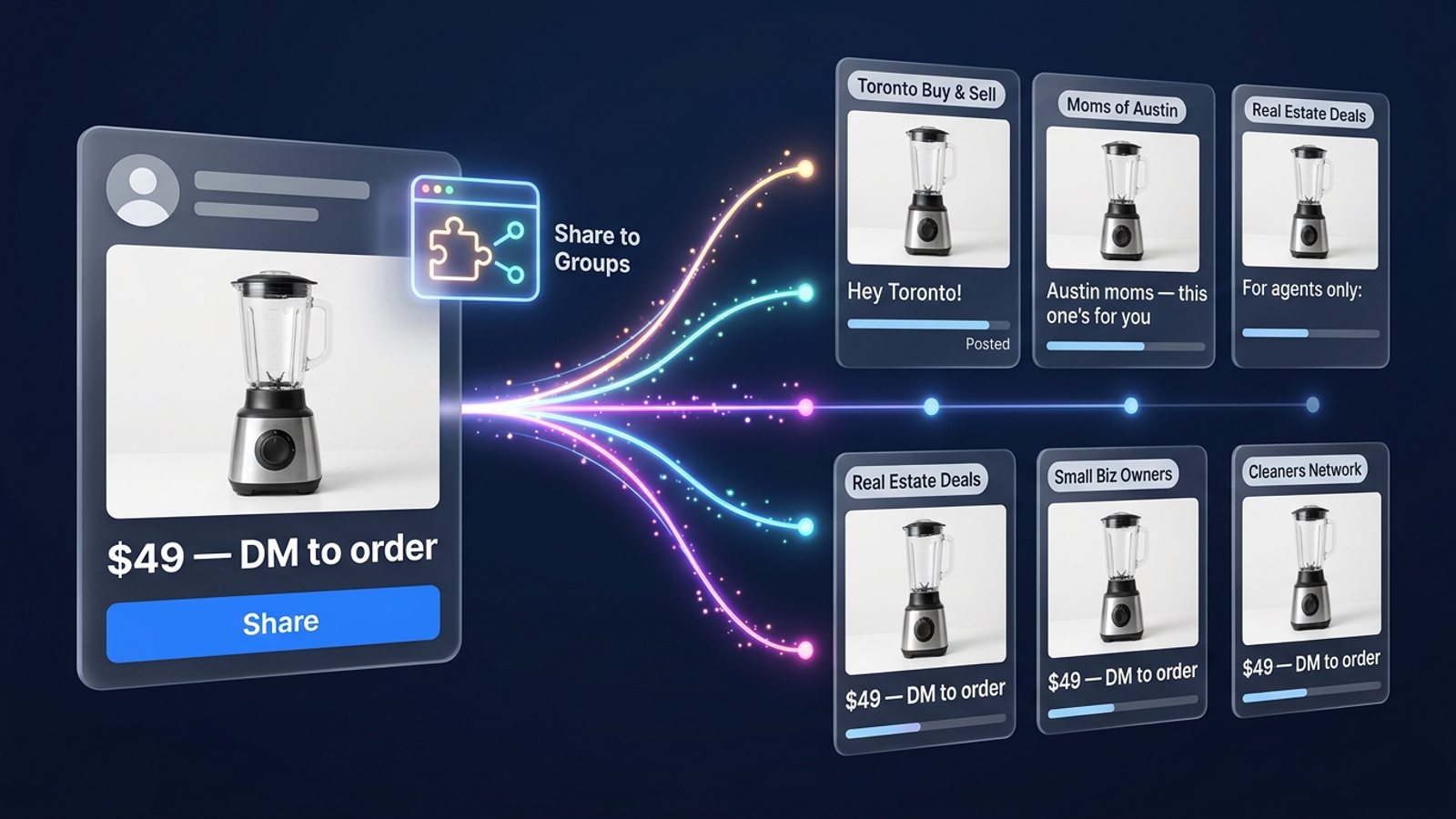
You can't do it in one Facebook click. Facebook's Share button sends a post to one group per share, and the share dialog won't prefill your message, so a different message per facebook group means a separate share every time. The practical fix: one fixed core line plus a short per-group opener, delivered with a tool that varies the text for you.
Get MGSA Chrome Extension (Free Unlimited) and you tick your groups once, add your message, and let it share with AI text variations per group — grab it free here.
Key takeaways
- Facebook's own Share flow handles one group per share, so "different message per group" means 20–50 separate rounds by hand.
- The reliable formula is one fixed core (your offer, price, photo, CTA) plus a short group-specific opener — not a full rewrite for every group.
- Meta's spam policy targets repetitive content and very high posting frequency, so identical blurbs and rapid-fire timing are the real risk.
- A Facebook group sharing extension like MGSApro runs inside your logged-in Facebook session, adds AI text variations per group and human-like delays, and needs no extra dashboard.
- Check each group's promo rules before you post — group admins can hold posts for approval.
How do I share one Facebook post to my groups with a different short message in each?
Write one fixed core line you keep everywhere, then add a short, group-specific opener in front of it — and deliver each version through a share that actually lets you edit the message. Facebook's share dialog doesn't let you prefill the "Say something about this…" box, per a Stack Overflow archive from 2015, and the Share button sends "the identical post every time" to one group at a time (AutoGP, 2026). So the per-group message is something you build, not something Facebook hands you.
Here's the two-layer recipe that works:
- Write your fixed core. One offer line, one price, one photo, one call to action. This never changes.
- Write a 10–20 word opener per group. Name the city, the niche, or the reason the post fits that community.
- Glue them together — opener first, core second.
- Deliver each version through a route that lets you add text: a new post in the group, or an extension that inserts the message for you.
Our recommendation: keep the core under 40 words. Long cores are what make 20 group posts feel like copy-paste to a reader who's in five of the same groups.
Why does copy-pasting the same blurb into every group backfire?
Because Meta treats repetitive content as a spam signal, not just high volume. Meta's Spam policy (updated 25 June 2024) prohibits posting or sharing content "at very high frequencies," and says it may restrict lower-frequency accounts when other signals like "posting repetitive content" are present. Meta's April 2025 anti-spam initiative went further, saying it will reduce the reach of accounts that share repetitive, spammy content.
Facebook's business help also says repeated or identical messages get flagged as spam. And as Lilach Bullock put it in August 2026, Facebook's spam detection cares "far more about pattern than volume" — identical text and rapid timing read as automation even when a human is doing it.
There's a social cost too. Related groups often share members, so someone who sees your identical post in four groups can report it (AutoGP, 2026). Posts Facebook flags as likely spam can also sit in a group's potential-spam folder until an admin publishes or rejects them.
What's the fastest way to write a different message per Facebook group?
Use one of three methods — hand-written openers, an AI rewrite pass, or a spintax template — and pick based on how many groups you're hitting.
Method 1: Hand-written openers. Best for 5–10 groups. You write one line per group and keep full control. Slow above 15 groups.
Method 2: AI rewrite pass. You paste your core post into an AI tool and ask for several short openers or rewrites, then review each one. A roundup from Wink.ai (November 2026) calls AI a "strong partner for ideas and copy" for social captions. The catch: SocialBee (February 2026) notes AI output "still needs human creativity and editing," and you still have to copy each version into Facebook group by group.
Method 3: Spintax templates. Spintax is curly-brace word blocks like {great|reliable|trusted}; each render picks one option per block (Spintax.net, August 2026). Publer's help centre (December 2024) shows the format: "The sea was {calm | peaceful} today" produces two different sentences. It's free if you write it yourself, but the variations only change the words you define — structure and tone stay the same — so you need plenty of blocks to avoid near-identical results.
A combined approach — spintax blocks plus an optional AI pass plus a quick quality check — is what MaherPost recommended in August 2026 so each group gets copy that reads as if written for it.
How does MGSApro add a different message to each group in one click?
MGSApro is a Chrome extension that shares one Facebook post to all your selected groups in one click, with AI-generated text variations for each group and built-in randomized delays and human-like clicks. You don't log into a dashboard — it works entirely on top of Facebook, inside the session you're already signed into.
Here's the whole flow:
- Browse your Facebook groups and tick the ones you want.
- Optionally type a message or blurb — this is your core line.
- Save the selection as a preset so next time it's one click, not fifty.
- Hit Share and watch the live progress bar as each group gets posted.
The AI text variations handle the "different message per group" job so you're not rewriting by hand, and the randomized delays break up the timing pattern. You can also save multiple presets and share to more than one preset at once — handy if you split groups by city or niche.
Pricing, as of November 2026: it's free forever with a small watermark ("Shared using MGSApro"), or $9.99 per month without the watermark. The owner also confirms a yearly plan from $7.99 a month. Prices can change, so check the site before you commit.
If you want to see the clicks in action, the MGSApro tutorial walks through presets and the share button.
What are the best tools for a different message per Facebook group?
Of the tools we compared, MGSApro is our pick for the specific job of one post plus a varied short message across many groups — because it's the one in this list built to insert per-group text variations and pace the sends without leaving Facebook.
MGSApro is made by the team behind this blog.
| Option | Best for | Key features | Price / free option | Watch-outs |
|---|---|---|---|---|
| MGSApro (Our pick) | Sellers and marketers sharing one post to many groups with a varied message each time | One-click share to selected groups, optional message, reusable presets, live progress bar, randomized delays, AI text variations, works on top of Facebook | Free with a small watermark; $9.99/month without, yearly from $7.99/month (as of November 2026; prices can change) | Chrome only; operates on top of Facebook; not affiliated with Meta |
| Facebook Share button, by hand | Anyone posting to 5 or fewer groups who wants total control | Free, no third-party tool, one group per share so you can genuinely write different text each time | Free (built into Facebook) | One group per share; can't prefill the message box, so you retype every blurb; repeated timing is easy to spot (AutoGP 2026; Lilach Bullock 2026) |
| ChatGPT (or another AI writer) | Drafting 10–20 short openers from one core post in a single prompt | Fast variants, easy to review before pasting | Check the vendor's site for current pricing | No direct group posting; you still paste each version in by hand; output needs editing (SocialBee 2026) |
| Spintax templates | Keeping your exact wording while breaking identical-text matching | Write once, get many deterministic variants; free if you build it yourself; built into some tools like Publer | Free to write yourself | Only varies the words you define; structure and tone stay the same; still needs a delivery method (Spintax.net 2026) |
| Meta Business Suite | Scheduling the same content to a Page and a group linked to that Page | Scheduling for linked Pages and groups | Free with a Facebook account | Can't bulk-schedule across groups you've merely joined, and can't vary the message per group (PostDaily 2026) |
| Buffer / Hootsuite | Caption writing and scheduling for Pages and other channels | Caption tools, scheduling, multi-channel support | Check the vendor's site for current pricing | After the Groups API change on 22 April 2024, Buffer's group posting uses "notification publishing" — a mobile notification you copy into the group yourself (Buffer Help Center 2026; PostDaily 2026) |
If you mainly need free, total control over every word and you're posting to a handful of groups, doing it by hand is the more direct choice. If you mainly need caption ideas and Page scheduling, an AI writer plus Buffer covers that. MGSApro is for the person who wants the one post out to 20–50 groups today with a different short message in each.
Ready to stop retyping? Get MGSA Chrome Extension (Free Unlimited) and set up your first preset in a couple of minutes.
How many groups can I share to per day without getting flagged?
Meta doesn't publish a daily group number, so treat any figure as a third-party benchmark. Lilach Bullock (August 2026) suggests a maximum of 5–8 groups a day for promotional content and 10–12 a day for conversational posts, with at least 10–15 minutes between posts. PostSyncer (September 2026) cites randomized 5–20 minute gaps, and notes restrictions often appear in the first 30 days when activity exceeds 25 groups a day.
Our recommendation: start lower than you think you need to, especially on a newer account, and keep gaps between shares. This isn't legal advice, and Facebook's rules and enforcement vary by place and change over time — always check the current policy yourself.
Do I need to check each group's rules before sharing?
Yes — a 60-second check saves you a removal. Open the group's Featured section and look for words like "promo," "self-promotion," "links" or "vendors," plus any required format, flair, tag or admin contact (MultiGroupPoster, July 2026). Group admins can require post approval, so a post that breaks the rules may never go live.
Self-promotion bans are usually avoidable and come down to ignoring a group's rules, posting too often, or pitching before adding value (gtstu.com, November 2026). Our recommendation: reply to comments on each group post. Participation is what keeps admins on your side.
If you want the same job done with more wording options, these guides go deeper: how to keep each Facebook group post different and how to share the same post to many groups with different wording each time.
Sources
- Meta Spam policy (Meta Transparency Center, updated 2024-06-25)
- Meta anti-spam initiative (Meta Newsroom PT, 2025-04-23)
- Facebook Business Help on repeated messages (Facebook, no date)
- Share a Facebook Post to Multiple Groups at Once (AutoGP, 2026-10-15)
- Spintax for Facebook Groups (AutoGP, 2026-09-12)
- Facebook share — user message prefill not possible (KiWix/Stack Overflow archive, 2015-01-12)
- How Many Facebook Groups Can You Post In Each Day? (Lilach Bullock, 2026-08-19)
- How to Post in Multiple Groups on Facebook Safely (PostSyncer, 2026-09-23)
- Spintax for Facebook Groups (MaherPost, 2026-08-05)
- What is Spintax? (Spintax.net, 2026-08-08)
- Create text variations with Spintax (Publer Help Center, 2024-12-30)
- Facebook Group Promotion Rules (MultiGroupPoster, 2026-07-02)
- Post in Local Facebook Groups Without Getting Banned (gtstu.com, 2026-11-07)
- Schedule Facebook Group Posts (PostDaily, 2026-09-26)
- Using Facebook with Buffer (Buffer Help Center, 2026-07-01)
- Best AI Social Media Post Generators (Wink.ai blog, 2026-11-09)
- I tested 6 AI tools for social media content creation (SocialBee, 2026-02-02)
Frequently asked questions
Never manually share to groups again
MGSA Pro is the free Chrome extension that shares your posts to every Facebook group for you — safely, with human-like timing.
Keep reading
How do I share one Facebook post to many groups and still add my own short pitch every time?
November 26, 2026
How do I share a post to many Facebook groups with my own message on every one?
November 24, 2026
What's the best way to share one Facebook post to 50 buy-and-sell groups with different wording in each?
November 23, 2026

How do I share the same post to many Facebook groups with different wording each time?
November 20, 2026