
How do I post to many Facebook groups at a human pace so it doesn't look like a bot?
November 21, 2026 · MGSApro Team
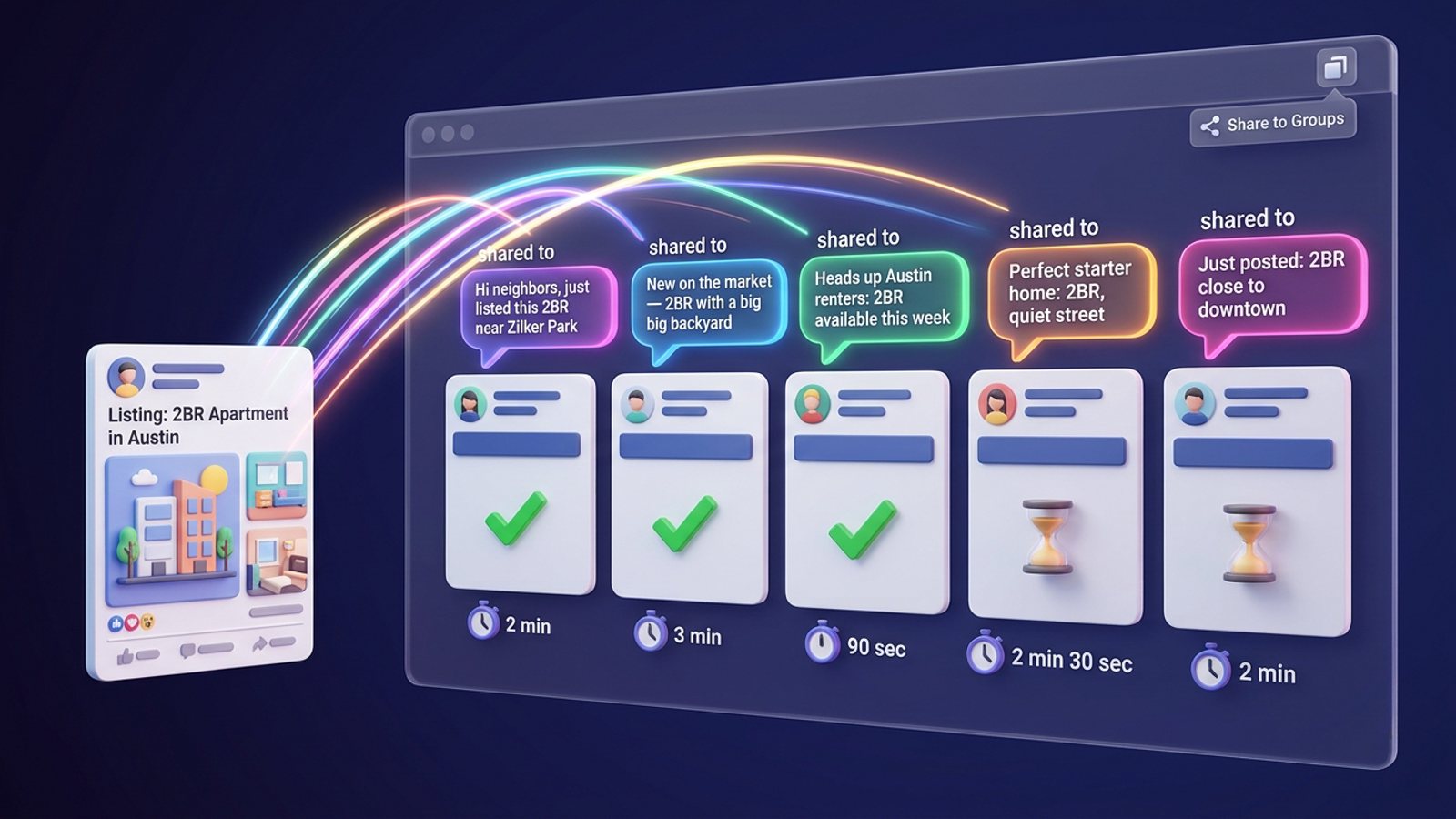
You do it with three habits: uneven delays between posts (minutes, not seconds), different wording for each group, and posting only where your offer fits. Meta's spam rules target very high posting frequency "either manually or automatically," so pace and variety matter more than which tool you use. No method guarantees zero risk.
Get MGSA Chrome Extension (Free Unlimited) — it shares your post to all your selected groups with randomized delays and AI text variations built in.
Key takeaways
- Post facebook groups without looking like a bot by spacing posts minutes apart with random jitter, not on a fixed metronome.
- Meta's Community Standards prohibit posting at very high frequency "either manually or automatically" — so doing it by hand doesn't make you safe.
- Rewriting a couple of words isn't enough: one practitioner write-up says the structure of the text is what gets compared across groups.
- New accounts need slower pacing than aged ones. One vendor guide suggests 2–3 minutes between posts with ±30–60s jitter for new accounts.
- Use automation to replace work you'd do anyway, not to flood groups. That's the whole difference between a busy seller and a spammer.
What pace actually looks like to Facebook?
Minutes, not seconds — and uneven minutes at that. One vendor blog (Conbersa, 2026) describes posting identical content to five groups in 30 minutes as a common trigger for automated spam detection, and says three posts spaced across a two-hour window with other activity in between looks natural, while three posts in ten minutes looks automated.
Meta's spam policy (Meta Transparency Center, 2024) prohibits posting or sharing content at very high frequencies and allows restrictions at lower frequency when other spam signals — like repetitive content — are present. So there's no target to hit; there's a shape to imitate.
A practitioner write-up on Medium (Reham, 2026) puts it plainly: intervals measured in seconds read as automation, intervals in minutes read as a person.
How long should I wait between posting to different groups?
Start with a base delay set by your account's age, then add randomisation so no two gaps are the same. A vendor guide from FB Bulk Poster (2025) suggests:
- New accounts: 2–3 minutes base delay, ±30–60 seconds randomisation.
- Established accounts: 1–2 minutes base, ±30 seconds.
- Aged accounts: 30–60 seconds base, ±20 seconds.
The randomisation is the point. A 60-second delay with 50% jitter means posts land anywhere from 30 to 90 seconds apart — which reads far more naturally than a fixed 60-second drumbeat.
Our recommendation: if you're not sure which bucket you're in, act like a new account for a week. You lose nothing but a few minutes.
How do I warm up a new account before posting to many groups?
Ramp up slowly over about two weeks instead of joining groups and posting to all of them on day one. A 14-day schedule published by MaherPost (undated) suggests:
- Days 1–3: 3–5 groups, 3–5 posts per day, 5-minute delays.
- Days 4–7: 5–10 groups, 5–8 posts, 4-minute delays.
- Days 8–10: 10–15 groups, 10–15 posts, 3-minute delays.
- Days 11–14: 15–25 groups, 15–25 posts, 2–3 minute delays.
MultiGroupPoster (2026) flags the "join twenty groups then immediately post to all of them" pattern as the clearest new-account signature — and notes that posting blocks often arrive bundled with joining blocks, because the trigger was a burst of group activity overall.
How do I vary the text so each group gets something different?
Rewrite for the group's context, not just swap synonyms. Meta's spam rules treat identical text, link and image posted across many groups as the most obvious signal, and the Medium write-up (2026) notes that swapping two words or paraphrasing doesn't remove it — the structure is what gets compared.
So "Great deal!!" versus "Great offer!!" is not variation. A different opening line, a different detail, a different closing ask is.
This is also where most people run out of time. Writing 30 genuinely different versions by hand is the actual job — which is why the Facebook group sharing extension generates AI text variations for each group, so every post reads like it was written for that community.
How many links can I share to groups?
Keep links to a small share of what you post. Conbersa (2026) describes accounts that post external links in more than roughly 20% of their group contributions as getting flagged as potential marketers, and says Facebook deprioritises off-platform links.
Our recommendation: if most of your group posts are plain conversation and only some carry a link, you look like a member. If every post is a link, you look like an ad.
How do I know I'm getting close to a restriction?
Two warning signs: posts that fail silently (they look published but never appear in the group) and the explicit "You're posting too fast" message. Both are listed by FB Bulk Poster (2025) as signals you're approaching a restriction.
If either appears, stop. Posting during a restriction extends it, according to Postly (2026), which also says opening another account is the move that turns a temporary block into a permanent one.
What should I do if I'm already restricted?
Stop posting, don't create a new account, and check your Account Status. Meta's own warning text says it limits how often you can post "to help protect the community from spam" and recommends reducing posting, commenting, liking and messaging for several days (Ayrshare docs, 2026). Account Status is the only place Facebook discloses the actual reason and accepts an appeal.
To find it: profile picture → Help and support → Account Status (Facebook Help Center).
Postly (2026) recommends returning at a third of your previous volume and ramping back up over two weeks. Conbersa (2026) says first-offence spam restrictions typically last 24 to 72 hours.
Which tools help you post at a human pace?
Here's how the options we compared stack up. MGSApro is made by the team behind this blog, so read the comparison with that in mind — and read the honest notes on each.
| Option | Best for | Key features | Price / free option | Watch-outs |
|---|---|---|---|---|
| MGSApro (Our pick) | Sellers who want one-click group sharing with built-in pacing | Select groups on the Facebook page, optional message, saved presets, live progress bar, randomized delays and human-like clicks, AI text variations per group, works inside Facebook with no extra dashboard | Free with a small watermark, or $9.99/month without (as of November 2026; prices can change). Yearly plan from $7.99/month | Chrome only; operates on top of Facebook; free version adds a watermark; not affiliated with Meta |
| Doing it by hand | Total control over every word and click | Every click is a real one; no tool footprint | Free — costs your time | Meta's frequency rule applies to manual posting too; copy-pasting identical text is the top signal; slow |
| Facebook's built-in composer | Staying entirely inside your account | Native; Account Status and appeals live here | Built into Facebook at no extra cost | Still one group at a time; same content unless you rewrite it |
| FB Bulk Poster | Learning pacing numbers | Publishes randomised delay guidance by account age | Not stated in our sources — check the vendor's site | No tool guarantees zero restriction risk |
| Chrome bulk-poster extensions (e.g. Grovo, Bulk Poster & Scheduler) | Spintax or AI rewrites per group | Grovo generates 10 AI rewrites and picks one at random per group; the other offers spintax like `{Hi | Hello | Hey}` plus smart delays |
If you mainly need spintax templates you control line by line, the Bulk Poster & Scheduler extension is the more direct choice. If you want everything to happen on the Facebook page itself with presets and a progress bar, MGSApro is built for exactly that — add it to Chrome free and see how the pacing feels on your own groups.
A note on the "is it the tool that gets me flagged" question: MultiGroupPoster (2026) argues the machine-like footprint matters more than using a tool at all — server-side bots logging in from a data-centre IP and posting identical content on a metronome are the well-known trigger. A browser extension working inside your own logged-in session is a different shape.
And no tool can promise you'll never be restricted. MaherPost (2026) says it plainly: Meta runs automated spam detection on every account, and what you control is how you post, how fast, and whether your copy reads like a person wrote it for that group.
What does "replacing real work" actually mean?
It means the posts you automate are the ones you'd have sat and typed anyway — not extra volume you'd never have attempted by hand. That's the owner's stance, and it's also what Meta's rule implies: the frequency test applies "either manually or automatically."
In practice: if you'd realistically share your listing to 12 local groups this morning, automate those 12 with varied text and sane gaps. Don't automate 60 because the tool makes it easy.
If you're working through the details, our walkthroughs on posting your offer at a natural pace and keeping group posts looking human at 40 groups go deeper. New to the extension? The MGSApro tutorial shows the whole flow.
Rules vary by place, and this is not legal advice — if you're unsure how Facebook's policies apply to your business, check Meta's own documentation or ask a professional.
Ready to stop copy-pasting? Get MGSA Chrome Extension (Free Unlimited) and let it handle the delays and the wording while you handle the replies.
MGSApro is made by the team behind this blog.
Sources
- Spam — Community Standards (Meta Transparency Center, 2024-06-25)
- Facebook Business Help — ad/messaging spam rules (Facebook, date not given)
- Check your Account Status on Facebook (Facebook Help Center, date not given)
- How to Avoid Facebook Group Spam Detection as a B2B Founder (Conbersa vendor blog, 2026-07-01)
- Facebook or Instagram Account Restricted? (Ayrshare docs, 2026-11-09)
- How to Avoid Facebook Jail (Skinny Boot Volume Tweezer business blog, 2026-10-21)
- Facebook Group Posting Limits (FB Bulk Poster vendor blog, 2025-12-11)
- Facebook Posting Limits 2026 (MaherPost, date not given)
- Is a Facebook Auto Poster Safe in 2026? (MaherPost vendor blog, 2026-08-05)
- Your Facebook Account Got Restricted for Group Spam… (Medium / Reham, 2026-09-17)
- Blocked From Posting in Facebook Groups? How to Fix It (MultiGroupPoster vendor blog, 2026-07-02)
- Facebook Group Posting Limits: Safe Posts Per Day (MultiGroupPoster vendor blog, 2026-06-14)
- Facebook blocked your group posts? What to do (Postly, 2026-08-12)
- Facebook™ Groups Bulk Poster & Scheduler (Chrome Web Store, date not given)
- Facebook Groups Auto Poster / Grovo (Chrome Web Store, date not given)
Frequently asked questions
Never manually share to groups again
MGSA Pro is the free Chrome extension that shares your posts to every Facebook group for you — safely, with human-like timing.
Keep reading
How do I post my listing to local Facebook groups without another company's name on it?
November 22, 2026

How do I share a Facebook post to many groups safely without looking like a bot?
November 20, 2026
How do I keep my 'DM me for a quote' line from looking copy-pasted in every Facebook group?
November 20, 2026