
How do I stop a 'Shared using' line appearing on every Facebook group post I share?
November 25, 2026 · MGSApro Team
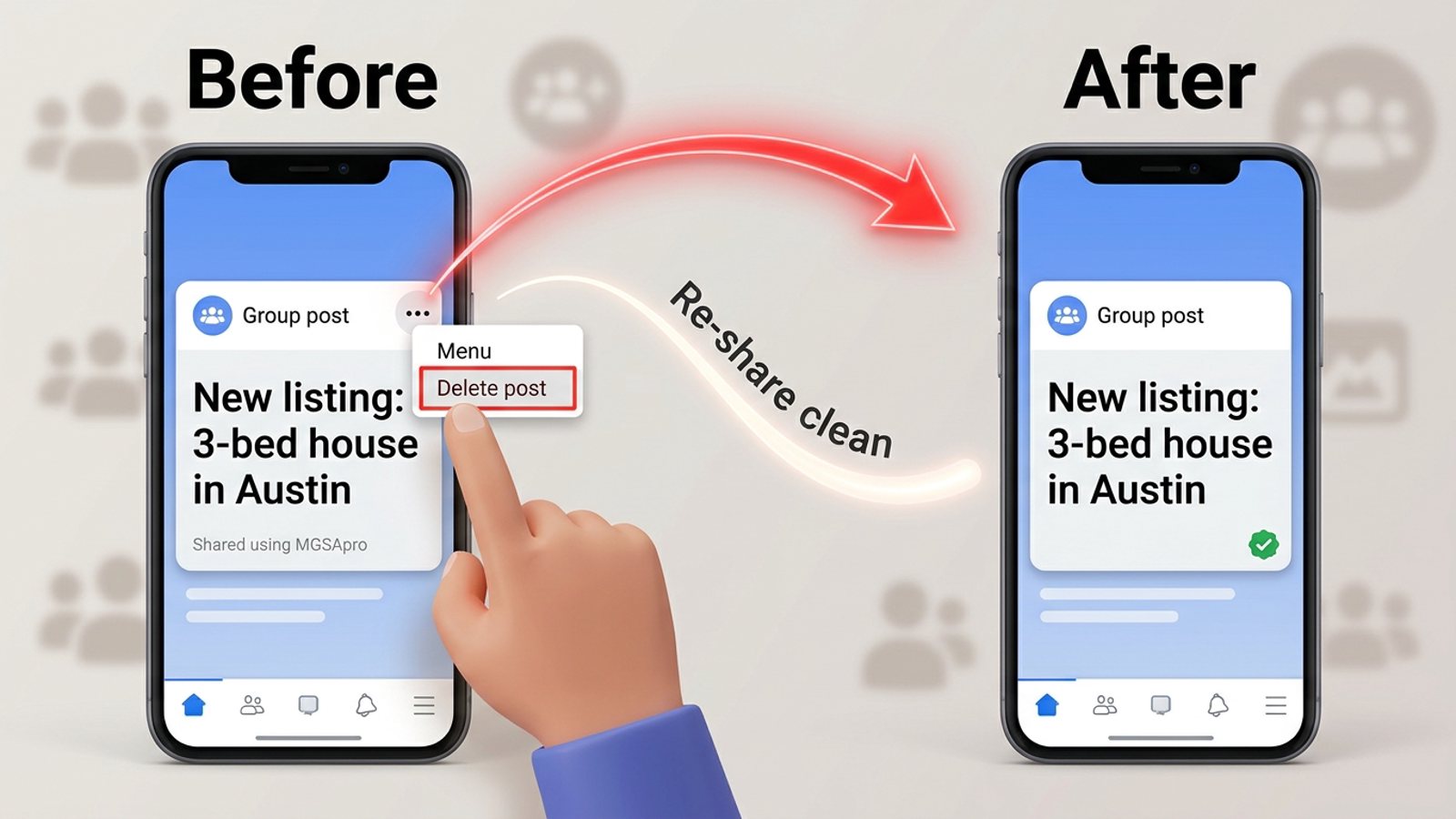
If a "Shared using…" line shows up under your group posts, it's a source stamp added by Facebook when a post goes out through a third-party tool — it isn't part of your text and there's no switch to remove it from a live post. Your options are the tool's paid upgrade that removes the stamp, or sharing by hand in Facebook's own composer.
The rest of this guide is about getting your group posts looking clean without losing the speed that made you use a bulk-sharing tool in the first place.
Add to Chrome and share to your groups without a watermark: Get MGSApro free — the free version works forever with a small stamp, and the paid upgrade takes it off.
Key takeaways
- The shared using line Facebook groups show is a source stamp added by the network at publish time, not something you typed or a setting you can toggle.
- You can't strip it from a post that's already live — sharing creates a separate copy, so the fix is to delete that copy and re-share another way.
- MGSApro's free version adds a small "Shared using MGSApro" watermark; the paid upgrade removes it (from $7.99/month on the yearly plan, as of November 2026 — prices can change).
- Posting by hand in Facebook's own composer applies no third-party label, but it's slow and repetitive text is what actually gets accounts flagged.
- Whether you use a tool or not, Meta's spam policy applies — this is not legal advice, and platform rules vary by place.
Why does a "Shared using" line appear on my Facebook group posts?
Because the post was published through a third-party app path, and the network stamps the source automatically. Buffer's help centre states it plainly: posts shared through third-party tools display a source stamp, and "this source stamp is added by the social network" — it isn't something the tool chooses to add or can strip afterwards (Buffer Help Center, 2026).
For Facebook groups specifically, Buffer says group posts show a "Buffer" link that is visible to everyone (Buffer Help Center, 2026). The same article in its 2024 version said the same thing, so this isn't new behaviour.
On Facebook Pages, Ayrshare documents that "Published by Ayrshare" appears in the admin view of a Page post and is added automatically as metadata by Facebook (Ayrshare Docs, 2026). A Make.com community thread on the "Published by" label says Facebook requires it when publishing via third-party integrations and it can't be removed; the suggested workaround is posting manually from your own account (Make Community, 2024).
So the label tracks how the post was published, not your account settings. That's why it appeared the day you started using a sharing tool, and why editing your post text won't make it go away.
Can I remove the "Shared using" line from a post that's already live?
No — there's no native switch, because the stamp is applied at publish time. The usual fix is to delete that shared copy and re-share it another way.
Here's the thing people miss: sharing doesn't move your original post, it creates a separate copy in the group (Broadband Properties Magazine, 2026). So removing that copy removes the label with it. Note that deleting your original post won't remove someone else's shared copy — that stays on their timeline unless they remove it (Everyday Tech).
Our recommendation: don't panic-delete a whole morning's posting. Go through your live group posts, find the ones where a clean look matters most (your best-performing groups, the ones where buyers actually browse), and redo just those.
How do I share to Facebook groups without the line showing?
Use a path that doesn't involve a third-party app: Facebook's own composer, its built-in multi-group composer, or a tool whose paid tier removes the stamp.
Here are the real options, in order of how clean the result looks:
- Manual posting in Facebook's own composer. No third-party app is involved, so no third-party stamp is applied — that's the workaround named in the Make.com thread (2024). Downside: it's slow copy-paste, group by group.
- Facebook's built-in multi-group composer. Free and built into Facebook, and nothing third-party touches the post. But it only works if you're an admin or moderator of the groups you select (Lilach Bullock, 2026), so most sellers can't use it.
- A bulk-sharing tool's paid tier. Fast, and the watermark comes off. With MGSApro, the free version stamps a small "Shared using MGSApro" line; the upgrade removes it (from $7.99/month on the yearly plan, as of November 2026 — prices can change).
- A third-party scheduler. Mostly a dead end for groups: Meta removed group publishing from its API on 22 April 2024, so no outside scheduler (Buffer, Hootsuite, Later, Meta Business Suite) can publish to groups (SkedCast, 2026). Buffer's own documentation confirms group posts carry a visible "Buffer" link.
If clean-looking posts are the whole goal, the honest trade is speed versus a stamp. Manual and native are clean but slow; tools are fast but stamp unless you pay to remove it.
How do I turn off the watermark on MGSApro?
Upgrade to the paid plan — the free version always carries a small "Shared using MGSApro" watermark, and the upgrade removes it.
MGSApro is a Facebook group sharing extension that lives inside Facebook: you tick your groups on the page, optionally add a message, save the selection as a preset, and hit Share. The free version does all of that forever, with the watermark. The paid plan takes the stamp off.
On price: the owner states $7.99 a month when you get the yearly plan, and $9.99 per month for the no-watermark upgrade (as of November 2026 — prices can change). Check the current offer on the site before you buy.
Add to Chrome here: get the watermark-free version.
What's the right way to re-share a post cleanly?
Delete the stamped copy, then re-share the post the clean way for that group. Here's the walkthrough:
- Check one live group post. Look under the post text for a "Shared using…" or app-name line. Note whether it came from a third-party tool or Facebook's own composer.
- Delete the stamped copy from the group where the label must go. Sharing made a separate copy, so removing the share removes the label (Broadband Properties Magazine, 2026).
- Re-share using Facebook's own composer for the groups where a clean look matters most (Make Community, 2024).
- For bulk sharing where you want the label gone, use the tool's paid upgrade that removes the stamp.
- For groups you admin or moderate, use the native multi-group composer — no third-party path involved (Lilach Bullock, 2026).
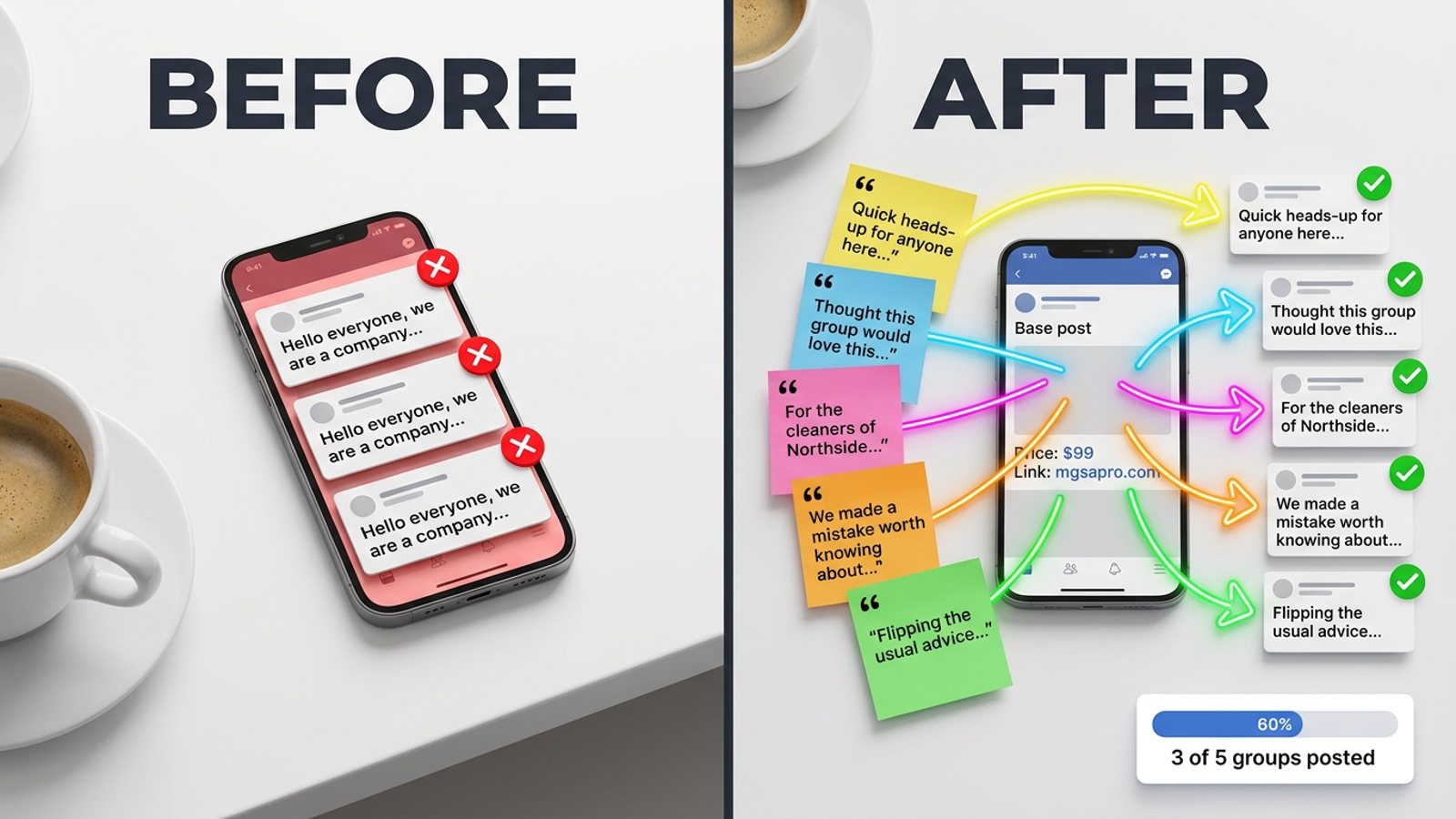
- Space out your shares and vary the text. Lilach Bullock's reported safe cadence is 5–8 promotional groups a day, up to 10–12 for conversational posts, with at least 10–15 minutes between posts (2026).
- Decide per campaign: watermark-free but slower (manual/native) versus stamped but fast (third-party). Meta's spam policy applies either way (Meta Transparency Center, 2024).
That last point matters more than the stamp. Meta's spam policy bans posting or sharing content at very high frequencies, manually or automatically, and may restrict lower-frequency accounts when repetitive-content signals are present (Meta Transparency Center, updated 2024). Meta also announced in April 2025 that it is reducing reach for accounts that share repetitive, spammy content (Meta Newsroom, 2025). Posting identical text in every group is routinely named the biggest trigger in multi-group posting (BuzzPost, 2026).
So a clean post that gets your account restricted is a worse outcome than a stamped post that sells something. If you're sharing the same blurb everywhere, read our guide on sharing to many groups with your own message on every one — and if your posts are starting to read identically, this one on stopping group posts reading the same is worth five minutes.
Which tool should I use to share to groups without a watermark?
Of the tools we compared, MGSApro is our pick for sellers who want to keep one-click group sharing and lose the stamp — because the paid upgrade removes it while the tool stays inside Facebook.
MGSApro is made by the team behind this blog.
| Option | Best for | Key features | Price / free option | Watch-outs |
|---|---|---|---|---|
| MGSApro (Our pick) | Sellers and local businesses who share one post to many groups and want it looking clean | Tick groups on the Facebook page, optional message, reusable presets, live progress bar, randomized delays and human-like clicks, AI text variations, one "Share to Groups" button | Free forever with a small watermark; paid upgrade removes it (from $7.99/month on the yearly plan, $9.99/month, as of November 2026 — prices can change) | Chrome only; operates on top of Facebook; not affiliated with Meta |
| Facebook's built-in multi-group composer | Admins and moderators posting to groups they run | Free, native, nothing third-party touches the post | Free | Only works if you're an admin or moderator of the groups you select (Lilach Bullock, 2026) |
| Manual posting in Facebook's composer | Anyone who needs a handful of groups to look perfect | No third-party stamp at all | Free | Slow copy-paste per group; repetition and speed are the real flags (Lilach Bullock, 2026) |
| Buffer | Social teams already scheduling other channels | Established scheduler | Not stated in the material we reviewed — see Buffer's own pricing page | Group posts show a "Buffer" link visible to everyone (Buffer Help Center, 2026); since Meta removed group publishing from its API on 22 April 2024, no outside scheduler can publish to groups (SkedCast, 2026) |
| Ayrshare | Developers publishing via API | API-based publishing | Not stated in the material we reviewed | On Pages, "Published by Ayrshare" appears in the admin view and is added automatically by Facebook (Ayrshare Docs, 2026) |
| Multigroup Poster | Chrome users who want Spintax text variations | Runs in your own logged-in browser, no password or remote server, Spintax variations (Chrome Web Store) | Not stated in the material we reviewed | The developer's own comparison says Meta Business Suite, Buffer, Hootsuite and Later can't post to groups at all (Medium, developer post, 2026) |
If you mainly need a handful of groups you admin, Facebook's native composer is the more direct choice — nothing to install. If you need API-level publishing for a Page, Ayrshare is built for that. For everyone else sharing one post across dozens of groups they don't run, a Chrome extension that drives your own logged-in session is the practical route, and the paid tier is what gets the stamp off.
New to it? The MGSApro tutorial walks through group selection and presets.
Sources
- Is it possible to remove the "Buffer" stamp from posts published to social networks? (Buffer Help Center, 2026-07-01)
- Is it possible to remove the "Buffer" stamp…? (Buffer Help Center, 2024-08-07)
- Facebook shows "Published by Ayrshare" (Ayrshare Docs, 2026-08-16)
- Facebook remove "Published by" watermark (Make Community forum, 2024-06-08)
- How to Post an Update to Multiple Facebook Groups at Once (Lilach Bullock, 2026-07-28)
- How many Facebook groups can you post in each day? (Lilach Bullock, 2026-08-19)
- Spam (Meta Transparency Center, updated 2024-06-25)
- Reducing spam content on Facebook (Meta Newsroom, 2025-04-23)
- How to auto post Facebook groups 2026 (BuzzPost, 2026-05-13)
- How to schedule Facebook group posts (SkedCast, 2026-09-22)
- I Tried Every Way to Schedule a Post in a Facebook Group (Medium, developer post, 2026-10-24)
- Multigroup Poster – Facebook Group Auto Poster (Chrome Web Store)
- How Do You Unshare Something on Facebook? (Broadband Properties Magazine, 2026-05-25)
- How to Delete a Post on Facebook (Everyday Tech)
Frequently asked questions
Never manually share to groups again
MGSA Pro is the free Chrome extension that shares your posts to every Facebook group for you — safely, with human-like timing.
Keep reading

How do I stop a 'Shared using' watermark showing on my Facebook group posts?
November 22, 2026
How do I stop every Facebook group post from starting with the same opening line?
November 23, 2026

How do I keep my Facebook group posts clean when I share on behalf of clients?
November 27, 2026

Is there a way to share a Facebook post to many groups with no watermark on it?
November 25, 2026