
Is there a way to share a Facebook post to many groups with no watermark on it?
November 25, 2026 · MGSApro Team
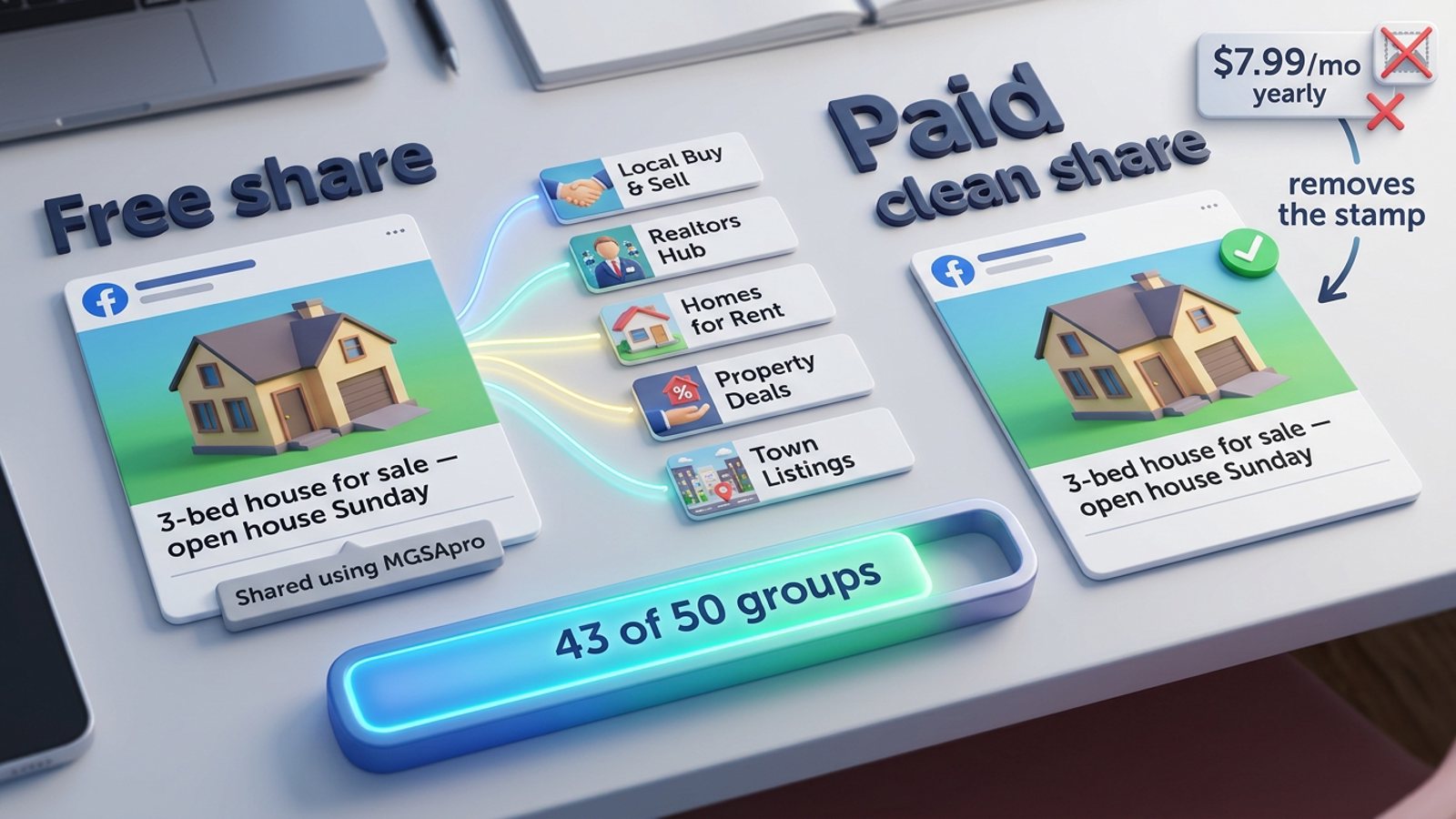
Yes — Facebook's own Share button adds no watermark, but it does one group at a time. Bulk extensions either stamp free shares or carry their own mark. So your real choice is: pay a small subscription for clean bulk sharing, stay free and wear the watermark, or do it by hand and lose the afternoon.
If you want the clean-share route, add MGSApro to Chrome and share to every group you've selected in one click — with no "Shared using" line once your licence is active.
Key takeaways
- Share Facebook post no watermark is possible three ways: Facebook's own Share button (free, slow), a paid bulk tool (fast, small cost), or a free bulk tool (fast, stamped).
- MGSApro's free tier is free forever, but shares carry a short watermark; extending the licence removes it. Watermark removal starts at $7.99 a month on the yearly plan, as of November 2026, and prices can change.
- Bulk extensions can't dodge Meta's spam rules — the watermark isn't what gets accounts flagged, posting frequency and repetitive content are.
- Roughly 2 minutes per group by hand means 50 groups is close to two hours of clicking.
Can I share a Facebook post to many groups without a watermark at all?
Yes — Facebook's built-in Share button never adds a watermark. The catch is that Facebook's interface lets you pick one group per share, according to PurePrivacy (2025). Do that 30 times and you've spent an hour on the mechanics alone, plus you have to track which groups you've already hit so you don't double-post.
Bulk tools exist to remove that grind. Most of them, including MGSApro, put a short line on free shares. Paying removes it. That's the whole trade: time versus a few pounds a month versus a small stamp on your post.
Why does a "Shared using" line appear on my group posts?
Because you're on a free tier of a bulk-sharing extension. MGSApro's Chrome Web Store listing (updated 15 November 2026) says the extension is free forever when sharing with a small watermark, and that after the free trial shares carry a short watermark which disappears when you extend your licence. Everything else stays free.
If you're a seller posting a listing, that line sits right under your words in every group. For a realtor or a local service business, it reads as "this person used a tool" — which is exactly the credibility dent you've noticed. Our recommendation: decide whether that line costs you more in trust than a subscription costs in cash, and pick deliberately rather than by default.
How much does it cost to remove the watermark?
MGSApro's watermark removal is priced at $7.99 a month when you take the yearly plan, as of November 2026 — prices can change. A third-party comparison dated 26 September 2026 lists other options at $14.99/month, $79 for six months, $129/year, or a $24.99 one-time purchase; treat that as a third-party claim and check the current price on the site before you buy.
Our recommendation: if you share to groups most days, the yearly plan is the cheapest per month. If you post in bursts — say a listing launch every few weeks — a monthly plan you switch on and off may suit you better.
What are my options for sharing to many groups with no watermark?
Here's how the realistic options compare, with MGSApro first because it's the tool this blog is built around.
| Option | Best for | Key features | Price / free option | Watch-outs |
|---|---|---|---|---|
| MGSApro (Our pick) | Sellers and marketers who share to many groups daily and want a clean post | One-click sharing to selected groups, saved group presets, optional message per share, live progress bar, randomized human-like delays, AI text variations, runs inside Facebook with no extra dashboard | Free forever with a small watermark; watermark removal from $7.99/month on the yearly plan (as of November 2026, prices can change) | Chrome only; operates on top of Facebook; free shares are watermarked; not affiliated with Meta |
| Facebook's own Share button | A handful of groups, or anyone refusing to pay | No watermark, no third-party tool, lowest spam risk | Free | One group per share, roughly 2 minutes each, easy to double-post |
| GroupBlaster | Budget users who want a cheap auto-posting tier | Free plan with 5 campaigns, 10 posts/month, manual posting and spintax; auto-posting on paid tiers | $0 forever on the free plan; $5.99/month or $57.60/year for auto-posting (GroupBlaster pricing page, last updated 24 September 2026) | Free plan is manual posting only — you still do the clicking |
| Buffer | Normal social scheduling to Pages and profiles | Scheduling and publishing to standard social channels | Free plan exists per Buffer's own help content; paid plan prices weren't in the material we checked | Posts to Facebook groups via Buffer display a visible "Buffer" link that can't be removed because the network requires it (Buffer Help Center, 2026); Meta removed third-party group publishing, per SocialBee (2026) |
| Hootsuite | Scheduling to Pages and profiles | Social scheduling and publishing | Plans and prices weren't in the material we checked | Schedulers relied on Meta's Groups API, which was removed (SocialBee, 2026; AlternativeTo, 2026), so it can't bulk-publish to Groups |
MGSApro is made by the team behind this blog.
If your main need is scheduling to your Page and profile rather than groups, Buffer or Hootsuite are the more direct choice — group publishing just isn't their job anymore. If you want the cheapest possible auto-posting and don't mind a leaner feature set, GroupBlaster's paid tier is worth a look.
For the clean-share job itself, get MGSApro's Chrome extension and tick your groups once — the preset remembers them next time.
How do I share a post to many groups with no watermark, step by step?
Start by deciding which of the three routes fits your week, then follow it.
- Pick your route. Free-with-watermark, paid clean, or manual. Write it down — drifting between them is how people end up with a stamped post on their best listing.
- If you're going bulk, install the extension, browse your Facebook groups and tick the ones you want, then save the selection as a preset so you never re-pick them.
- Before the run, turn on randomized delays and AI text variations so each group gets slightly different wording at a human pace — MGSApro's listing describes both as built in.
- If the watermark matters, extend the licence first, then share. The stamp is attached at share time, so removing it afterwards isn't the fix.
- If you're going manual, repeat Share → Groups → search the group → pick it → type your blurb → share, and keep a note of which groups you've done.
- Keep daily volume modest and spread out. Meta's Spam policy (updated 26 June 2024) bans posting or sharing "excessively frequently," whether manual or automated, and can restrict accounts showing repetitive content.
If you want the full walkthrough of the extension's buttons and presets, the MGSApro tutorial covers it screen by screen.
Will removing the watermark stop Facebook flagging my account?
No. Meta's spam policy targets posting frequency and repetitive content, not watermarks. A clean post shared to 40 groups in ten minutes is still 40 rapid shares.
Field guides warn that Facebook's systems flag accounts posting across 10–15 or more groups in quick succession (Medium/Dented Feels, 2026), and Lilach Bullock (2026) recommends keeping to a modest daily number paced out through the day. Our recommendation: pick a volume you could defend to a group admin, and let the delays do their work.
This is not legal advice, and platform rules vary by place and change often — check Meta's current policies for your situation.
Is the free version good enough if I don't mind the watermark?
Often, yes. If you're testing whether group sharing works for your business at all, the free tier lets you find out without spending anything, and the watermark is a fair trade for that. MGSApro's free version is free forever with a small watermark.
Where it stops working is when the post is your shopfront — a listing, an open-house announcement, a client's campaign. That's the moment the line under your words starts costing you more than the subscription would. If you're weighing it up, our breakdown of how to stop a "Shared using" watermark showing on your group posts goes deeper on the mechanics.
Sources
- Share Post to Multiple Facebook™ Groups | Multiple Group Share Assistant (Chrome Web Store, updated 2026-11-15)
- Multiple Group Share Assistant (MGSA) Alternative, 2026 (MultiGroupPoster, vendor, 2026-09-25)
- Is it possible to remove the "Buffer" stamp… (Buffer Help Center, 2026-07-01)
- Buffer stamp article (Buffer Help Center, 2024-08-07)
- How to post to multiple Facebook groups (PurePrivacy, 2025-01-02)
- Programmer des publications sur des groupes Facebook (SocialBee, 2026-01-06)
- MultiGroupPoster about page (AlternativeTo, 2026-06-21)
- Spam policy (Meta Transparency Center, updated 2024-06-26)
- How many Facebook groups can I post to per day (Medium/Dented Feels, 2026-05-28)
- How many Facebook groups can you post in each day (Lilach Bullock, 2026-08-19)
- GroupBlaster pricing (GroupBlaster, updated 2026-09-24)
Frequently asked questions
Never manually share to groups again
MGSA Pro is the free Chrome extension that shares your posts to every Facebook group for you — safely, with human-like timing.
Keep reading
How do I post to 50 Facebook groups a day without a watermark on every post?
November 22, 2026
What is the best tool to share one Facebook post to 50 groups without a watermark on it?
November 22, 2026
Is there a way to attach the same blurb to a Facebook post every time I share it to a group?
November 24, 2026

What is the best way to post to many Facebook groups without a separate dashboard?
November 27, 2026