
How do I post to Facebook groups from two profiles on the same computer without logging in and out all day?
November 29, 2026 · MGSApro Team
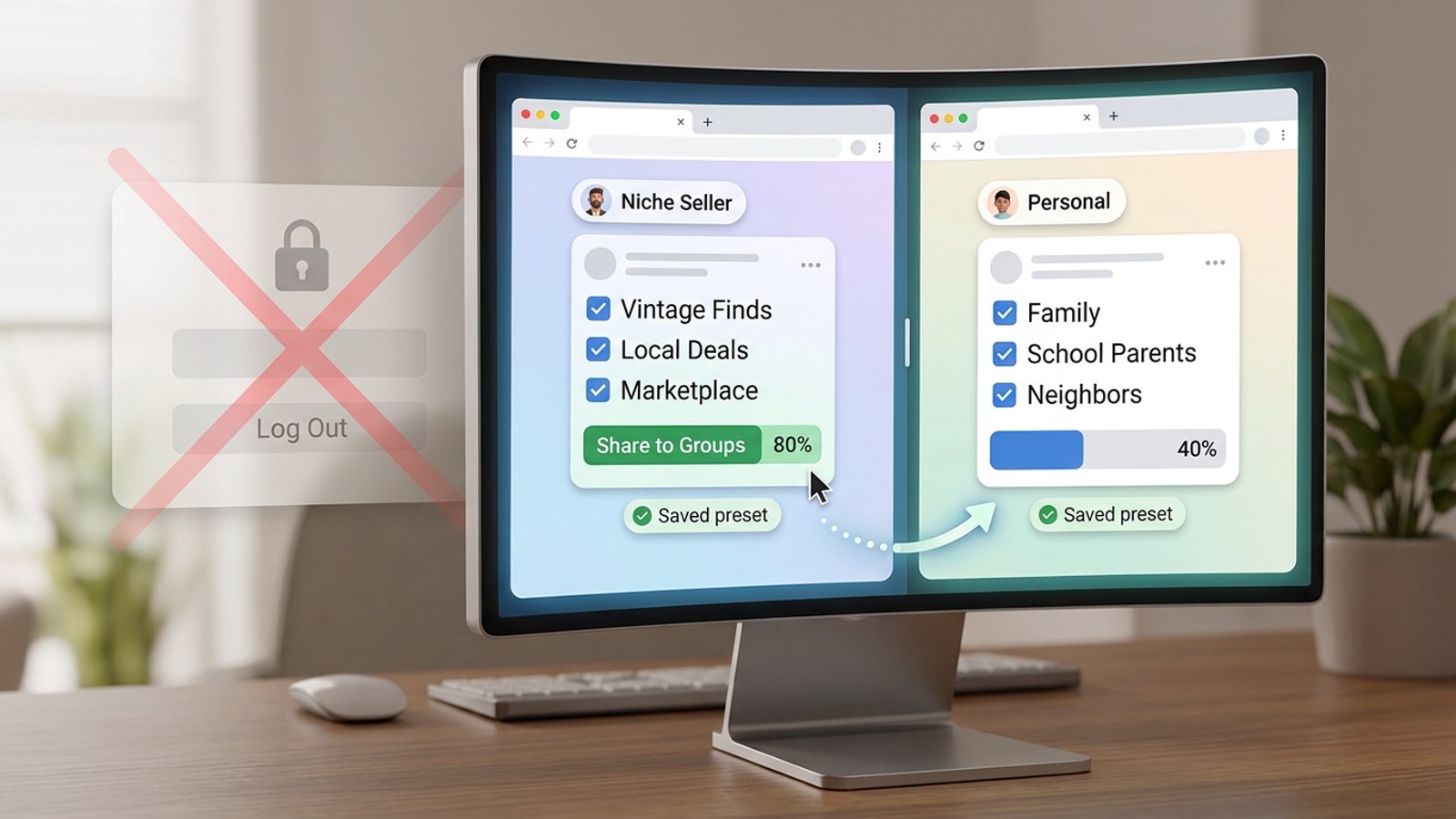
Give each Facebook profile its own Chrome profile. Both stay signed in at the same time, each with its own cookie jar, history and extensions, and you switch by changing browser windows instead of logging out. Facebook's own account switcher also works for quick hops, but it keeps both accounts in one browser session.
Get MGSA Chrome Extension (Free Unlimited) so each profile keeps its own saved group list and you never re-tick groups after switching.
Key takeaways
- Two Facebook profiles same computer works best with two separate Chrome profiles — no logout, no re-login, no mixed cookies.
- Facebook's in-app switcher lets you move between accounts you control without logging out, but everything shares one browser session.
- A Chrome profile is separation, not security: anyone on the PC can open either profile and see its history.
- Install your posting extension in each profile separately, so each identity keeps its own group selection.
- Vary wording and pace between the two identities — Meta's spam policy flags very high frequency and duplicate content.
How do I keep two Facebook profiles signed in on one computer without logging out?
Use two Chrome profiles, one per Facebook identity. Google's Chrome help page lists "keeping accounts separate, e.g. work and personal" as a main reason to use profiles, and a Villanova University IT knowledge base explains that profiles isolate bookmarks, history, saved passwords, extensions, cookies, local storage and active session tokens — so two users can stay logged in at the same time.
Here's the setup:
- Open Chrome on the computer and click the profile icon in the top-right corner.
- Choose "Add" to create a second Chrome profile. Signing in with a Google account names the profile.
- In that new window only, sign into Facebook as your second identity.
- Pin each profile to its own desktop shortcut, so switching identity is one click — never a logout.
- Install your group-posting extension separately in each profile.
At the time of writing, menus may differ slightly between Chrome versions, so look for the profile icon rather than a fixed menu path.
Is Facebook's own account switcher enough instead of separate browser profiles?
It's enough for light switching, not for keeping two posting workflows apart. Facebook's Help says you can switch between Facebook accounts on a computer without logging out — but only when several accounts are signed in on the same browser. The flow on desktop is: go to facebook.com → your profile picture → "See all profiles" → "Switch accounts" → pick the account.
Two things to know. Facebook stores information for up to 10 accounts per browser, and its help page advises saving only accounts of people who routinely use that computer. And because the switcher keeps everything in one browser session, there's no cookie separation — which is the whole point if you're running a niche profile alongside a personal one.
Our recommendation: use the in-app switcher for a quick check, and Chrome profiles for the actual posting work.
How do I stop re-ticking the same groups every time I switch profiles?
Set up your posting tool separately inside each Chrome profile. Because each Chrome profile runs its own copy of any extension, a posting extension installed in your niche profile keeps that profile's saved group list, and the copy in your personal profile keeps its own.
That's how the Facebook group sharing extension is built to work. You tick groups directly on the Facebook page, save the selection as a preset, and next time you pick the preset instead of re-selecting every group. The extension remembers which groups go with which profile, so switching back to your niche identity doesn't mean starting the group list from scratch. MGSApro also works on multiple Facebook profiles and can schedule posts into your own groups only.
A quick walkthrough of presets and multi-profile use is in the MGSApro tutorial.
What's the safest way to post from both profiles on the same day?
Vary the text and space the posts out. Meta's Community Standards prohibit posting and sharing at "very high frequency", whether manual or automated, and lower-frequency accounts can still be restricted for other spam signals such as duplicate content. Group-posting vendor MultiGroupPoster (2026) describes the group limit as a real-time anti-spam judgement rather than a fixed number, so two accounts posting identical content can get different outcomes.
Field guidance from marketer Lilach Bullock (August 2026) suggests keeping promotional or link-based posts to roughly 5–8 groups a day, spacing posts at least 10–15 minutes apart, and rewriting the core message at least three ways. Our recommendation: apply that per account, not across both, and never post identical wording to the same groups from both profiles.
One more: a group-posting vendor troubleshooting page (MultiGroupPoster, March 2026) advises against posting from the same account in two browsers at once. Keep one identity to one window.
This is not legal advice, and platform rules and enforcement vary by place and change over time.
How do I stop the two profiles from looking linked or spammy?
Keep each identity's behaviour distinct. A vendor blog (Multilogin, September 2025) lists unusual logins, repeated activity and accounts that appear linked to each other among the patterns behind Facebook bans — treat that as vendor guidance, not Meta policy. A Chinese cross-border seller forum post (AMZ123, January 2025) similarly warns that operating several accounts on the same computer is one of the things that leads to bans; that's an unverified community view.
What you can control:
- Different wording per profile, not the same post twice.
- Different pacing — don't run both profiles' posting bursts at the same minute.
- Human-like gaps between group posts. MGSApro includes randomized delays and human-like clicks, plus AI-generated text variations for each group.
- Don't lean on Chrome profiles as a privacy lock. Google's own help page warns that anyone using the device can switch to any profile on it and see what sites that profile visited.
Which tools help with posting to groups from two profiles?
The options below all solve part of the job. Only one is built for posting to many groups from inside Facebook, and it's ours — so read the "best for" column honestly.
MGSApro is made by the team behind this blog.
| Option | Best for | Key features | Price / free option | Watch-outs |
|---|---|---|---|---|
| MGSApro (Our pick) | Sellers and marketers posting to many groups from more than one profile | One-click "Share to Groups" button on every post; tick groups on the Facebook page; optional message; reusable group presets; live progress bar; randomized delays and human-like clicks; AI text variations; works on top of Facebook with no dashboard; remembers which groups go with which profile | Free forever with a small watermark, or $9.99/month without one, as of November 2026 — prices can change; a yearly plan starts from $7.99/month | Chrome only; operates on top of Facebook; free version adds a watermark; not affiliated with Meta |
| Chrome profiles | Keeping two identities signed in at once with real cookie separation | Separate cookies, history, passwords, extensions and session tokens per profile; free and built into Chrome | Free | Anyone on the PC can open any profile and see its history; you still pick groups by hand in each window |
| Facebook's in-app account switcher | Quick hops between accounts you control | Switch accounts without logging out; stores up to 10 accounts per browser | Free, built into Facebook | One shared browser session, so no cookie separation; Meta advises saving only regular users of that PC |
| Manual copy-paste posting | Very small volumes where you tailor every post by hand | Zero tools, full control over wording per group | Free (your own time) | The share menu takes one group per share, so every group is a separate trip; back-to-back posting across 10–15+ groups is the rapid pattern that gets flagged (Medium/Dented Feels, May 2026) |
If you mainly need clean separation between a work login and a personal one and post to only a handful of groups, Chrome profiles alone are the more direct choice. If you need to reach dozens of groups per profile without hours of clicking, MGSApro is the fit — add it to Chrome and set up a preset in each profile.
Sources
- Manage Chrome with multiple profiles (Google Help, undated)
- Switch between Facebook accounts (Facebook/Messenger Help, Vietnamese, undated)
- 切换 Facebook 账户 (Messenger Help, Chinese, undated)
- You Can Now Have Multiple Personal Profiles on Facebook (Meta Newsroom, 2023-09-20)
- Como entrar em outra conta no Facebook sem se desconectar (Canaltech, 2025-09-23)
- Browser: Using Profiles for Development/Testing (Villanova TeamDynamix KB, undated)
- I split my Chrome browsing into separate profiles (How-To Geek, 2026-09-06)
- Spam policy (Meta Transparency Center, undated)
- Facebook Banned Accounts: Why It Happens and How to Fix It (Multilogin blog, 2025-09-16)
- 如何避免被封号 (AMZ123 forum, 2025-01-17)
- Why Your Facebook Group Post Won't Publish (MultiGroupPoster, 2026-03-03)
- How to share one Facebook post to multiple groups (MultiGroupPoster, 2026-08-30)
- Límites de publicaciones en grupos (MultiGroupPoster, ES, 2026-06-14)
- How many Facebook groups per day (Medium/Dented Feels, 28 May 2026)
- How many Facebook groups can you post in each day (Lilach Bullock, 19 Aug 2026)
Frequently asked questions
Never manually share to groups again
MGSA Pro is the free Chrome extension that shares your posts to every Facebook group for you — safely, with human-like timing.
Keep reading
How do I stop posting my client's listing to the wrong profile's Facebook groups?
November 29, 2026
How do I stop a 'Shared using' line appearing on every Facebook group post I share?
November 25, 2026
Can I line up my Facebook group shares in the morning and have them go out later that evening?
November 24, 2026