
How do I share a client's post to 25 Facebook groups without spending the whole afternoon on it?
November 20, 2026 · MGSApro Team
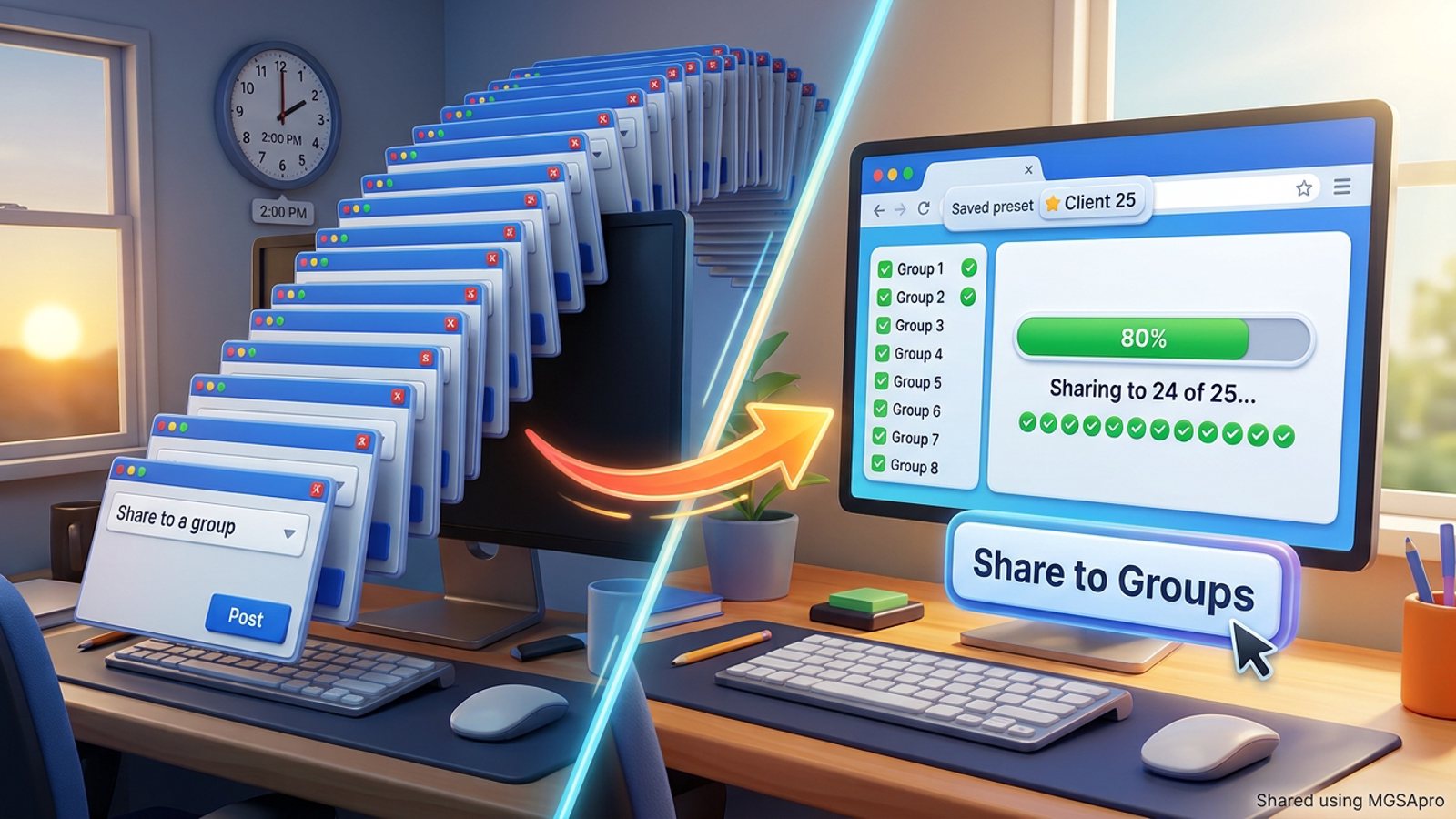
You share a client's post to 25 Facebook groups fastest by ticking the 25 groups once, saving them as a preset, and running the whole list from a single button inside Facebook. Desktop's Share menu only does one group per share, and the mobile picker caps at 10 groups (CellphoneS/Sforum, 2026), so batching is where the afternoon comes back.
Ready to run your next client share in one pass? Add MGSApro to Chrome and stop retyping the same blurb 25 times.
Key takeaways
- Share client post facebook groups runs faster when you tick the groups once and save them as a preset, instead of searching each group by name.
- Facebook's desktop Share flow handles one group per share; the mobile picker allows up to 10 groups in one go (CellphoneS/Sforum, 2026).
- Third-party schedulers like Buffer and Hootsuite can't publish into groups you've joined — Meta removed the Groups API and the
publish_to_groupspermission in April 2024 (AutoGP, 2026). - Vary the wording. Repetitive content is a named spam signal in Meta's policy (AutoGP, 2026), and one vendor suggests rotating 3–5 versions (FB Bulk Poster, 2025).
- Keep human-like spacing. Practitioners suggest 10–15 minutes between promotional posts, though this varies by account age (Lilach Bullock, 2026).
How long does it actually take to share one post to 25 groups by hand?
Longer than the post itself, because every group is a separate trip through Facebook's Share menu. On a computer the flow is: find the post → click Share → choose "Share to a group" → search or pick the group → add your line → click Post (MultiGroupPoster, 2026). One extension vendor estimates about 2 minutes per group once you factor in searching, typing and noting which groups you've already done (Chrome Web Store listing, no date). Multiply that across 25 groups and you've lost a chunk of the day to clicking.
Mobile isn't a shortcut either. Facebook's mobile share lets you pick up to 10 groups in one share, and that multi-group picker isn't available on desktop (CellphoneS/Sforum, 2026). So a full 25 means three mobile passes or a desktop run — and you still have to remember where you stopped.
What's the fastest safe way to share a client's post to 25 groups?
The fastest safe route is to do the share from inside Facebook with a tool that repeats Facebook's own share flow, not a separate scheduler. That keeps you logged in, keeps the share looking like a normal share, and lets you batch the clicking without leaving the tab.
Here's the workflow that works:
- Confirm permission and group rules. Ask the client to confirm you can share their post into these specific groups, and check each group's promo rules where they're posted. Rules vary by group and by place — this isn't legal advice.
- Join the 25 groups from the account you'll share as. That's your personal profile, or the client's Page after you switch into it (Facebook Help, 2026).
- Tick the 25 groups once and save the selection as a preset so next week you don't re-tick anything.
- Write 3–5 different blurbs rather than one identical message — repetitive content is a named spam signal (AutoGP, 2026; FB Bulk Poster, 2025).
- Run the share and watch the progress as each group gets posted, so you catch failures instead of guessing.
- Space promotional shares out. Practitioners suggest 10–15 minutes between promo posts, depending on account age (Lilach Bullock, 2026).
Our recommendation: treat the first run as a test. Do 5 groups, check they landed, then run the rest.
How do I use MGSApro to share a client's post to 25 groups in one click?
You select the groups on the Facebook page, add an optional message, save the selection as a preset, and click Share — then watch the live progress bar as each group gets posted. MGSApro is a Chrome extension that sits on top of Facebook with no separate dashboard or login, so you stay in the tab you're already working in.
The features that matter for a manager's afternoon:
- Group presets — save your 25 client groups as a list and reuse it every time, or share to multiple presets at once.
- AI-generated text variations — different wording per group instead of one copy-pasted blurb.
- Built-in randomized delays and human-like clicks — pacing built into the run rather than a timer on your phone.
- One 'Share to Groups' button on every post, with a live progress bar.
- Multiple profiles — it remembers which groups belong to which profile, useful if you manage more than one client account.
- Scheduling into your own groups — confirmed by the owner, for your own groups only.
It's free forever with a small watermark, or $9.99 per month without one (as of November 2026; prices can change). If you're new to it, the MGSApro tutorial walks through the setup.
Can I share the client's Page post, not just my own profile's post?
Yes — switch into the client's Page profile first, then use Share → "Share to a group" → pick the group → add optional text → Post (Facebook Help, 2026). That way the share comes from the Page, not your personal profile, which is usually what a client expects.
If you handle several clients, keep each client's group list as its own preset so you don't mix them up. Our post on sharing across more than one profile covers that setup in more detail.
Why can't I just schedule this in Buffer or Hootsuite?
Because Meta closed that door. Meta removed the Groups API and the publish_to_groups permission in April 2024, so third-party schedulers can no longer publish into groups you've joined (AutoGP, 2026). Buffer's own guide notes that Business Suite doesn't support Facebook Groups (Buffer, 2026), and an AppSumo answer confirms no third-party tool can post to Groups through the API (AppSumo, 2025).
Meta Business Suite can schedule to a Facebook group only if that group is linked to a Page the client administers — not to groups you've joined as a member (Group Posting, 2026). Facebook's own in-group scheduling is limited to admins and moderators, not ordinary members (Group Posting, 2026).
Which tools can share a client's post to 25 Facebook groups?
Of the options we compared, an in-Facebook bulk-share extension is the only one built for this exact job — the schedulers are better at other things. Here's the honest comparison.
| Option | Best for | Key features | Price / free option | Watch-outs |
|---|---|---|---|---|
| MGSApro (Our pick) | Managers sharing one post to many groups from inside Facebook | One-click share to many groups, group presets, AI text variations, randomized delays, live progress bar, no dashboard | Free forever with a small watermark; $9.99/month without (as of November 2026; prices can change) | Chrome only; operates on top of Facebook; free version adds a watermark; not affiliated with Meta |
| Facebook's manual Share | One group, or a handful where you want full control | Share → "Share to a group", personal blurb, Page switching | Free, built into Facebook | Desktop is one group per share; mobile caps at 10 groups; no tracking of which groups you've done |
| Meta Business Suite | Scheduling Page and Instagram posts, Planner view | Post scheduling for Pages, Instagram, Page-linked groups | Free | No bulk scheduling to multiple groups; can't publish into groups you've joined as a member since April 2024 |
| Buffer | Content calendars for Pages and profiles | Scheduling and publishing through Meta's APIs | Exact tiers not confirmed in our sources | Can't post into joined Facebook groups after the April 2024 API removal |
| Hootsuite | Multi-network scheduling and team workflows | Multi-network scheduling, team workflows | Exact tiers not confirmed in our sources | Same group-publishing limitation after the API removal |
| Manual + checklist | Lowest-risk, one-off shares | Full control of each blurb, no tool dependency | Free | Slowest option; easy to skip or double-post a group; no pacing help |
MGSApro is made by the team behind this blog.
If you mainly need a content calendar for Pages and Instagram, Buffer or Hootsuite is the more direct choice. If you need to reach 25 groups with one post this afternoon, the extension route is the one built for it. Add MGSApro to Chrome to try the free version first.
How do I keep 25 shares from looking like spam?
Vary the wording, space the posts out, and don't blast all 25 in one burst. Meta's spam policy prohibits posting, sharing or engaging at very high frequency, whether by hand or automatically, and names repetitive content as a spam signal (AutoGP, 2026). Facebook's automated detection flags or restricts accounts based on pattern matching, usually without a human review first (Conbersa, 2026).
Facebook publishes no official daily number. Practitioner ranges run from 5–8 promotional groups per day up to 15–25 for warmed-up accounts (Lilach Bullock, 2026; MaherPost, no date). A conservative warm-up for new accounts is 3–5 groups per day for the first three days, scaling toward 15–25 by days 11–14 (MaherPost, no date). Account age and posting patterns matter more than any single number.
Our recommendation: split 25 groups across two or three sittings rather than one run, and rotate your blurbs. For more on this, see how to share the same post to 20 local groups without it looking like spam.
Why does my share say it posted but not show up in the group?
Usually because the group holds posts for admin approval. Posts that don't appear right away are typically in the approval queue, and reposting doesn't jump the queue — it just looks like spam (AutoGP, 2026). Wait for approval before assuming the share failed.
Sources
- Share Post to Multiple Facebook™ Groups (Chrome Web Store, updated 2026-11-15)
- How to Share a Post to a Facebook Group (MultiGroupPoster, 2026-11-13)
- Cách chia sẻ bài viết vào nhóm trên Facebook (CellphoneS / Sforum, updated 2026-07-16)
- Como compartilhar um post da sua Página do Facebook em um grupo (Facebook Help, 2026-03-02)
- Can Buffer or Hootsuite Post to Facebook Groups? (AutoGP, 2026-09-12)
- Facebook Group Posting Limits (AutoGP, 2026-09-12)
- Facebook group post pending (AutoGP, 2026-10-15)
- Facebook Group Marketing for Agencies (Group Posting, 2026-09-28)
- Facebook Posting Limits (MaherPost, no date)
- How many Facebook groups can you post in per day (Lilach Bullock, 2026-08-19)
- Facebook Group Posting Limits (FB Bulk Poster, 2025-12-11)
- How to Schedule a Post on Facebook (Buffer, 2026-10-25)
- Posting To Facebook Groups (AppSumo, 2025-10-02)
- Facebook's automated spam detection (Conbersa, 2026-07-01)
Frequently asked questions
Never manually share to groups again
MGSA Pro is the free Chrome extension that shares your posts to every Facebook group for you — safely, with human-like timing.
Keep reading
How do I stop my Facebook group posts from all reading the same when I share in bulk?
November 22, 2026
How do I share a Facebook post to all my buy-and-sell groups in one click from Chrome?
November 21, 2026
How do I share a new listing to every local Facebook group without hunting for group names?
November 21, 2026