
How do I share a post to many Facebook groups without handing over my Facebook password?
November 28, 2026 · MGSApro Team
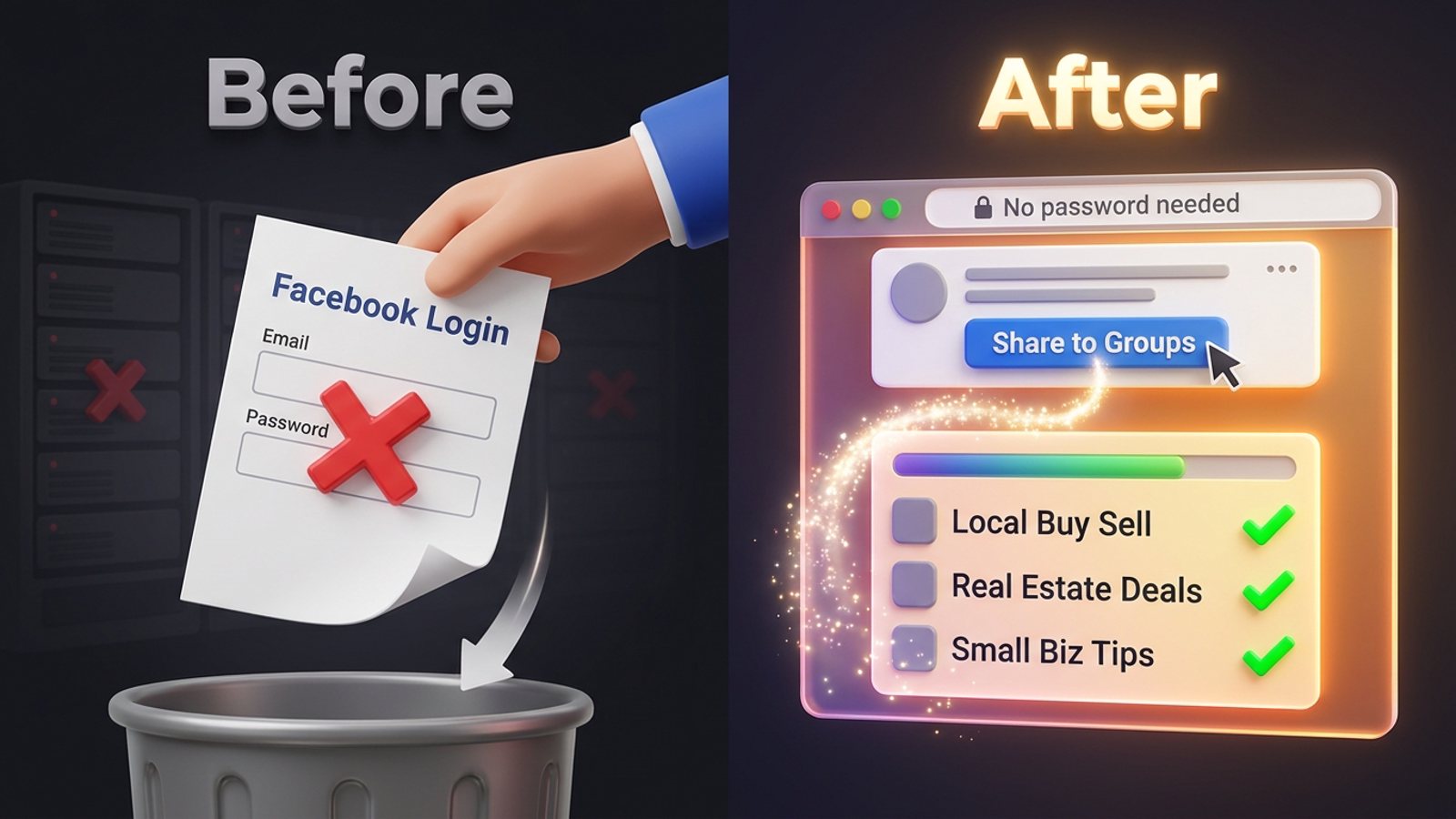
You never need to give a tool your Facebook password to share a post to many groups. The safe pattern is a browser extension that runs inside the Chrome profile where you're already logged in, so it repeats Facebook's own Share → Share to a group flow for each group. Any site that asks you to "connect" with your email and password is the pattern to walk away from.
Share Facebook groups without password work is a real, common worry — and the good news is the safe route is also the fast one. Here's how to do it, what to check first, and which tools fit.
Key takeaways
- A group-sharing tool should never ask for your Facebook login. If it does, close the tab.
- The safe pattern is an extension running in your own logged-in Chrome, on your own profile.
- Audit what already has access: Facebook → Settings and privacy → Settings → Apps and websites.
- Check an extension's permission warnings before you install it — that's where the real risk sits.
- No method removes the risk of Facebook restricting you for posting too much, so pace it like a human.
Ready to see the safe pattern in action? Get MGSA Chrome Extension (Free Unlimited) and share to your saved group lists without ever typing your password into a third-party site.
Why do some Facebook group tools ask for your password?
Because they post from their own servers instead of your browser. A cloud tool has to log in as you to publish on your behalf, which means your credentials — or a session cookie that does the same job — end up somewhere you don't control.
That's the whole difference. Tools that ask for credentials are asking you to trust their storage. Tools built as browser extensions don't need to, because you're already logged in on the page they work on.
The risk is not theoretical. A December 2024–January 2025 supply-chain attack trojanized at least 35 popular Chrome extensions with 2.5 million installations combined, adding scripts that stole Facebook cookies and identifiers to hijack Meta business and ad accounts (Kaspersky, 2025). The attackers didn't need passwords at all — stolen session cookies plus click data were enough to get past CAPTCHA and 2FA on facebook.com.
How do I share a post to many groups without giving anyone my login?
Run the tool inside your own logged-in browser and never type your password into a third-party site or pop-up. Your existing Facebook session does the work.
Here's the sequence that keeps your login yours:
- Check you're signed in to Facebook in Chrome. That session is what the tool uses. You won't re-enter your password anywhere else.
- Audit what's already connected. Go to Facebook → Settings and privacy → Settings → Apps and websites and remove anything you don't recognise, trust or need (AVG, 2026).
- Read the permission warning before installing any extension. Chrome's own help explains that "read and change all your data on all websites" lets an extension read, request and modify data on every page you visit (Google Chrome Web Store Help). Google notes a warning doesn't automatically mean an app is dangerous — but it does mean it can be.
- Install the extension and stay logged in as normal. No separate dashboard, no credential handover.
- Save your group lists once so each run is a click, not a re-selection.
- Open the post, hit Share, and let the extension repeat the native flow with human-like delays and varied captions.
- Keep volume and pace human — minutes between shares, different wording, and only where group rules allow.
Our recommendation: treat "we need your Facebook password" as an instant no, every time, no matter how good the demo looks.
What does a safe group-sharing extension actually do?
It clicks the clicks you'd click yourself, on the page you're already on. Nothing connects to your account and no server posts for you.
MGSApro works this way. It's a Chrome extension that adds one Share to Groups button to every post, right inside Facebook. You tick the groups you want on the Facebook page, optionally add a message, save the selection as a preset, and click Share. A live progress bar shows each group as it posts, with randomized delays and human-like clicks between them, and AI-generated text variations so every group doesn't get identical wording.
The manual version it replaces is slow: click Share → Groups → search group → click group → type a blurb → share → note which groups you already did. That's roughly two minutes per group (MGSA Chrome Web Store listing, updated November 2026). Ten groups is twenty minutes of clicking.
The extension also remembers which groups belong to which profile if you run more than one, and can schedule posts into your own groups. It's Chrome only, it operates on top of Facebook, and it isn't affiliated with Meta.
Want the walkthrough? The MGSApro tutorial shows the whole flow, and you can get the extension free with unlimited sharing.
Is a Chrome extension safer than a website that logs in for you?
Yes, for one specific reason: the extension never has to hold your credentials, so there's nothing to steal from a server.
A website that logs you in has to store or replay your session. A public Selenium script for group sharing, for example, logs in "using the profile" and loads cookies and a user agent to avoid repeated credential entry (GitHub, LeaDer-E, 2025) — and its own README warns that misuse may lead to account suspension.
That said, an extension is not automatically safe. Malicious extensions can read everything typed in the browser, including passwords and payment details, and capture session cookies that grant account access without the password (ScamEncyclopedia, reviewed 2026). And as the January 2025 campaign showed, even legitimate extensions can be hijacked through a malicious update.
So the rule is two-part: no password handover, and check the permissions and publisher before you install. Keep extensions updated, remove ones you don't use, and watch for unexpected behaviour.
Which tools let me share to many Facebook groups without a password?
Of the tools we compared, MGSApro is our pick for one-click group sharing from your own logged-in browser. The others are honest alternatives with real trade-offs.
MGSApro is made by the team behind this blog.
| Option | Best for | Key features | Price / free option | Watch-outs |
|---|---|---|---|---|
| MGSApro (Our pick) | Sellers and marketers sharing one post to many groups fast, from their own profile | One-click Share to Groups inside Facebook; group presets; optional message; live progress bar; randomized human-like delays; AI text variations; multi-profile group memory | Free forever with a small watermark, or $9.99/month without one (as of November 2026; prices can change) | Chrome only; runs on top of Facebook; free version adds a watermark; not affiliated with Meta |
| Meta Business Suite | Scheduling one group post at a time, or managing a Page | Free with a Facebook account; calendar view; can schedule a post to a group as a destination | Free | One group at a time, no bulk scheduling across groups; works best when the group is linked to a Page (SocialBee, 2026) |
| Buffer | Scheduling to Pages and Instagram | Cloud scheduler for Pages and other networks | Plans and prices weren't in our research — check Buffer's official pricing page | Can't send group posts automatically since 22 April 2024; it reminds you and you finish the post in Facebook yourself (Group Posting, 2026) |
| Hootsuite | Scheduling to Pages and other networks | Can schedule 20 minutes to 29 days ahead for supported destinations (postify.tech, 2026) | Plans and prices weren't in our research — check Hootsuite's official pricing page | Its help lists Facebook Pages, not groups; no group publishing since the Groups API was retired on 22 April 2024 |
| Manual sharing, one group at a time | Anyone who wants zero extension permissions | Highest trust — you stay logged in, nothing to audit, full control of each caption | Free | About 2 minutes per group; you must track which groups you've done to avoid double posting |
Why the API tools dropped groups: Meta removed the Groups API and its publish_to_groups permission with effect from 22 April 2024 (AutoGP, 2026; MaherPost, 2026). That's why Buffer and Hootsuite can't publish to groups any more — not a failing of theirs, just the platform changing.
If you mainly need scheduled posts to a Page and Instagram, Buffer or Hootsuite are the more direct choice. If you need to reach many groups from your own profile without a password, that's the job MGSApro was built for — add it to Chrome here.
Will sharing to lots of groups still get me restricted?
Possibly — and no tool can promise otherwise. Meta's Spam policy bans posting, sharing or engaging excessively frequently "whether manually or automatically" (Meta Transparency Center, updated 2024), and its automated detection can restrict accounts based on pattern matching, usually without human review first (Conbersa, 2026).
What actually helps, per practitioner accounts: intervals in minutes rather than seconds, varied wording, and not joining 20 groups then blasting them the same day — that's the clearest new-account signature (Medium, Reham, 2026).
Our recommendation: keep group lists tight, vary your captions, space your runs out, and only post where the group rules allow it. If you want the pacing detail, read how to share a Facebook post to many groups safely without looking like a bot. And if you're running several profiles, sharing from your own profile covers the setup.
This is general guidance, not legal advice, and platform rules vary by place and change over time.
How do I know if my Facebook account has already been compromised?
Watch for unauthorised login alerts, posts or messages you didn't make, friend requests you didn't send, and a changed email or phone binding (Nantou County Police Department, 2026). Those are the standard signs.
If you see them, unlink suspicious third-party apps and services, then review logins in Meta's account centre at accountscenter.facebook.com — the single place to check security across Facebook and Instagram (CNET, 2024). A hacked account is often reached through a compromised connected app, so checking connected apps is a standard recovery step (AVG, 2026; Computer Hope, 2025).
At the time of writing, menus may differ slightly as Facebook updates its interface — look for "Apps and websites" under Settings.
Sources
- Share Post to Multiple Facebook™ Groups | Multiple Group Share Assistant (Chrome Web Store, updated 2026-11-15)
- Multigroup Poster – Facebook Group Auto Poster (Chrome Web Store, no date)
- Permissions requested by apps and extensions (Google Chrome Web Store Help, no date)
- How to defend against hijacking and trojanization of Chrome extensions (Kaspersky official blog, 2025-01-15)
- Can a scammer gain access to my accounts through a fake browser extension? (ScamEncyclopedia, reviewed 2026-06-10)
- Facebook Group Post Sharing Automation (GitHub, LeaDer-E, 2025-04-03)
- How to Recover a Hacked Facebook Account (AVG, 2026-03-25)
- What to Do if Your Facebook Account Is Hacked (Computer Hope, updated 2025-09-07)
- Has Your Facebook or Instagram Account Been Hacked? (CNET, 2024-09-19)
- 常用社群軟體帳號安全防護及遭盜用應變處理 (Nantou County Police Department, Taiwan, 2026-11-16)
- Can Buffer or Hootsuite Post to Facebook Groups? (AutoGP, 2026-09-12)
- Facebook Group Posting Questions, Answered (Group Posting, 2026-11-07)
- How to Schedule Posts in Facebook Groups (MaherPost, 2026-10-28)
- How to schedule Facebook posts (postify.tech, updated 2026-11-08)
- How to schedule posts on Facebook Groups (SocialBee, 2026-01-06)
- Crear y administrar publicaciones en Meta Business Suite desde una computadora (Facebook Business Help Center, no date)
- Community Standards: Spam (Meta Transparency Center, updated 2024-06-25)
- How to Avoid Facebook Group Spam Detection as a B2B Founder (Conbersa, 2026-07-01)
- Your Facebook Account Got Restricted for Group Spam. Then It Asked for Your Face. (Medium, Reham, 2026-09-17)
Frequently asked questions
Never manually share to groups again
MGSA Pro is the free Chrome extension that shares your posts to every Facebook group for you — safely, with human-like timing.
Keep reading

How do I share a Facebook post to many groups safely without looking like a bot?
November 20, 2026
What is the best way to post to many Facebook groups without a separate dashboard?
November 27, 2026
How do I share one Facebook post to 30 groups without doing it one by one?
November 20, 2026
How do I post to many Facebook groups automatically without opening each one?
November 25, 2026